jwt-decode review
jwt-decode 4.0.0 Base64URL-decodes the payload or header of a JSON Web Token and parses that segment as JSON. A browser can use it to show a claim, inspect exp before asking for a refresh, or read kid before trusted verification code selects a key. It does not validate the signature, issuer, audience, expiry, or authorization policy. Version 4 uses a named export, targets Node 18 or newer, removes its atob polyfill, and publishes separate ESM and CommonJS paths.
jwt-decode 4.0.0 added 0 dependencies and only 0.6 KB gzipped in our browser build, with 0 audit findings, but every decoded claim remains unverified. Install it for display or refresh hints; use a JWT verifier whenever the result influences identity, trust, or access.
We installed it
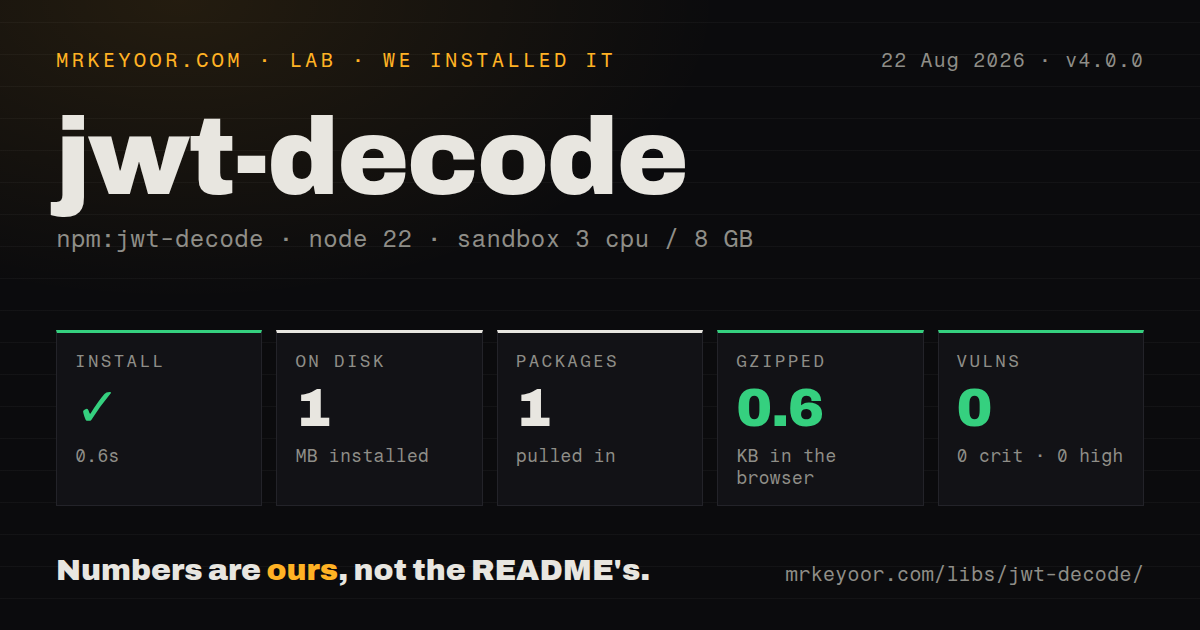
| Install | ✓ · 0.6s | 1 package on disk · 1 MB |
| Import | ✓ | ESM import works · require() works · ESM package with exports map |
| Browser | 0.6 KB | gzipped (1.1 KB minified), bundled with esbuild |
| Types | ✓ | TypeScript types bundled |
| Known vulns | 0 | 0 critical · 0 high · 0 moderate · 0 low (npm audit) |
Answers from our run
Does jwt-decode install cleanly?
Yes. In a fresh container with an empty cache, npm install jwt-decode finished in 0.6s, leaving 1 package and 1 MB on disk. npm audit reported no known vulnerabilities.
How much does jwt-decode add to a browser bundle?
0.6 KB gzipped (1.1 KB minified) when the whole package is bundled for the browser with esbuild. Importing only part of it is usually smaller.
Does jwt-decode work with both ESM and CommonJS?
Yes. Both import 'jwt-decode' and require('jwt-decode') worked in Node 22 in our run. The package is published as ESM with an exports map.
Does jwt-decode include TypeScript types?
Yes, type declarations ship inside the package, so no @types install is needed.
jwt-decode or jose: which should you use?
jose: Use it for JWT verification, signing, remote JWKS, or JWE across Web Crypto runtimes. jwt-decode 4.0.0 added 0 dependencies and only 0.6 KB gzipped in our browser build, with 0 audit findings, but every decoded claim remains unverified.
When should you not use jwt-decode?
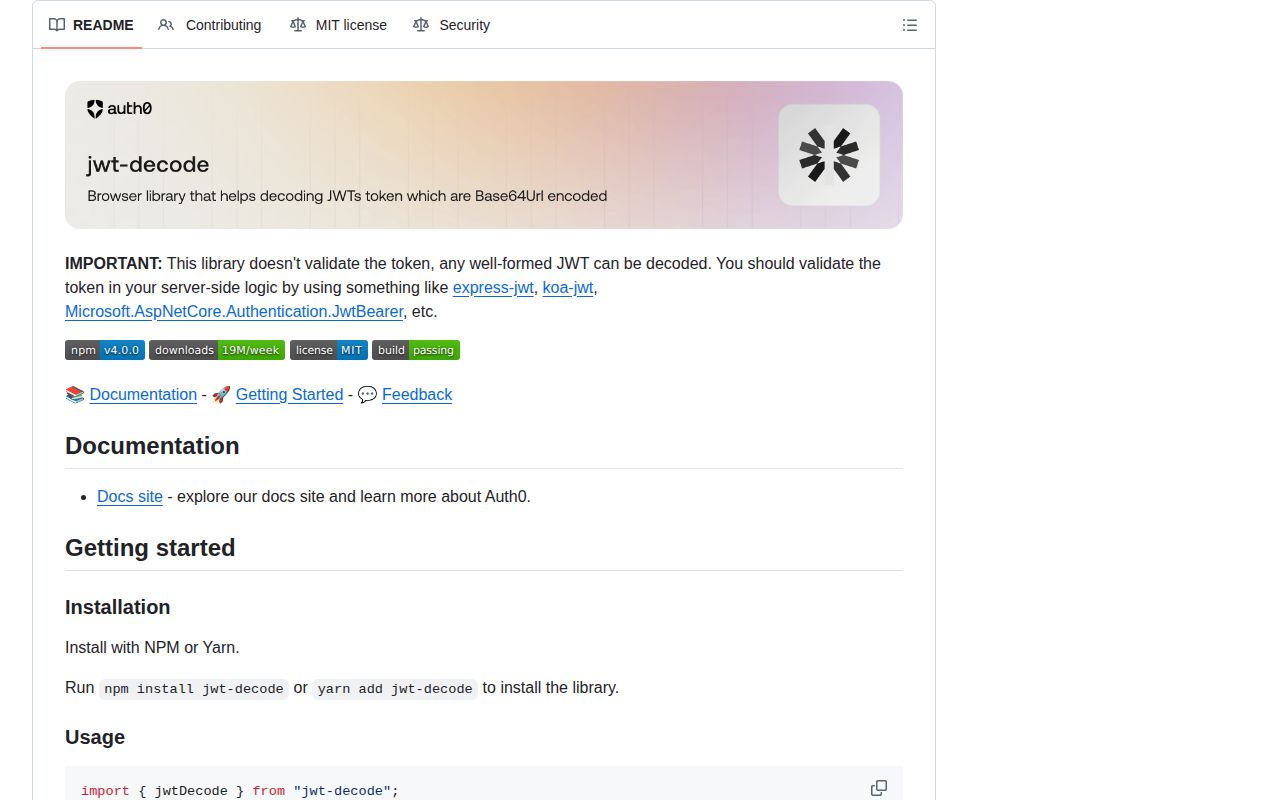
A decoded field can grant access; the README states that any well-formed JWT can be decoded, including one an attacker created
How do you import jwtDecode in jwt-decode v4?
Auth0's jwt-decode v4 exposes jwtDecode as a named export, so import it with braces rather than using the old default-import syntax.
import { jwtDecode } from "jwt-decode";

const claims = jwtDecode(token);
console.log(claims.sub, claims.exp);
For CommonJS, destructure the same named export:
const { jwtDecode } = require("jwt-decode");
Version 4 changed jwtDecode from a default export to a named export. Replace import jwtDecode from "jwt-decode" when migrating older examples.
The decisive caveat is that jwt-decode only decodes a well-formed JWT. It does not validate the token or verify its signature. Reading claims can be useful for client-side display logic, but any server-side authentication or authorization decision must use verified token data.
Use it if
- Client UI needs to display claims from a token whose authority is enforced elsewhere
- A browser reads exp only to decide when it should request a fresh token
- Verification code inspects kid before choosing a key from a trusted JWKS
- You need one typed decode function and explicitly do not need signing, verification, or encryption
- A decoded field can grant access; the README states that any well-formed JWT can be decoded, including one an attacker created
- Issuer, audience, exp, nbf, or signature policy must be enforced; jwt-decode performs none of those checks
- The input is encrypted JWE or an opaque session token; jwtDecode expects dot-separated JWT segments containing JSON
- The runtime is Node 16 or React Native before 0.74 without an atob polyfill; version 4 requires Node 18 and reads the global atob function
- You need continuing feature releases; npm still serves 4.0.0 from 2023 even though repository work continued in 2026
Setup reality
We installed jwt-decode 4.0.0 in 0.6 seconds under Node 22. One package occupied 1 MB, and npm audit found 0 vulnerabilities at all 4 severity levels. The package itself is 52 KB unpacked, declares 0 direct and 0 peer dependencies, includes TypeScript declarations, and uses the MIT license. Our esbuild check measured 1.1 KB minified and 0.6 KB gzipped for a browser import.
The package has type=module and an exports map. Both ESM import and require() worked in our sandbox. Version 4 exposes the named jwtDecode export, so a default import copied from version 3 code must change. No issuer URL, key, credential, or config file is requested because decoding has no trust step. The header option selects segment 1; the default selects the payload in segment 2.
jwtDecode calls the global atob function. Node 18 and current browsers provide it, while React Native before 0.74 needs a startup polyfill. InvalidTokenError reports a non-string input, a missing segment, invalid Base64URL, or invalid JSON. Check browser storage for null before calling it and catch malformed tokens at storage or network boundaries.
Claims remain untrusted after successful parsing. A TypeScript generic describes the expected result to the compiler and does not check the runtime object. An exp-based browser timer is only a refresh hint because suspended tabs and sleeping devices delay callbacks. Recalculate after resume, and verify the signature plus registered claims on a trusted server with jose or another verifier.
Patterns
Read standard payload claims decode-payload
import { jwtDecode } from 'jwt-decode';

const claims = jwtDecode(accessToken);
console.log(claims.sub, claims.exp);
Parsing does not prove who issued the token. Treat sub and exp as untrusted until verification succeeds.
Read the key identifier decode-header
import { jwtDecode } from 'jwt-decode';

const header = jwtDecode(token, { header: true });
console.log(header.kid, header.alg);
kid can locate a key in a trusted set. Do not allow the unverified alg field to weaken the verifier's configured policy.
Describe private claims in TypeScript type-custom-claims
import { jwtDecode, type JwtPayload } from 'jwt-decode';

interface Claims extends JwtPayload {
  email?: string;
  'https://example.com/roles'?: string[];
}
const claims = jwtDecode<Claims>(token);
The generic changes the static return type only. It performs 0 runtime checks on values or array elements.
Handle malformed token text catch-invalid-token
import { InvalidTokenError, jwtDecode } from 'jwt-decode';

function decodeOrNull(raw) {
  try { return jwtDecode(raw); }
  catch (error) {
    if (error instanceof InvalidTokenError) return null;
    throw error;
  }
}
InvalidTokenError covers the wrong input type, a missing selected segment, invalid Base64URL, and invalid JSON.
Check storage before parsing guard-storage
const token = sessionStorage.getItem('access_token');
const claims = token === null ? null : jwtDecode(token);
getItem returns null for an absent key. jwtDecode accepts strings, so passing that null value raises InvalidTokenError.
Decide whether to request refresh hint-expiry
function expiresSoon(token, marginSeconds = 30) {
  const { exp } = jwtDecode(token);
  if (typeof exp !== 'number') return true;
  return exp <= Math.floor(Date.now() / 1000) + marginSeconds;
}
JWT NumericDate uses seconds and Date.now() uses milliseconds. The trusted API must still enforce the verified expiry.
Handle both aud shapes normalize-audience
const { aud } = jwtDecode(token);
const audiences = Array.isArray(aud)
  ? aud
  : typeof aud === 'string'
    ? [aud]
    : [];
JwtPayload defines aud as a string or string array. Normalizing it for display does not establish that your service is an intended audience.
Set a client refresh timer schedule-refresh
function scheduleRefresh(token, refresh) {
  const { exp } = jwtDecode(token);
  if (typeof exp !== 'number') return () => {};
  const delay = Math.max(0, exp * 1000 - Date.now() - 60_000);
  const id = setTimeout(refresh, delay);
  return () => clearTimeout(id);
}
A background tab may wake after the calculated time. Recheck exp on focus or app resume instead of trusting 1 timer.
Load the CommonJS named export require-commonjs
const { jwtDecode } = require('jwt-decode');
const claims = jwtDecode(token);
Version 4's require result is an exports object. Destructure jwtDecode rather than calling the require result directly.
Support React Native before 0.74 polyfill-atob
import 'core-js/stable/atob';
import { jwtDecode } from 'jwt-decode';

const claims = jwtDecode(token);
Load the polyfill before the first decode. Node 18 or newer and current browsers already define atob.
Verify a token with remote keys verify-jose
import { createRemoteJWKSet, jwtVerify } from 'jose';

const jwks = createRemoteJWKSet(
  new URL('https://issuer.example/.well-known/jwks.json'),
);
const { payload } = await jwtVerify(token, jwks, {
  issuer: 'https://issuer.example/',
  audience: 'reports-api',
});
Use verification like this when claims affect authorization. jwt-decode cannot establish the signature, issuer, or audience.
Return an explicit parse result decode-safe-result
function inspectToken(raw) {
  if (typeof raw !== 'string') return { ok: false, reason: 'missing' };
  try {
    return { ok: true, claims: jwtDecode(raw) };
  } catch (error) {
    return { ok: false, reason: 'malformed' };
  }
}
The ok flag means the JSON parsed. It does not mean the JWT is valid, current, or accepted by any issuer.
Alternatives
| Package | Registry | Pick it when |
|---|---|---|
| jose | npm | Use it for JWT verification, signing, remote JWKS, or JWE across Web Crypto runtimes |
| jsonwebtoken | npm | Use it in a Node service that signs and verifies JWTs with configured secrets or public keys |
| jwt-simple | npm | Use it only for a small legacy Node flow that already owns its algorithm and key policy |
More security guides
cryptography · jose · pyjwt · dompurify · jsonwebtoken · requests-oauthlib · the whole shelf →
How this guide is made: grounded in the library's documentation, release notes, changelog, and issue history, on a fixed rubric — not a hands-on install of every release. The 50 most-downloaded entries are additionally install-verified in clean containers. Corrections: contact the desk.