js-sha256 review
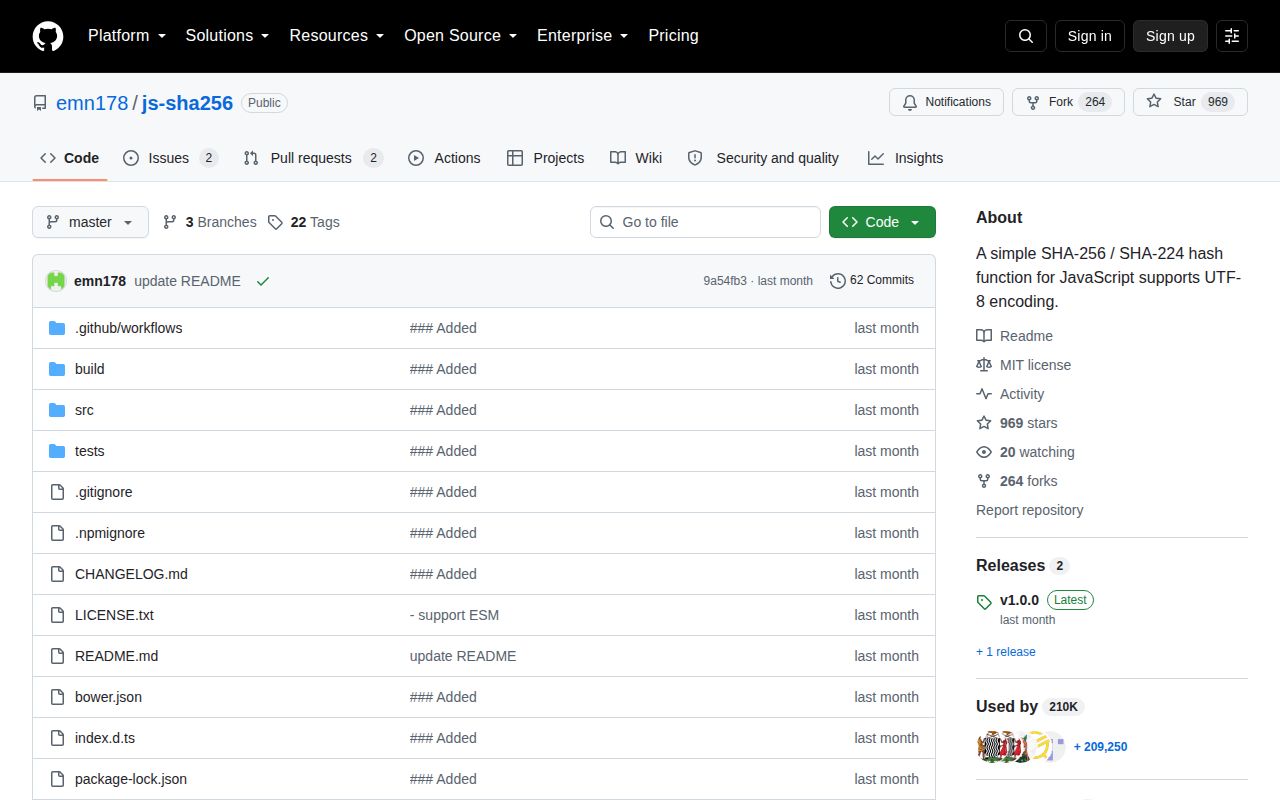
js-sha256 1.0.0 calculates SHA-256, SHA-224, and both HMAC variants from strings or byte-like input. Calls are synchronous, with one-shot helpers and stateful `create().update()` objects for chunked data. Results can be hex, number arrays, or ArrayBuffer values. Node receives an adapter over `node:crypto`; browsers and workers use the JavaScript implementation. Version 1.0.0 introduced explicit Node, ESM, CommonJS, and browser entry points, added native Node streaming support, removed old generated entry files, and now rejects updates after a digest has been finalized.
js-sha256 1.0.0 added 3 KB gzipped to our browser build and installed with no dependencies or audit findings, making it a sensible cross-runtime choice for incremental SHA-256. Node-only services and browsers that can buffer input should use their platform crypto APIs instead.
We installed it
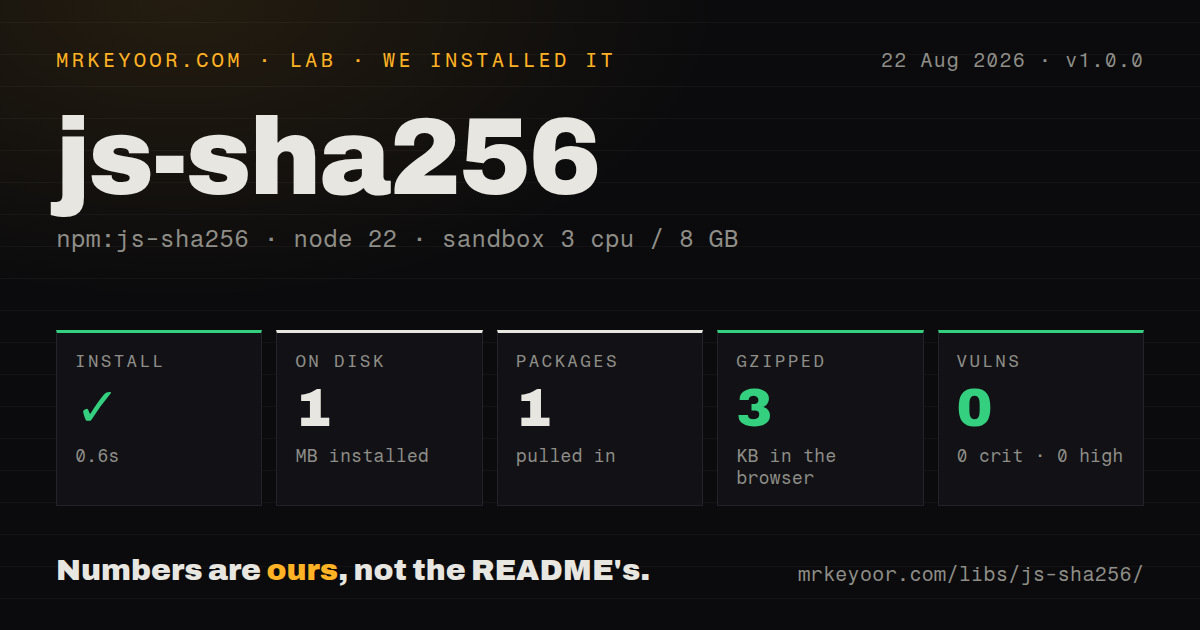
| Install | ✓ · 0.6s | 1 package on disk · 1 MB |
| Import | ✓ | ESM import works · require() works · CommonJS package with exports map |
| Browser | 3 KB | gzipped (7.6 KB minified), bundled with esbuild |
| Types | ✓ | TypeScript types bundled |
| Known vulns | 0 | 0 critical · 0 high · 0 moderate · 0 low (npm audit) |
Answers from our run
Does js-sha256 install cleanly?
Yes. In a fresh container with an empty cache, npm install js-sha256 finished in 0.6s, leaving 1 package and 1 MB on disk. npm audit reported no known vulnerabilities.
How much does js-sha256 add to a browser bundle?
3 KB gzipped (7.6 KB minified) when the whole package is bundled for the browser with esbuild. Importing only part of it is usually smaller.
Does js-sha256 work with both ESM and CommonJS?
Yes. Both import 'js-sha256' and require('js-sha256') worked in Node 22 in our run. The package is published as CommonJS with an exports map.
Does js-sha256 include TypeScript types?
Yes, type declarations ship inside the package, so no @types install is needed.
js-sha256 or @noble/hashes: which should you use?
@noble/hashes: Choose it for SHA-2 plus SHA-3, BLAKE, and other audited-style pure JavaScript primitives. js-sha256 1.0.0 added 3 KB gzipped to our browser build and installed with no dependencies or audit findings, making it a sensible cross-runtime choice for incremental SHA-256.
When should you not use js-sha256?
The code runs only on Node. node:crypto already supplies hash streams and HMAC, and this package delegates to it on that platform.
Use it if
- Browser code needs incremental SHA-256 because Web Crypto's digest operation only accepts a complete buffer.
- One synchronous API must produce matching SHA-224 or SHA-256 values in Node, browsers, and Web Workers.
- You need HMAC with string, Uint8Array, ArrayBuffer, or number-array input and no extra runtime dependency.
- An older browser integration still consumes the package's UMD build through a script tag or AMD loader.
- The code runs only on Node. `node:crypto` already supplies hash streams and HMAC, and this package delegates to it on that platform.
- An async one-shot browser digest is acceptable. `crypto.subtle.digest` removes a third-party cryptographic implementation from the bundle.
- You are storing passwords. Fast SHA-256 has no memory cost, work factor, or salt management; use Argon2, scrypt, or bcrypt.
- The protocol requires SHA-512, SHA-3, BLAKE2, or BLAKE3. js-sha256 implements only SHA-224 and SHA-256 families.
- You expect authenticated-message verification as one safe call. The package computes HMAC tags but does not manage keys or provide a constant-time comparison helper.
Setup reality
We installed js-sha256 1.0.0 in a fresh, unprivileged Node 22 sandbox in 0.6 seconds. npm left one package and 1 MB on disk; the package declares 0 direct and 0 peer dependencies and is 156 KB unpacked. npm audit found 0 vulnerabilities at every severity. Our measurement setup used 3 CPUs, 8 GB of RAM, and no cache. Both require() and ESM import worked, and TypeScript declarations are bundled.
There are no credentials, native builds, or config files. Version 1.0.0 is published as CommonJS with an exports map that directs Node imports to a native node:crypto adapter and browser imports to JavaScript. Import from js-sha256; old generated files such as sha256.mjs and sha256.node.mjs were removed. Our esbuild browser check produced 7.6 KB minified and 3 KB gzipped.
String input is converted as UTF-8. Hash a Uint8Array or ArrayBuffer when a wire format specifies exact bytes. Incremental objects do not read files or streams themselves in browsers: feed each chunk with update, then call hex, array, digest, or arrayBuffer. Version 1.0.0 throws if code calls update after finalization, so do not reuse an instance for another message.
HMAC accepts text or bytes for both key and message. The package does not create or store keys, canonicalize objects, salt passwords, or compare tags in constant time. Browser code also exposes secrets to the page's JavaScript context. These 2 hash algorithms are primitives; protocol framing, key separation, and verification behavior remain application work.
Patterns
Hash a UTF-8 string hash-string
import { sha256 } from 'js-sha256';

const digest = sha256('Message to hash');
String input is encoded as UTF-8 and the default result is lowercase hexadecimal.
Hash exact bytes hash-bytes
import { sha256 } from 'js-sha256';

const bytes = new Uint8Array([0xd3, 0xd4]);
const digest = sha256(bytes);
Use bytes when a protocol defines octets; converting binary content to a JavaScript string changes the input.
Feed a message in chunks hash-incrementally
import { sha256 } from 'js-sha256';

const hash = sha256.create();
hash.update('Message ');
hash.update('to hash');
console.log(hash.hex());
Calling an output method finalizes the 1.0.0 hasher. A later update throws.
Calculate an HMAC tag create-hmac
import { sha256 } from 'js-sha256';

const tag = sha256.hmac('secret-key', 'signed message');
Text keys use UTF-8. Supply key bytes when an external protocol defines a binary secret.
Update HMAC state by chunk stream-hmac
import { sha256 } from 'js-sha256';

const mac = sha256.hmac.create(keyBytes);
for (const chunk of chunks) mac.update(chunk);
const tag = mac.arrayBuffer();
This computes a tag only. Compare an untrusted tag with a constant-time platform primitive.
Return digest bytes produce-byte-array
import { sha256 } from 'js-sha256';

const bytes = Uint8Array.from(sha256.array('payload'));
`array()` and `digest()` return number arrays; wrap the result when the next API expects Uint8Array.
Return an ArrayBuffer produce-array-buffer
import { sha256 } from 'js-sha256';

const buffer = sha256.arrayBuffer(new Uint8Array([1, 2, 3]));
The output contains the 32-byte SHA-256 digest rather than a hex string.
Calculate SHA-224 use-sha224
import { sha224 } from 'js-sha256';

const digest = sha224('Message to hash');
SHA-224 returns a 28-byte digest and shares the same input and output methods as SHA-256.
Load from CommonJS use-commonjs
const { sha256, sha224 } = require('js-sha256');

console.log(sha256('payload'));
Version 1.0.0 has an exports-map branch for require(), which worked in our Node 22 test.
Hash a browser file in chunks hash-browser-file
import { sha256 } from 'js-sha256';

const hash = sha256.create();
for (let offset = 0; offset < file.size; offset += 1024 * 1024) {
  const part = await file.slice(offset, offset + 1024 * 1024).arrayBuffer();
  hash.update(part);
}
const digest = hash.hex();
The browser implementation is synchronous per update. Yielding between file slices keeps file reads async, but hashing a large chunk still occupies the current thread.
Alternatives
| Package | Registry | Pick it when |
|---|---|---|
| @noble/hashes | npm | Choose it for SHA-2 plus SHA-3, BLAKE, and other audited-style pure JavaScript primitives. |
| hash-wasm | npm | Choose it for larger browser workloads and a wider algorithm set backed by WebAssembly. |
| crypto-js | npm | Choose it for compatibility with an application already built around CryptoJS WordArray objects. |
More security guides
cryptography · jose · pyjwt · dompurify · jsonwebtoken · oauthlib · the whole shelf →
How this guide is made: grounded in the library's documentation, release notes, changelog, and issue history, on a fixed rubric — not a hands-on install of every release. The 50 most-downloaded entries are additionally install-verified in clean containers. Corrections: contact the desk.