jpype1 review
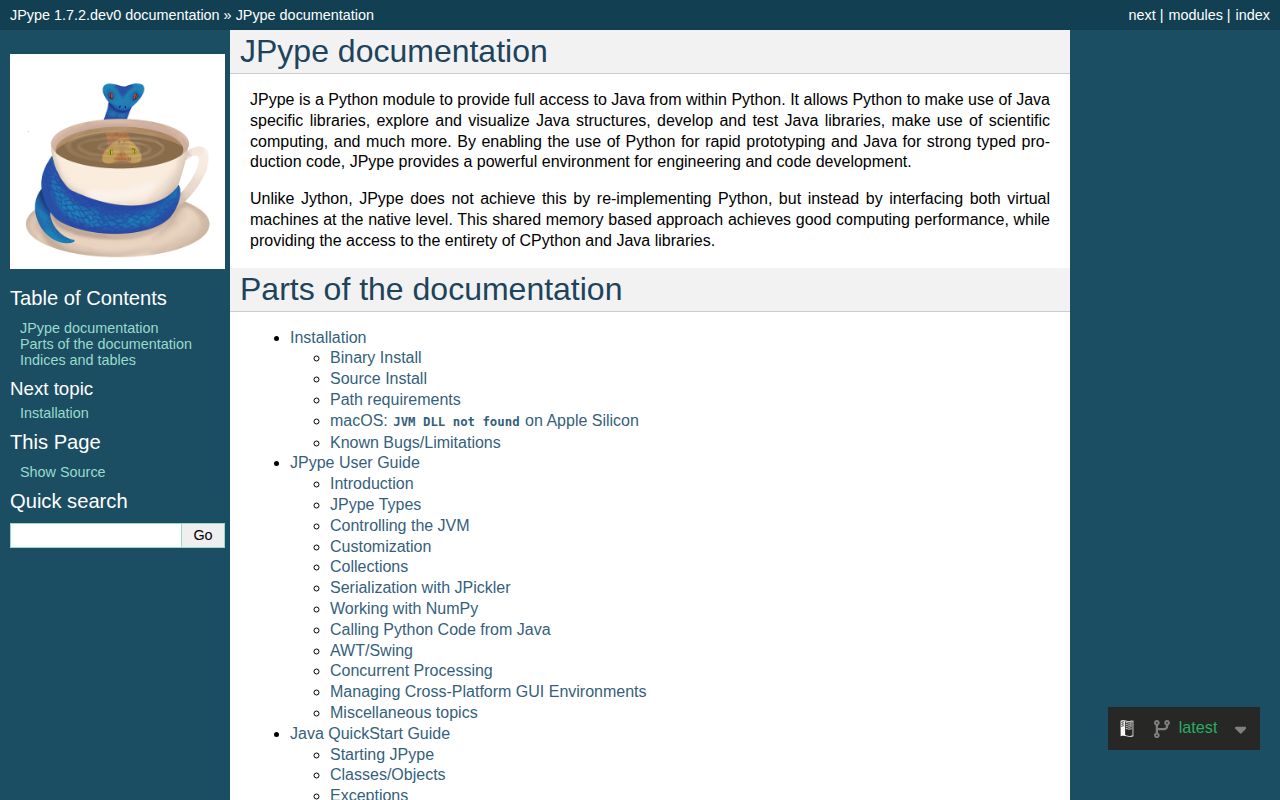
JPype1 1.7.1 embeds a Java Virtual Machine inside CPython, letting Python code construct Java classes, call methods, implement interfaces, and exchange arrays without starting a separate Java service. It is a native JNI bridge, so CPython and the JVM share one process and one failure boundary. Release 1.7.1 added macOS ARM64 wheels, fixed a NumPy bool null dereference, and restored Python 3.8 as the minimum. You still need a compatible JDK or JRE installed separately.
JPype1 1.7.1 installed in 0.3 seconds and imported in 0.12 seconds on our Python 3.12 box, but it embeds a compiled bridge and a non-restartable JVM in the Python process. Install it for direct access to a Java-only library; prefer Py4J or a service API when isolation and independent restarts matter.
We installed it
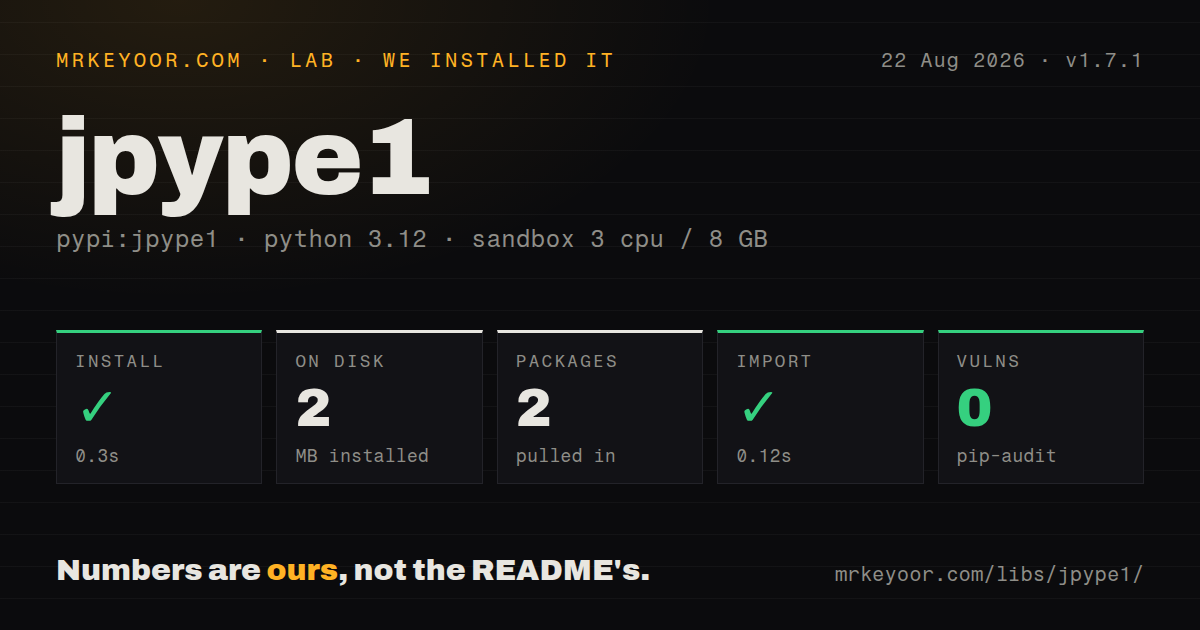
| Install | ✓ · 0.3s | 2 packages on disk · 2 MB |
| Import | ✓ | import jpype in 0.12s · compiled extensions · requires Python >=3.8 |
| Known vulns | 0 | (pip-audit) |
Answers from our run
Does jpype1 install cleanly?
Yes. In a fresh container with an empty cache, pip install jpype1 finished in 0.3s, leaving 2 packages and 2 MB on disk. pip-audit reported no known vulnerabilities.
What does jpype1 need to run?
Python >=3.8, and a platform wheel with compiled extensions. In our run import jpype succeeded in 0.12s.
jpype1 or pyjnius: which should you use?
pyjnius: Choose it for another in-process JNI bridge, particularly when its Android and Kivy history fits the target. JPype1 1.7.1 installed in 0.3 seconds and imported in 0.12 seconds on our Python 3.12 box, but it embeds a compiled bridge and a non-restartable JVM in the Python process.
When should you not use jpype1?
You need process isolation; a JVM crash, native bridge defect, or bad JNI interaction can take the Python process down with it
Use it if
- A Python application must call a Java-only SDK in process and rewriting or exposing that SDK as a service is impractical
- You need direct access to Java objects, interfaces, arrays, exceptions, and class loaders from CPython
- Your deployment can pin matching Python, CPU architecture, JVM, and JPype wheel combinations
- The lower call overhead of an in-process bridge matters enough to accept shared-process crash and memory behavior
- You need process isolation; a JVM crash, native bridge defect, or bad JNI interaction can take the Python process down with it
- You must start and stop different JVM configurations repeatedly in one worker; the documentation says a JVM cannot be restarted after shutdown
- Your package must be pure Python or run on an unsupported platform; our install contained compiled .so extensions and needs a matching wheel or local toolchain
- Static typing is a requirement; our 1.7.1 wheel did not ship py.typed, and Java classes are discovered at runtime
- A service boundary is acceptable; Py4J keeps Java in another process and avoids putting two runtimes inside one address space
Setup reality
Our JPype1 1.7.1 install completed in 0.3 seconds and left 2 packages using 2 MB on disk. The package reported 4 direct dependencies, pip-audit found 0 known vulnerabilities, and import jpype worked in 0.12 seconds. It requires Python >=3.8 and the wheel includes compiled .so extensions.
Import success does not prove that a JVM can start. Install a Java runtime with the same CPU architecture as Python, then make it discoverable through JAVA_HOME or pass the JVM library path from jpype.getDefaultJVMPath(). Supply the classpath when calling startJVM(), before loading application classes. JPype does not download JARs or resolve Maven coordinates.
The JVM is process-wide. Call startJVM() once, set heap flags and system properties at that point, and do not expect shutdownJVM() to permit another start. Python threads that call Java attach to the JVM; long-lived native threads need deliberate attachment and cleanup. Forking a process after the JVM starts is unsafe, so create worker processes first or start one JVM independently in each spawned worker.
The 1.7.1 wheel has no py.typed marker, and overload selection happens at runtime. Use JInt, JLong, and other wrappers when a Python value could match several Java signatures. Java strings may remain Java objects when convertStrings=False. Release 1.7.1 adds macOS ARM64 binaries, but custom platforms can still fall back to a CMake and scikit-build-core native build.
Patterns
Start one JVM with application JARs start-jvm
import jpype
import jpype.imports

if not jpype.isJVMStarted():
    jpype.startJVM(classpath=['lib/app.jar', 'lib/deps/*'], convertStrings=False)
JPype 1.7.1 accepts JVM options only at startup, and shutdownJVM() does not make a second start possible in the same process.
Inspect the JVM library path find-jvm
import jpype

print(jpype.getDefaultJVMPath())
A path for the wrong CPU architecture will fail at startup; align Python and Java as arm64 or x86_64 before changing code.
Import a Java class with Python syntax import-java-class
import jpype
import jpype.imports

jpype.startJVM()
from java.time import Instant
print(Instant.now())
Import jpype.imports before resolving Java packages, and start the JVM before the first Java class import.
Resolve a class explicitly load-class-by-name
from jpype import JClass

ArrayList = JClass('java.util.ArrayList')
items = ArrayList()
items.add('alpha')
JClass raises when the class is absent, which exposes a missing JAR or classpath error at the lookup site.
Set heap size and a system property set-jvm-options
jpype.startJVM(
    '-Xms256m',
    '-Xmx2g',
    '-Dapp.profile=production',
    classpath=['app.jar'],
)
Heap flags and system properties apply to the single embedded JVM and cannot be replaced by restarting it later.
Disambiguate a numeric overload select-overload
from jpype import JClass, JLong

Thread = JClass('java.lang.Thread')
Thread.sleep(JLong(250))
JLong pins the Java signature when a Python int could convert to more than one primitive overload.
Build a typed Java integer array create-java-array
from jpype import JArray, JInt

values = JArray(JInt)([10, 20, 30])
values[1] = 25
Java arrays keep a fixed length and enforce their component type when Python assigns an element.
Implement Runnable in Python implement-interface
from jpype import JImplements, JOverride
from java.lang import Runnable

@JImplements(Runnable)
class Task:
    @JOverride
    def run(self):
        print('called from Java')
JPype proxies implement Java interfaces; they do not subclass an arbitrary concrete Java class.
Catch a Java exception in Python catch-java-exception
from java.lang import Integer, NumberFormatException

try:
    Integer.parseInt('bad')
except NumberFormatException as exc:
    print(str(exc))
Java exception classes act as Python exception types, while their cause chain and stack information still come from Java.
Convert a Java string deliberately convert-java-string
from java.lang import System

java_version = System.getProperty('java.version')
python_version = str(java_version)
With convertStrings=False, a java.lang.String retains Java methods until str() creates a Python string.
Alternatives
| Package | Registry | Pick it when |
|---|---|---|
| pyjnius | PyPI | Choose it for another in-process JNI bridge, particularly when its Android and Kivy history fits the target. |
| py4j | PyPI | Choose it when Java can run as a separate process and process isolation matters more than direct shared-memory access. |
| javabridge | PyPI | Choose it when maintaining an existing javabridge integration or a CellProfiler-related stack that already depends on its API. |
More utils guides
lru-cache · type-fest · ajv · zod · p-limit · find-up · the whole shelf →
How this guide is made: grounded in the library's documentation, release notes, changelog, and issue history, on a fixed rubric — not a hands-on install of every release. The 50 most-downloaded entries are additionally install-verified in clean containers. Corrections: contact the desk.