ijson review
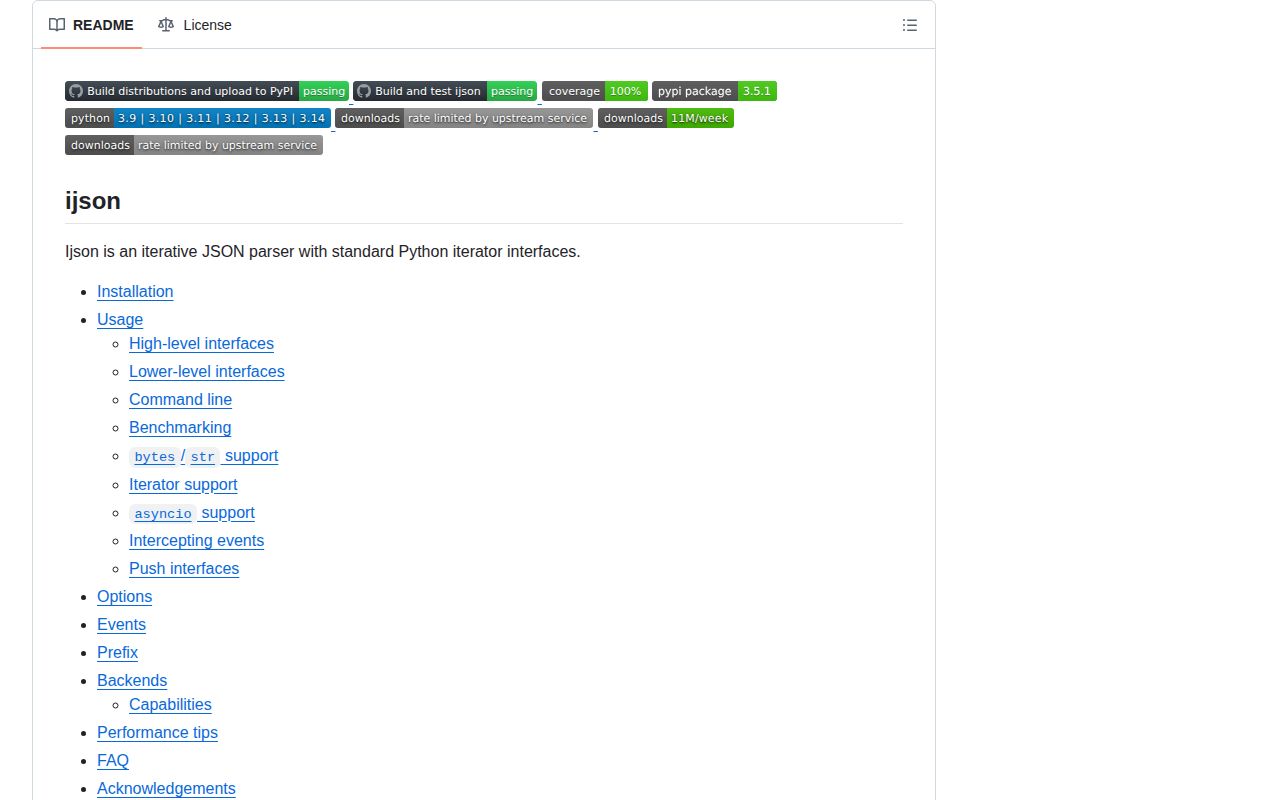
ijson 3.5.1 turns one JSON stream into Python values or parser events without first loading the whole document. `items()` builds values at a chosen prefix, `kvitems()` yields members from a large object, and the lower layers expose map, array, key, and scalar events. Inputs may be file-like readers, byte iterators, async readers, or chunks pushed into generator coroutines. The current release breaks reference cycles in `ObjectBuilder`, allowing completed builders to be reclaimed without waiting for cyclic garbage collection. Our wheel also included compiled `.so` backends but no `py.typed` marker.
ijson 3.5.1 installed in 0.3 seconds as 1 package using 1 MB, then imported in 0.14 seconds in our sandbox, so the cost is in its streaming model rather than installation. Use it for a huge nested document with a known prefix; ordinary JSON and JSON Lines are clearer with bulk or line-oriented parsers.
We installed it
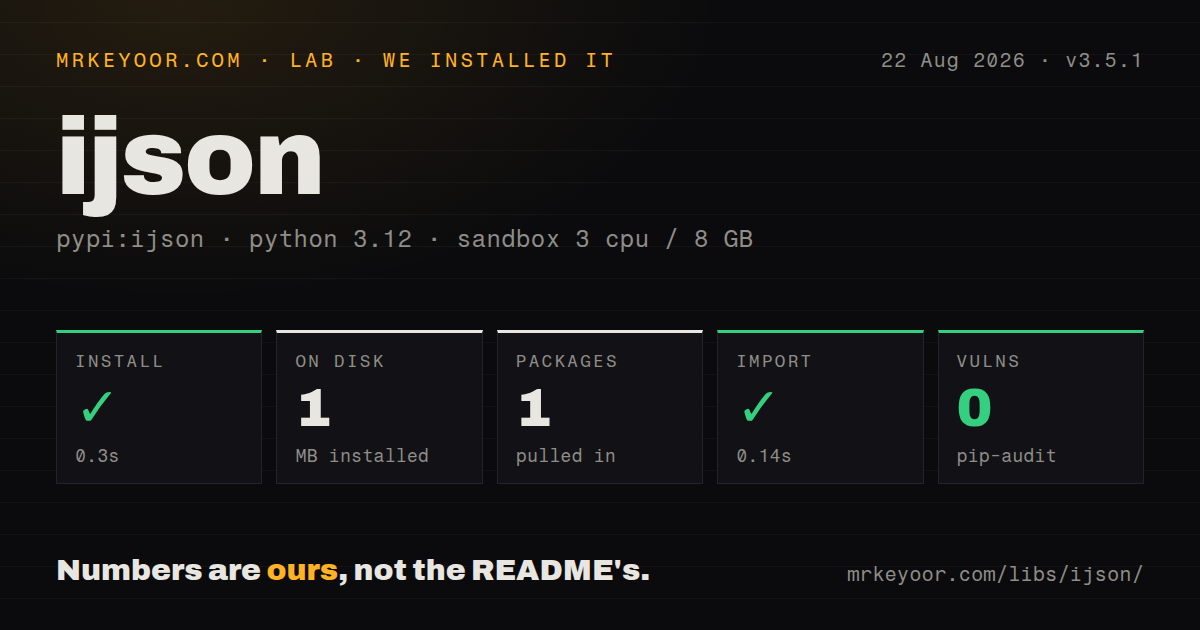
| Install | ✓ · 0.3s | 1 package on disk · 1 MB |
| Import | ✓ | import ijson in 0.14s · compiled extensions · requires Python >=3.9 |
| Known vulns | 0 | (pip-audit) |
Answers from our run
Does ijson install cleanly?
Yes. In a fresh container with an empty cache, pip install ijson finished in 0.3s, leaving 1 package and 1 MB on disk. pip-audit reported no known vulnerabilities.
What does ijson need to run?
Python >=3.9, and a platform wheel with compiled extensions. In our run import ijson succeeded in 0.14s.
ijson or orjson: which should you use?
orjson: Choose it for fast whole-value decoding when each document or line fits in memory. ijson 3.5.1 installed in 0.3 seconds as 1 package using 1 MB, then imported in 0.14 seconds in our sandbox, so the cost is in its streaming model rather than installation.
When should you not use ijson?
Everything fits in RAM and the caller needs the entire result. orjson returns one ordinary value and avoids per-event Python handling.
Use it if
- One nested array in a JSON document must be processed without holding the surrounding document in memory.
- Work should start from an HTTP response or file before the source has delivered its final chunk.
- The application can consume map members or structural events instead of allocating complete nested containers.
- An existing producer controls reads and needs to pass byte chunks through `from_iter()` or a push parser.
- Everything fits in RAM and the caller needs the entire result. `orjson` returns one ordinary value and avoids per-event Python handling.
- Records are framed as JSON Lines. ijson needs `multiple_values=True`, while a line reader gives clearer record boundaries and error recovery.
- Every decimal must arrive as float automatically. The default is `Decimal`; float mode changes precision and may reject extreme numbers.
- Queries require JSONPath wildcards, filters, or slices. Prefixes only follow object keys and array `item` segments, and a wrong path yields nothing.
- Dependency typing must work without local policy. The wheel we installed lacks `py.typed`, so strict projects need stubs or a scoped ignore.
Setup reality
We installed ijson 3.5.1 in a clean Python 3.12 Bookworm sandbox. The install completed in 0.3 seconds, left 1 package, and occupied 1 MB. It declares 0 direct dependencies and Python 3.9 or newer. import ijson worked in 0.14 seconds, and pip-audit reported 0 known vulnerabilities. The wheel contains compiled .so files, has no py.typed marker, and did not publish a license in the metadata we inspected.
Give the parser a binary object with read(size) when possible. Text is accepted, but bytes avoid an extra encoding boundary. ijson chooses an available backend at import time; inspect ijson.backend_name in diagnostics or set IJSON_BACKEND before startup when a particular implementation is required. Common platforms receive binary wheels. Other targets may compile an extension or fall back, so backend choice belongs in deployment checks.
A prefix is a structural path, not JSONPath. results.item visits array elements and an empty string selects the root. A typo yields no rows rather than an explanatory error. Run python -m ijson.dump -m parse on a sample to learn the emitted prefixes. items() still constructs each selected object in full; use kvitems() or events if one matching object is itself too large.
Non-integer numbers become Decimal unless use_float=True is set. Float mode changes precision and may reject extreme values. Comments and consecutive top-level values need explicit options. Async readers use the async entry points or automatic source detection, while interception between parser stages is documented for synchronous code only. A push parser will accept chunks as quickly as you send them, so the producer must respect downstream backpressure.
Patterns
Stream objects under one array path stream-array-items
import ijson

with open('dump.json', 'rb') as source:
    for record in ijson.items(source, 'results.item'):
        handle(record)
The `item` segment matches each array entry. Test the path first because a missing prefix completes with 0 records and no path error.
Discover prefixes from parser output inspect-prefixes
import ijson

with open('sample.json', 'rb') as source:
    for prefix, event, value in ijson.parse(source):
        print(prefix, event, value)

# Shell alternative:
# python -m ijson.dump -m parse < sample.json
Both methods print the parser's actual structural paths. Break early on production-sized input once the target prefix is visible.
Walk a large object by member iterate-object-members
import ijson

with open('index.json', 'rb') as source:
    for document_id, document in ijson.kvitems(source, 'documents'):
        handle(document_id, document['title'])
ijson avoids allocating the outer mapping, but it still constructs each yielded member. Drop to events if one member exceeds memory.
Count keys at the event layer process-parser-events
import ijson

with open('dump.json', 'rb') as source:
    count = sum(
        1 for event, value in ijson.basic_parse(source)
        if event == 'map_key' and value == 'error'
    )
`basic_parse()` saves path construction as well as object construction. It cannot distinguish identical keys appearing in different branches.
Adapt streamed requests chunks adapt-byte-iterator
import ijson
import requests

with requests.get(url, stream=True) as response:
    response.raise_for_status()
    source = ijson.from_iter(response.iter_content(chunk_size=64 * 1024))
    for item in ijson.items(source, 'results.item'):
        handle(item)
`from_iter()` supplies the missing reader interface. The response must remain open until iteration ends, with HTTP content decoding configured deliberately.
Consume an asynchronous response body parse-async-stream
import httpx
import ijson

async def consume(url):
    async with httpx.AsyncClient() as client:
        async with client.stream('GET', url) as response:
            response.raise_for_status()
            source = ijson.from_iter(response.aiter_bytes())
            async for item in ijson.items(source, 'results.item'):
                await handle(item)
Source detection chooses asynchronous iteration here. Call `items_async()` when a synchronous source should fail immediately instead.
Permit more than one root value allow-multiple-values
import ijson

with open('values.json', 'rb') as source:
    for value in ijson.items(source, '', multiple_values=True):
        handle(value)
Without `multiple_values=True`, value 2 is reported as trailing data. JSON Lines tooling is clearer when newlines define records.
Return floats instead of Decimal return-floats
import ijson

with open('metrics.json', 'rb') as source:
    for row in ijson.items(source, 'series.item', use_float=True):
        consume(float(row['value']))
The option replaces the default `Decimal` values with floats. That changes precision and can fail on numeric magnitudes outside float handling.
Require a known parsing backend select-backend
import ijson

print(ijson.backend_name)
print(ijson.ALL_BACKENDS)

yajl = ijson.get_backend('yajl2_c')
with open('dump.json', 'rb') as source:
    for item in yajl.items(source, 'item'):
        handle(item)

# Before Python starts:
# IJSON_BACKEND=yajl2_c python worker.py
Wheel and host determine which backends exist. If `yajl2_c` is part of the performance budget, check it during startup rather than accepting fallback.
Push chunks from a custom producer push-byte-chunks
import ijson

@ijson.coroutine
def receive():
    while True:
        item = yield
        handle(item)

target = receive()
parser = ijson.items_coro(target, 'results.item')
for chunk in read_chunks():
    parser.send(chunk)
parser.close()
This coroutine is a generator receiving `send()`, unrelated to an `async def` coroutine. Closing it flushes completion checks and truncated-input errors.
Handle truncation separately catch-parse-errors
import ijson
from ijson import IncompleteJSONError, JSONError

try:
    with open('input.json', 'rb') as source:
        for item in ijson.items(source, 'item'):
            handle(item)
except IncompleteJSONError as error:
    report_truncation(error)
except JSONError as error:
    report_invalid_json(error)
Catch the narrower incomplete-input class before its `JSONError` parent or the specific recovery branch will never run.
Test a one-megabyte buffer tune-buffer-size
# Compare against the real input first:
# python -m ijson.benchmark data.json -m items -p results.item

import ijson

with open('data.json', 'rb') as source:
    for item in ijson.items(source, 'results.item', buf_size=1 << 20):
        handle(item)
The normal buffer is 65,536 bytes. Benchmarking may favor larger local reads, while a slow network source can produce its first value sooner with smaller reads.
Alternatives
| Package | Registry | Pick it when |
|---|---|---|
| orjson | PyPI | Choose it for fast whole-value decoding when each document or line fits in memory. |
| json-stream | PyPI | Choose it when callers prefer lazy mapping and sequence proxies over event prefixes. |
| jsonlines | PyPI | Choose it for line-framed values with explicit per-record errors and skipping rules. |
| msgspec | PyPI | Choose it when in-memory messages should decode straight into declared Python structures. |
More utils guides
lru-cache · type-fest · ajv · zod · p-limit · find-up · the whole shelf →
How this guide is made: grounded in the library's documentation, release notes, changelog, and issue history, on a fixed rubric — not a hands-on install of every release. The 50 most-downloaded entries are additionally install-verified in clean containers. Corrections: contact the desk.