flask-cors review
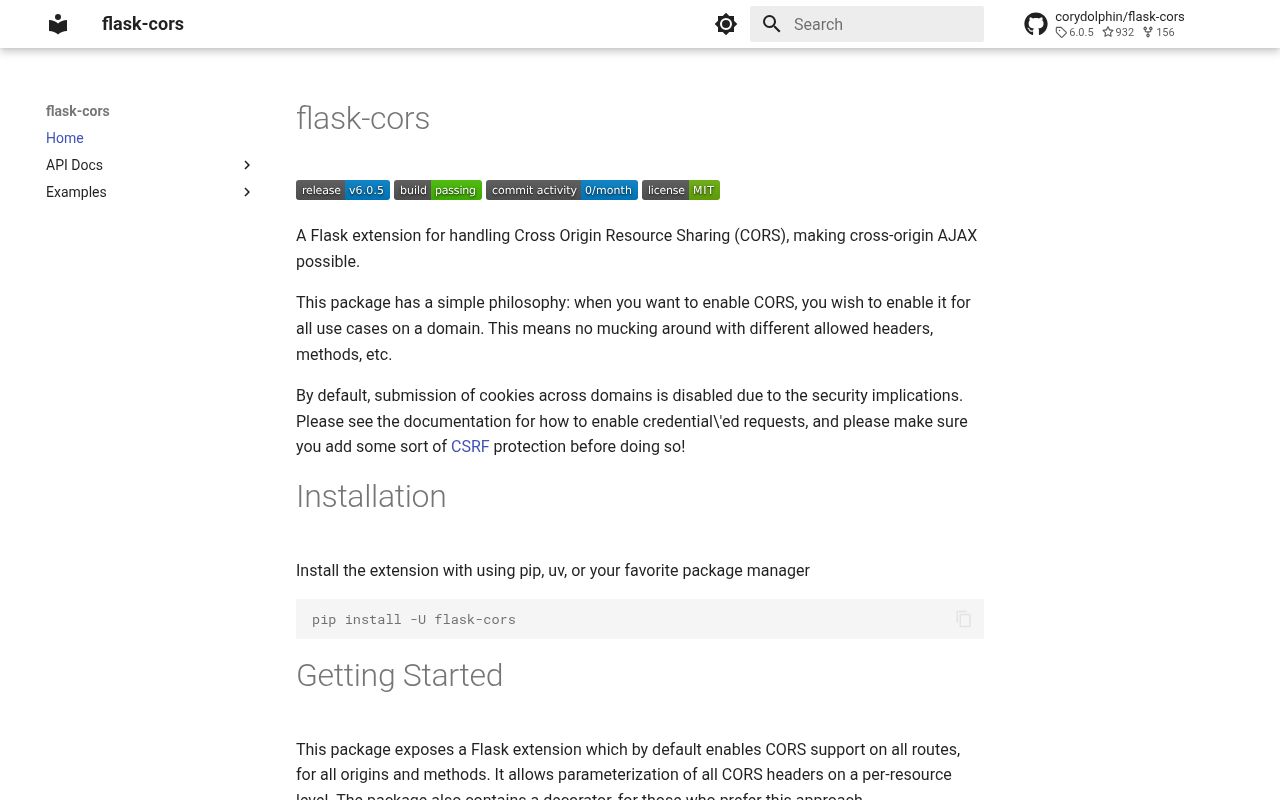
Flask-CORS 6.0.5 is a Flask response hook and decorator for Cross-Origin Resource Sharing. It answers browser preflights and adds allow-origin, method, header, credential, exposure, cache, and private-network headers at application, Blueprint, resource-pattern, or view scope. The default policy covers every route and origin but does not allow credentials. Version 6.0.5 fixes strict MyPy use with Blueprints after 6.0.4 introduced complete annotations and `py.typed`; our Python 3.12 install confirmed that typed marker and a working import.
Flask-CORS 6.0.5 installed in 0.2 seconds and 3 MB in our sandbox, imported successfully, and had no audit findings. Install it for Flask-owned CORS, but replace the all-origin default with exact production origins and let only one infrastructure layer emit the headers.
We installed it
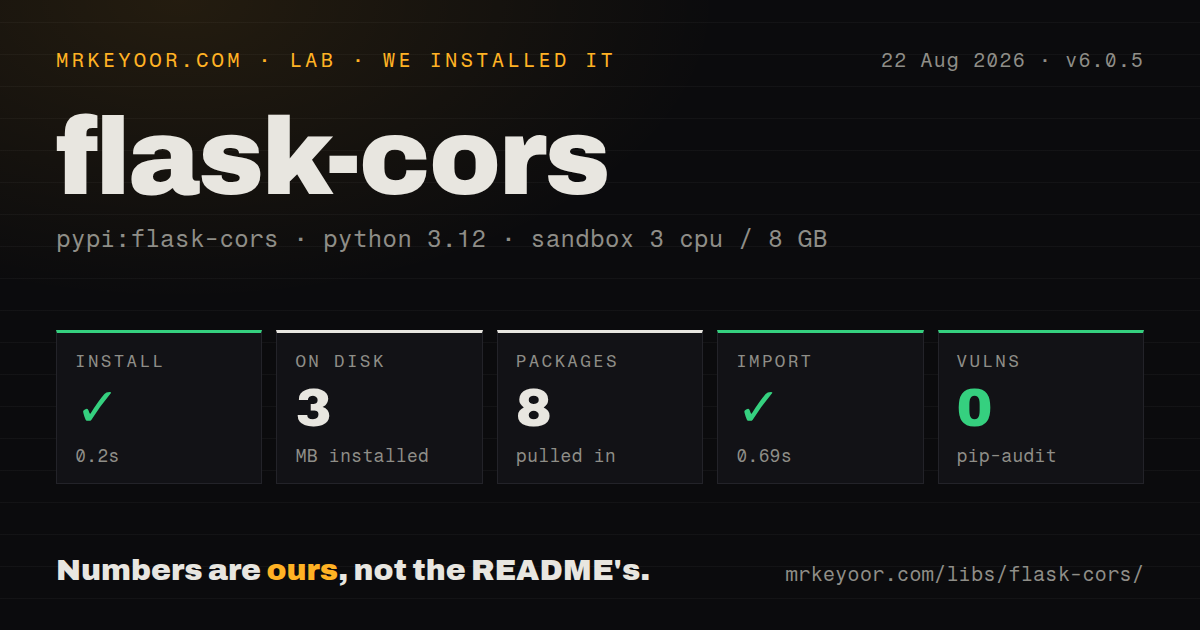
| Install | ✓ · 0.2s | 8 packages on disk · 3 MB |
| Import | ✓ | import flask_cors in 0.69s · pure Python · py.typed · requires Python <4.0,>=3.9 |
| Known vulns | 0 | (pip-audit) |
Answers from our run
Does flask-cors install cleanly?
Yes. In a fresh container with an empty cache, pip install flask-cors finished in 0.2s, leaving 8 packages and 3 MB on disk. pip-audit reported no known vulnerabilities.
What does flask-cors need to run?
Python <4.0,>=3.9, and nothing compiled: it is pure Python. In our run import flask_cors succeeded in 0.69s, and the package ships py.typed for type checkers.
flask-cors or starlette: which should you use?
starlette: Use its CORSMiddleware in Starlette and FastAPI ASGI applications. Flask-CORS 6.0.5 installed in 0.2 seconds and 3 MB in our sandbox, imported successfully, and had no audit findings.
When should you not use flask-cors?
An edge proxy already owns CORS; duplicate allow-origin headers cause browsers to reject the response.
Use it if
- A browser SPA calls a Flask API from a different scheme, hostname, or port.
- Different Flask URL prefixes need separate browser-origin and credential rules.
- A Blueprint should carry its own CORS policy when registered in several app factories.
- Flask-generated OPTIONS and error responses must receive the same cross-origin headers as normal responses.
- An edge proxy already owns CORS; duplicate allow-origin headers cause browsers to reject the response.
- You want an authentication barrier; CORS changes browser access to responses and does not stop curl or backend clients.
- The design requires cookies with a wildcard origin; Flask-CORS rejects that unsafe combination.
- Several broad regex resources overlap; version 6 changed specificity and case rules, making explicit prefixes easier to review.
- The application is ASGI, Django, or Quart; use middleware written for that stack instead of a Flask after-request hook.
Setup reality
We installed Flask-CORS 6.0.5 in a clean Python 3.12 Bookworm sandbox in 0.2 seconds. The environment ended with 8 packages and 3 MB on disk. The package declares 3 direct dependencies, is pure Python, requires Python 3.9 or newer below 4.0, and includes py.typed. import flask_cors completed in 0.69 seconds, and pip-audit reported 0 known vulnerabilities. The measured package metadata did not provide a license value, though the GitHub repository identifies MIT.
Calling CORS(app) needs no account or file, but it enables all origins, common methods, request headers, and paths. Write production origins with their scheme and port. supports_credentials is false initially and cannot be combined with a wildcard origin. Cookie-based cross-site sessions also need suitable SameSite and Secure attributes, CSRF defense for state changes, and a browser request configured to send credentials. None of those controls are supplied by an allow-origin header.
Configuration resolves from a matched resource rule, constructor arguments, CORS_* app settings, then defaults. Version 6 validates and compiles resource expressions during setup. Literal paths precede regular expressions, and more specific regex rules win before shorter ones. Matching is case-sensitive. Attach the extension to a Blueprint when only that module should be visible cross-origin; 6.0.5 specifically repaired its strict type signature.
Dynamic origin responses should retain Vary: Origin, or a shared cache may replay one tenant's header to another. max_age governs the browser's successful preflight cache, not Flask response caching. When a policy misses, turn on the flask_cors debug logger and reproduce the exact OPTIONS request with Origin and Access-Control-Request headers. Verify that Flask, Nginx, and a CDN are not each writing their own copy.
Patterns
Permit one browser application allow-frontend
from flask import Flask
from flask_cors import CORS
app = Flask(__name__)
CORS(app, origins=["https://app.example.com"])
Origins include scheme and port, so a localhost development port needs its own entry.
Apply CORS only below the API prefix scope-url-prefix
CORS(app, resources={r"/api/*": {"origins": ["https://app.example.com"]}})Resource keys match request paths rather than full URLs; narrow patterns reduce surprising precedence.
Give public and account routes different rules split-public-private
CORS(app, resources={
 r"/api/public/*": {"origins": "*"},
 r"/api/account/*": {"origins": ["https://app.example.com"], "supports_credentials": True}
})
An explicit origin is mandatory for credentialed routes, and cookie-authorized writes still require CSRF protection.
Limit the policy to one Flask view decorate-route
from flask_cors import cross_origin
@app.post("/partner/import")
@cross_origin(origins=["https://partner.example"], allow_headers=["Content-Type", "X-Signature"])
def partner_import(): return {"accepted": True}, 202
Place `cross_origin` directly below Flask's route decorator so both wrappers apply to the same function.
Attach origin rules to a Blueprint configure-blueprint
from flask import Blueprint
from flask_cors import CORS
api = Blueprint("api", __name__, url_prefix="/api")
CORS(api, origins=["https://app.example.com"])
app.register_blueprint(api)
Blueprint annotations work under strict MyPy in 6.0.5, the patch that repaired the 6.0.4 typing regression.
Enable a credentialed session endpoint allow-cookies
CORS(app, resources={r"/api/session/*": {
 "origins": ["https://app.example.com"],
 "supports_credentials": True
}})
The client must request credentials, and a cross-site cookie normally needs `SameSite=None` plus `Secure`.
Let JavaScript read response metadata expose-metadata
CORS(app, origins=["https://app.example.com"], expose_headers=["X-Total-Count", "X-Request-Id"])A custom response header can be visible in browser tools yet unavailable to JavaScript until exposed here.
Set a one-hour preflight lifetime cache-options
from datetime import timedelta
CORS(app, origins=["https://app.example.com"], methods=["GET", "POST"], max_age=timedelta(hours=1))
Browsers may cap this 1-hour value, and already cached preflights do not disappear when server policy changes.
Trace which resource rule matched debug-preflight
import logging
logging.getLogger("flask_cors").setLevel(logging.DEBUG)
The logger reports rule selection and emitted headers; disable verbose logging if request origins contain sensitive tenant data.
Alternatives
| Package | Registry | Pick it when |
|---|---|---|
| starlette | PyPI | Use its CORSMiddleware in Starlette and FastAPI ASGI applications. |
| django-cors-headers | PyPI | Use it when Django middleware and settings own the request path. |
| quart-cors | PyPI | Use it for the async Quart framework and its response lifecycle. |
More web backend guides
ws · urllib3 · requests · undici · anyio · express · the whole shelf →
How this guide is made: grounded in the library's documentation, release notes, changelog, and issue history, on a fixed rubric — not a hands-on install of every release. The 50 most-downloaded entries are additionally install-verified in clean containers. Corrections: contact the desk.