chokidar review
Chokidar 5 turns Node filesystem signals into named file and directory events such as `add`, `change`, `unlink`, and `ready`. Its extra work matters when an editor replaces a file atomically, a large upload arrives in chunks, or recursive watching behaves differently across operating systems. The current major removed glob expansion, moved to ESM, and requires Node 20.19 or newer. Our package check still loaded it through both `import` and `require()`, and the declarations needed by TypeScript are included.
Chokidar 5.0.0 installed in 0.4 seconds and occupied 1 MB in our sandbox, with 0 audit findings and working ESM and CommonJS loading. Install it when normalized recursive events or settled-write handling earn their keep; use `fs.watch` for a controlled one-file case and avoid version 5 on Node below 20.19.0.
We installed it
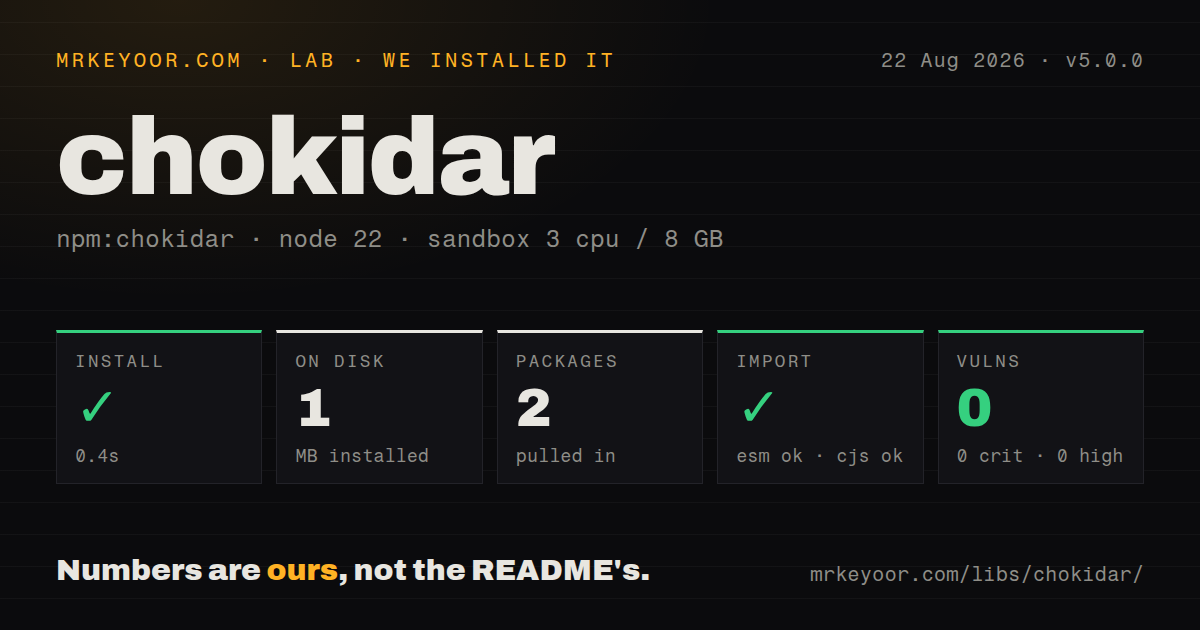
| Install | ✓ · 0.4s | 2 packages on disk · 1 MB |
| Import | ✓ | ESM import works · require() works · ESM package with exports map |
| Browser | n/a | could not be bundled for the browser (Node-only code, most likely) |
| Types | ✓ | TypeScript types bundled |
| Known vulns | 0 | 0 critical · 0 high · 0 moderate · 0 low (npm audit) |
Answers from our run
Does chokidar install cleanly?
Yes. In a fresh container with an empty cache, npm install chokidar finished in 0.4s, leaving 2 packages and 1 MB on disk. npm audit reported no known vulnerabilities.
Can chokidar run in a browser?
Not directly: esbuild could not bundle it for the browser in our run, which normally means it depends on Node built-ins. Use it on the server, or find a browser-targeted alternative.
Does chokidar work with both ESM and CommonJS?
Yes. Both import 'chokidar' and require('chokidar') worked in Node 22 in our run. The package is published as ESM with an exports map.
Does chokidar include TypeScript types?
Yes, type declarations ship inside the package, so no @types install is needed.
chokidar or watchpack: which should you use?
watchpack: Use it when aggregated change batches, missing-file tracking, and webpack-style directory timing are part of the requirement. Chokidar 5.0.0 installed in 0.4 seconds and occupied 1 MB in our sandbox, with 0 audit findings and working ESM and CommonJS loading.
When should you not use chokidar?
Your code passes glob expressions to watch(). Chokidar removed glob support in version 4, so you must expand the pattern first or watch a directory and filter paths.
Discussed on
Use it if
- A development server, compiler, or content indexer needs the same event vocabulary on Linux, macOS, and Windows.
- Your handler must wait until a chunked file stops growing before it reads or processes that file.
- Atomic editor saves should arrive as one change instead of a misleading unlink followed by add.
- A network mount needs polling while local disks can continue using the default `fs.watch` backend.
- Your code passes glob expressions to `watch()`. Chokidar removed glob support in version 4, so you must expand the pattern first or watch a directory and filter paths.
- Production still includes Node 18 or an early Node 20 release. Chokidar 5 declares Node 20.19.0 as its minimum engine.
- You only need to observe one known file on controlled machines where `fs.watch` already gives acceptable events. Chokidar adds another dependency without solving a problem there.
- The watcher must run in a browser or edge isolate. Our browser build failed because the package uses Node filesystem code.
- A broad network tree must be polled on a CPU-constrained host. The README warns that polling costs more resources, and `awaitWriteFinish` adds repeated file-size checks.
Setup reality
We installed chokidar 5.0.0 in 0.4 seconds in a fresh Node 22 container. It left 2 packages and 1 MB on disk. The package has 1 direct dependency, 0 peers, 100 KB unpacked, bundled TypeScript declarations, and an MIT license. npm audit found 0 known vulnerabilities. Both import and require() worked. An esbuild browser build failed, which matches a watcher built on Node's filesystem APIs.
Node 20.19.0 is the runtime floor for version 5. Pass real file or directory paths to watch(), since glob expansion is gone. The initial scan emits add and addDir unless ignoreInitial is true. Wait for ready before treating events as changes that happened after startup. unwatch() and close() return promises, so shutdown and reconfiguration code should await them.
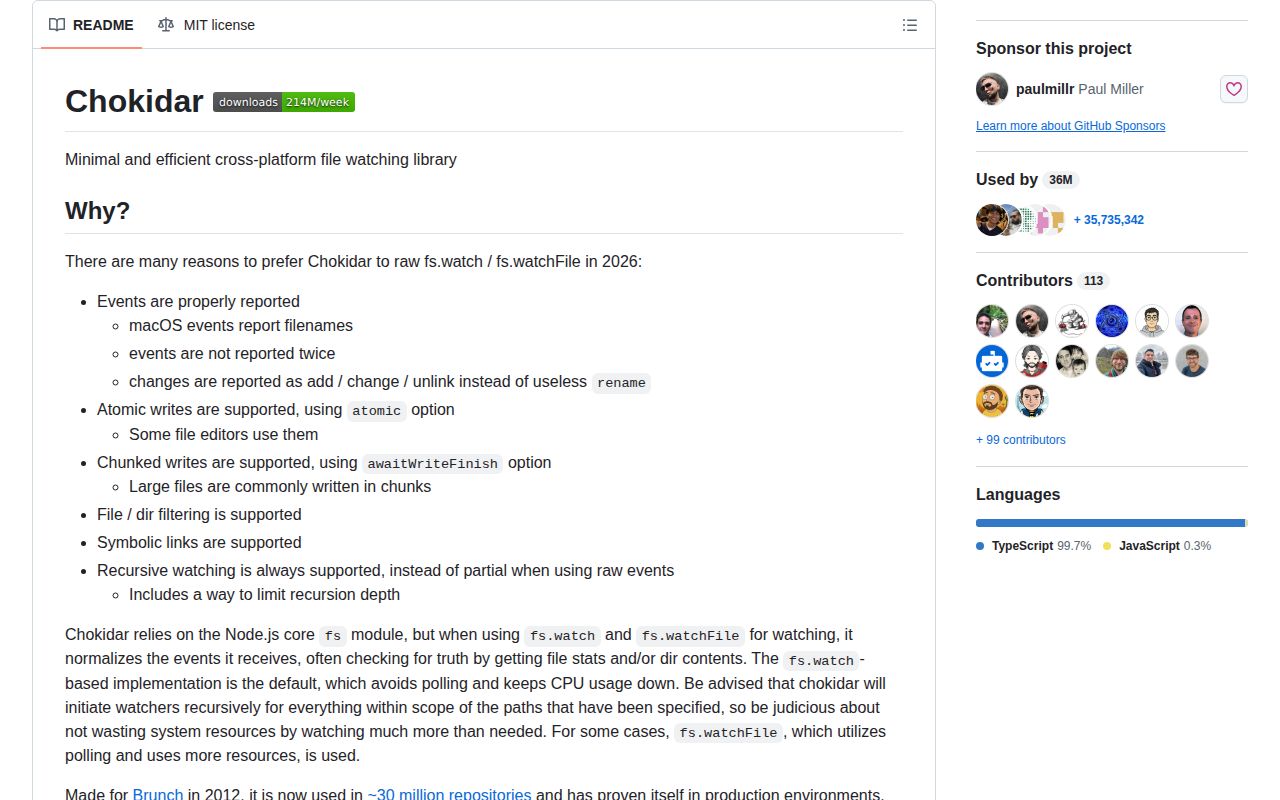
Native fs.watch is the default. Turn on usePolling only where native events fail, often on a network filesystem. CHOKIDAR_USEPOLLING and CHOKIDAR_INTERVAL can override options from the environment. With awaitWriteFinish, Chokidar polls file size until it stays unchanged; the documented default stability threshold is 2,000 ms, so complete-file handling comes with visible latency.
Recursive scope consumes file handles. Watching a repository root with build output and dependencies included can end in EMFILE or ENOSPC. Limit depth and ignore generated directories. Symlink targets are followed by default, while cwd makes emitted paths relative. The raw event exposes backend details, but the README labels it internal, so code that must survive platform changes should use the normalized events.
Patterns
Watch a source tree watch-directory
import chokidar from 'chokidar';

const watcher = chokidar.watch('./src');
watcher.on('all', (event, path) => {
  console.log(event, path);
});
The first scan emits `add` and `addDir`; `ready` tells you when that discovery pass has finished.
Route file events to different handlers separate-events
const watcher = chokidar.watch('./content', { ignoreInitial: true });

watcher
  .on('add', (path) => indexFile(path))
  .on('change', (path) => indexFile(path))
  .on('unlink', (path) => removeFile(path))
  .on('error', (error) => console.error(error));
`ignoreInitial: true` suppresses only the files found at startup; later additions still emit `add`.
Keep only JavaScript files filter-extension
const watcher = chokidar.watch('./src', {
  ignored: (path, stats) => stats?.isFile() && !path.endsWith('.js'),
});
Version 5 expects filesystem paths rather than globs. A two-argument `ignored` callback can run twice for the same path.
Exclude dependency and build output ignore-generated-directories
const watcher = chokidar.watch('./workspace', {
  ignored: /(^|[\\/])(?:node_modules|dist|coverage)([\\/]|$)/,
});
Ignoring large generated trees reduces recursive watchers and lowers the chance of `EMFILE` or `ENOSPC`.
Wait for a file to stop growing wait-for-write
const watcher = chokidar.watch('./incoming', {
  awaitWriteFinish: {
    stabilityThreshold: 1500,
    pollInterval: 100,
  },
});
Chokidar polls size and delays `add` or `change`; a 1,500 ms threshold adds at least that much settling time.
Poll a mounted directory poll-network-mount
const watcher = chokidar.watch('/mnt/shared', {
  usePolling: true,
  interval: 250,
  binaryInterval: 500,
});
Polling uses more CPU, and `CHOKIDAR_USEPOLLING` or `CHOKIDAR_INTERVAL` can override code settings.
Cap recursive traversal limit-depth
const watcher = chokidar.watch('./packages', {
  depth: 2,
});
A depth of 2 watches descendants only through two directory levels below each supplied path.
Receive paths relative to a workspace emit-relative-paths
const watcher = chokidar.watch(['src', 'test'], {
  cwd: process.cwd(),
});

watcher.on('change', (path) => console.log(path));
Setting `cwd` changes emitted paths and `getWatched()` keys from absolute values to relative ones.
Receive file stats with events request-stats
const watcher = chokidar.watch('./uploads', { alwaysStat: true });

watcher.on('change', (path, stats) => {
  console.log(path, stats.size);
});
`alwaysStat` makes Chokidar perform the extra stat work needed to supply metadata consistently.
Add and remove paths at runtime change-watch-set
const watcher = chokidar.watch('./src');
watcher.add(['./templates', './config.json']);

await watcher.unwatch('./templates');
`unwatch()` is asynchronous; await it before assuming that path can no longer emit events.
Observe links without traversing targets avoid-following-symlinks
const watcher = chokidar.watch('./workspace', {
  followSymlinks: false,
});
With `followSymlinks: false`, Chokidar watches the link itself instead of bubbling events from its target.
Release watcher resources on shutdown close-watcher
async function shutdown() {
  await watcher.close();
}

process.once('SIGTERM', shutdown);
process.once('SIGINT', shutdown);
`close()` returns a promise; awaiting it avoids racing file-handle cleanup against process exit.
Alternatives
| Package | Registry | Pick it when |
|---|---|---|
| watchpack | npm | Use it when aggregated change batches, missing-file tracking, and webpack-style directory timing are part of the requirement. |
| node-watch | npm | Use it for a smaller recursive watch API when atomic-save handling and write settling are unnecessary. |
| gaze | npm | Use it only for an older project already built around Gaze's glob-oriented event model and supported runtime range. |
More utils guides
lru-cache · type-fest · ajv · zod · p-limit · find-up · the whole shelf →
How this guide is made: grounded in the library's documentation, release notes, changelog, and issue history, on a fixed rubric — not a hands-on install of every release. The 50 most-downloaded entries are additionally install-verified in clean containers. Corrections: contact the desk.