byte-counter review
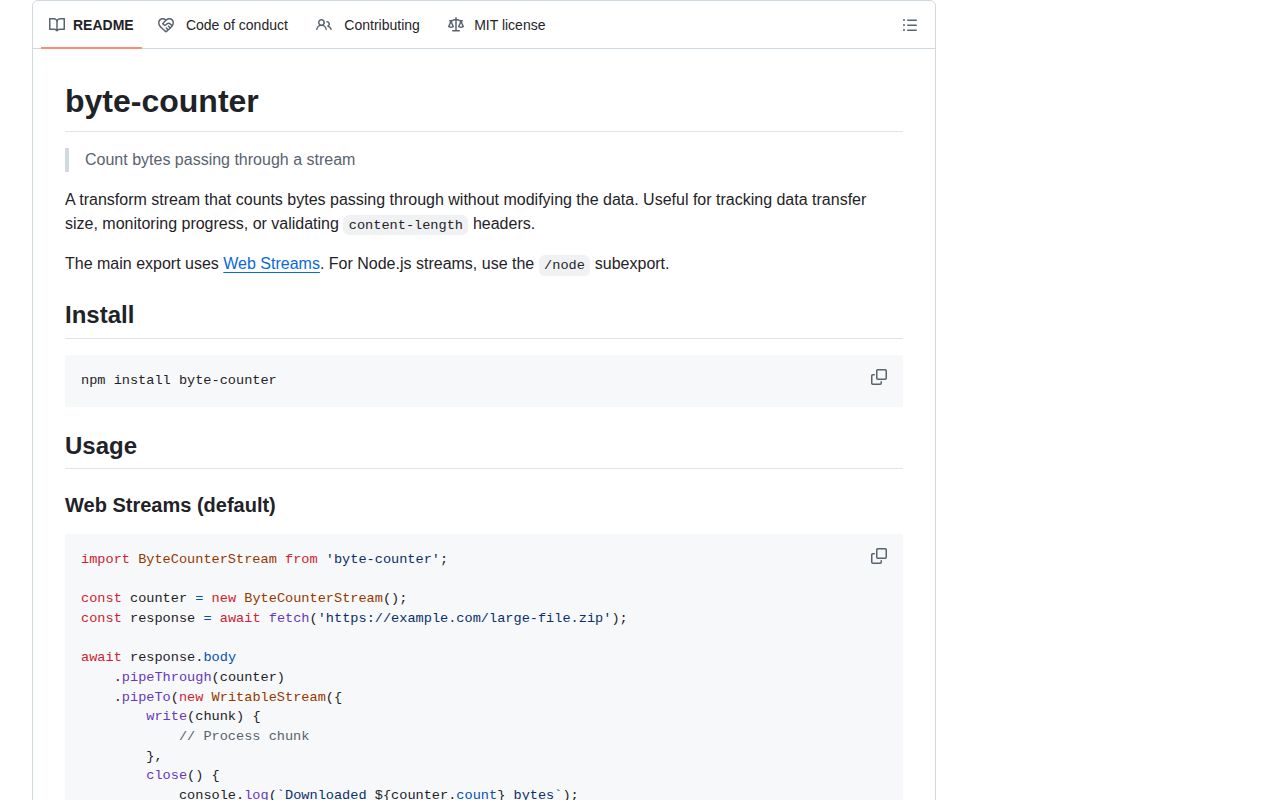
byte-counter 0.1.0 is the first release of a pass-through byte meter for JavaScript streams. Its default export is a Web TransformStream, while `byte-counter/node` supplies a Node Transform for `pipeline()` and classic `.pipe()` chains. Both expose a read-only `count` and forward each chunk unchanged. A separate `byteLength()` helper counts UTF-8 bytes in strings and reads the byte length of typed binary data. Our package check found no dependencies, bundled declarations, working import and require paths, and a 0.3 KB gzipped browser bundle.
byte-counter 0.1.0 installed as one 1 MB package in 0.5 seconds, added no dependencies or audit findings, and produced a 0.3 KB gzipped browser bundle in our sandbox. Install it for passive byte totals across Web or Node streams; use a progress or limiting transform when the count must trigger behavior.
We installed it
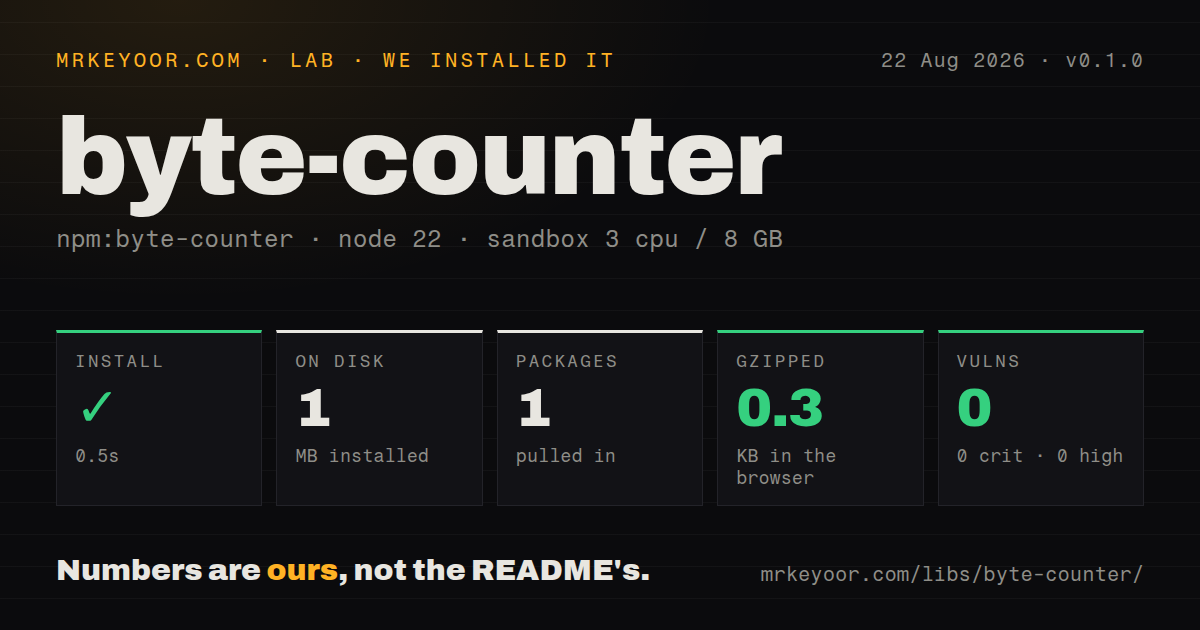
| Install | ✓ · 0.5s | 1 package on disk · 1 MB |
| Import | ✓ | ESM import works · require() works · ESM package with exports map |
| Browser | 0.3 KB | gzipped (0.5 KB minified), bundled with esbuild |
| Types | ✓ | TypeScript types bundled |
| Known vulns | 0 | 0 critical · 0 high · 0 moderate · 0 low (npm audit) |
Answers from our run
Does byte-counter install cleanly?
Yes. In a fresh container with an empty cache, npm install byte-counter finished in 0.5s, leaving 1 package and 1 MB on disk. npm audit reported no known vulnerabilities.
How much does byte-counter add to a browser bundle?
0.3 KB gzipped (0.5 KB minified) when the whole package is bundled for the browser with esbuild. Importing only part of it is usually smaller.
Does byte-counter work with both ESM and CommonJS?
Yes. Both import 'byte-counter' and require('byte-counter') worked in Node 22 in our run. The package is published as ESM with an exports map.
Does byte-counter include TypeScript types?
Yes, type declarations ship inside the package, so no @types install is needed.
byte-counter or progress-stream: which should you use?
progress-stream: Choose it for Node streams that need percentage, speed, runtime, and ETA events. byte-counter 0.1.0 installed as one 1 MB package in 0.5 seconds, added no dependencies or audit findings, and produced a 0.3 KB gzipped browser bundle in our sandbox.
When should you not use byte-counter?
Your production runtime is below Node 20. Version 0.1.0 declares node >=20, and the package does not publish a legacy build.
Use it if
- You already have a Web Streams pipeline and need the exact number of bytes that crossed one stage.
- A Node file, HTTP body, or archive pipeline needs passive byte accounting without changing its chunks.
- You want the same small package for Web TransformStream code and Node Transform code through separate entry points.
- A UTF-8 string or ArrayBuffer view needs an exact byte count without starting a stream.
- Your production runtime is below Node 20. Version 0.1.0 declares `node >=20`, and the package does not publish a legacy build.
- The counter must stop input at a maximum size. This transform records the total but has no limit option and never aborts an oversized stream.
- You need percentage, transfer rate, elapsed time, or ETA. The only progress state in the documented API is the cumulative `count` number.
- Your pipeline carries objects instead of byte-like chunks. The public type accepts strings and binary buffers or views, so object-mode records are outside its counting contract.
- One counter must be reset and reused for separate jobs. The API has no reset method, and stream instances are single-use once their writable side closes.
Setup reality
We installed byte-counter 0.1.0 in a fresh Node 22 Bookworm sandbox. npm finished in 0.5 seconds, and the result was one package using 1 MB on disk. The package itself was 36 KB unpacked, declared no direct or peer dependencies, and produced no npm audit findings. It includes TypeScript declarations, uses ESM with an exports map, and both require() and ESM import worked in our checks.
There are no credentials or config files. Pick the entry point by stream API: byte-counter creates a Web TransformStream, while byte-counter/node creates a Node Transform. The Node engine floor is 20. Passing the Web version to stream.pipeline() or calling .pipeThrough() on the Node version gives you the wrong interface even though both classes perform the same count-and-forward job.
The count begins at 0 and changes as chunks pass through. Wait for pipeTo() or pipeline() to finish before treating it as the final total. The library does not compare against Content-Length, emit progress events, calculate speed, or reject a threshold. With fetch, Content-Length may describe encoded transfer bytes while the response body exposes decoded data, so the two numbers are not always meant to match.
Our browser build succeeded at 0.5 KB minified and 0.3 KB gzipped. That makes the default Web Streams entry cheap to ship, but browser support still depends on TransformStream. A JavaScript number holds the total, so this is ordinary transfer accounting rather than bigint metering beyond the safe-integer range.
Patterns
Count UTF-8 bytes in a string measure-utf8-text
import {byteLength} from 'byte-counter';

console.log(byteLength('Hello 👋'));
// 10
`byteLength()` measures UTF-8 bytes. JavaScript string length and visible character count answer different questions.
Count a typed array measure-binary-view
import {byteLength} from 'byte-counter';

const payload = new Uint8Array([0, 127, 128, 255]);
console.log(byteLength(payload));
// 4
The helper also accepts ArrayBuffer, SharedArrayBuffer, Buffer, DataView, and other ArrayBuffer views.
Meter a fetch response count-fetch-response
import ByteCounterStream from 'byte-counter';

const response = await fetch(url);
if (!response.ok || !response.body) throw new Error(`HTTP ${response.status}`);

const counter = new ByteCounterStream();
await response.body.pipeThrough(counter).pipeTo(destination);
console.log(counter.count);
Read the final value after `pipeTo()` resolves. A response body can be null, so check it before starting the chain.
Check a declared response size compare-content-length
const expected = Number(response.headers.get('content-length'));
const counter = new ByteCounterStream();
await response.body.pipeThrough(counter).pipeTo(destination);

if (Number.isFinite(expected) && expected !== counter.count) {
  console.warn({expected, received: counter.count});
}
A compressed HTTP response can declare encoded bytes while fetch yields decoded bytes. Treat a mismatch as something to investigate, not automatic proof of truncation.
Write directly through a Web counter write-web-stream
const counter = new ByteCounterStream();
const drained = counter.readable.pipeTo(new WritableStream({write() {}}));
const writer = counter.writable.getWriter();

await writer.write(new TextEncoder().encode('alpha'));
await writer.write(new TextEncoder().encode('beta'));
await writer.close();
await drained;
console.log(counter.count);
Keep the readable side draining. Writes can wait on backpressure when nothing consumes the output.
Count a Node file copy copy-node-file
import fs from 'node:fs';
import {pipeline} from 'node:stream/promises';
import ByteCounterStream from 'byte-counter/node';

const counter = new ByteCounterStream();
await pipeline(
  fs.createReadStream('source.bin'),
  counter,
  fs.createWriteStream('copy.bin'),
);
console.log(counter.count);
The `/node` subpath supplies the Transform accepted by `pipeline()`. The default export uses Web Streams.
Count a Node readable without saving it discard-node-output
import {Writable} from 'node:stream';
import {pipeline} from 'node:stream/promises';
import ByteCounterStream from 'byte-counter/node';

const counter = new ByteCounterStream();
const sink = new Writable({write(_chunk, _encoding, done) { done(); }});
await pipeline(source, counter, sink);
console.log(counter.count);
A Transform needs a consumer. `pipeline()` also carries source and sink errors back to the caller.
Meter an outgoing request body count-http-upload
const counter = new ByteCounterStream();
await pipeline(
  fs.createReadStream('archive.tar'),
  counter,
  request,
);
console.log(`body bytes: ${counter.count}`);
This total covers body chunks sent into the request stream. It excludes HTTP headers and transport framing.
Sample a running Node count sample-progress
const counter = new ByteCounterStream();
const timer = setInterval(() => console.log(counter.count), 1000);

try {
  await pipeline(source, counter, destination);
} finally {
  clearInterval(timer);
}
Version 0.1.0 emits no progress callback. Sampling supplies a byte total, while rate and ETA calculations remain application code.
Fail after a byte ceiling enforce-size-limit
import {Transform} from 'node:stream';

const limit = new Transform({
  transform(chunk, _encoding, done) {
    if (counter.count > 10 * 1024 * 1024) return done(new Error('Body too large'));
    done(null, chunk);
  },
});
await pipeline(source, counter, limit, destination);
The counter never aborts by itself. Put a rejecting stage after it so that stage sees the updated total for the current chunk.
Create one counter per transfer separate-transfer-counts
async function copyAndCount(source, destination) {
  const counter = new ByteCounterStream();
  await pipeline(source, counter, destination);
  return counter.count;
}
There is no reset method, and a closed stream is not reusable. A new instance keeps totals independent.
Load the package from CommonJS require-package
const ByteCounterStream = require('byte-counter');

const counter = new ByteCounterStream();
`require()` worked in our Node 22 package check even though the package declares `type: module`. Test this path on the exact older Node release you support.
Alternatives
| Package | Registry | Pick it when |
|---|---|---|
| progress-stream | npm | Choose it for Node streams that need percentage, speed, runtime, and ETA events. |
| stream-meter | npm | Choose it when a Node stream must fail after a configured byte limit. |
| byte-length | npm | Choose it when you only count a string or Buffer and have no stream pipeline. |
| pretty-bytes | npm | Choose it to format a known byte value for people rather than measure streamed chunks. |
More utils guides
lru-cache · type-fest · ajv · zod · p-limit · find-up · the whole shelf →
How this guide is made: grounded in the library's documentation, release notes, changelog, and issue history, on a fixed rubric — not a hands-on install of every release. The 50 most-downloaded entries are additionally install-verified in clean containers. Corrections: contact the desk.