Twenty modules share one household database
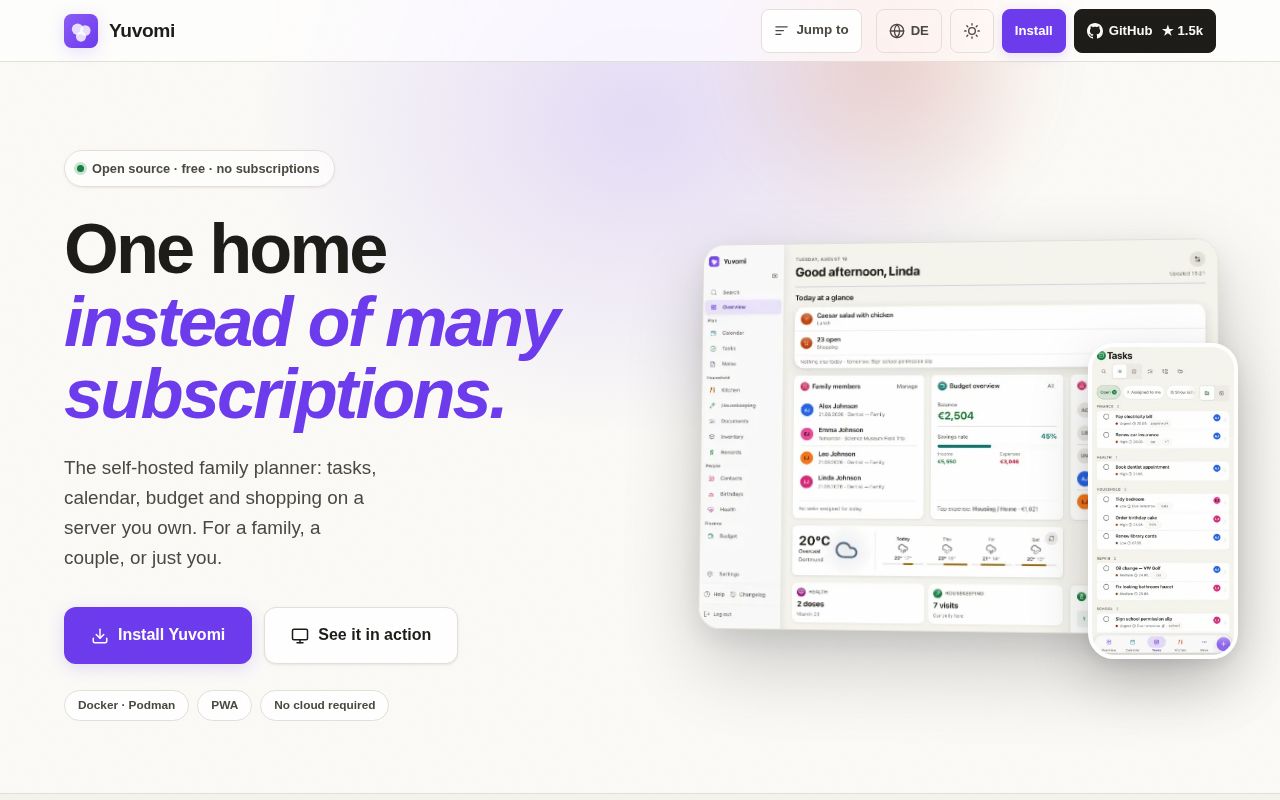
Yuvomi puts tasks, shopping, meals, calendars, budgets, documents, contacts, health logs, and other household records behind one login. The useful idea is connection between modules. A meal can add ingredients to shopping, a receipt can belong to a transaction and an inventory item, and a completed chore can credit a reward account. Those links are harder to maintain when every routine lives in a different app.
The stated audience is usually a household of 2 to 6 people, and the interface covers 24 languages. Modules can be disabled, which matters because the list reaches 20. Inventory, waste collection, and schedules are off by default. Wall mode is built for a shared tablet, while an Immich screensaver can rotate family photos. This is broad household software, not a grocery list with a few extra tabs.
The 37-second install is easier than owning the data safely
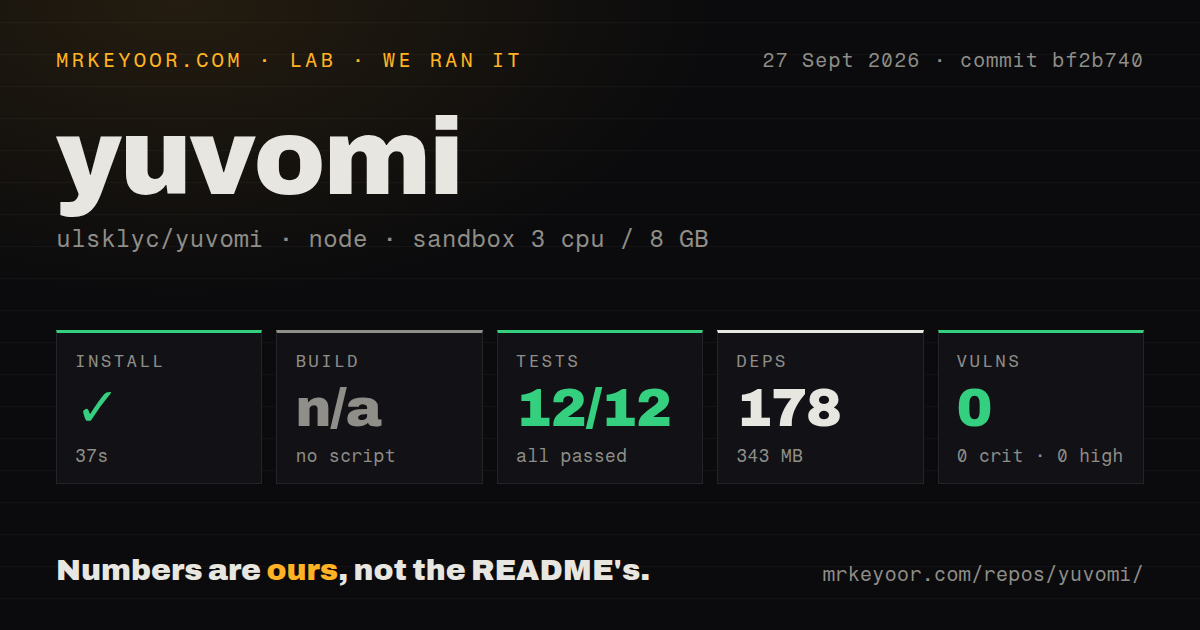
Our clean Node 22 sandbox installed 178 packages in 37 seconds and used 343 MB on disk. The checkout itself was 127.4 MB, with 1,719 files and roughly 463,365 lines of source. Yuvomi has no build script, which matches its use of plain JavaScript modules and CSS, so the build step was skipped rather than passed. Npm audit found 0 known vulnerabilities in the installed dependency tree.
The deployment route is direct. Download the Compose and environment files, create SESSION_SECRET and DB_ENCRYPTION_KEY, then start the container and visit port 3000. There are also catalog entries for TrueNAS SCALE, Umbrel, and Unraid. A browser wizard on port 8090 can detect Docker or Podman, configure HTTPS and single sign-on, schedule backups, and create the first administrator. The guided installer needs Node 22 or newer; the application container carries Node 24.
What happened when we ran it
Our sandbox ran commit bf2b740 with 3 CPUs and 8 GB of RAM. Installation succeeded, and there was no build target to run. The test command reached the 900-second limit. Node's test reporter recorded 12 passing tests and 0 failures before the timeout. The last visible cases covered Unicode-normalized login input and rejection of a wrong password, both marked ok.
The log tail does not identify why the process remained active, so we cannot call it a failed assertion or name a hanging test. The correct result is a timeout after 900 seconds. That matters in CI and contributor workflows even when every reported case is green. The repository also contains 5 CI workflow files, a Dockerfile, Compose configuration, and a test directory, which is a much stronger project skeleton than the timed-out local command alone suggests.
One SQLite file simplifies export but not every backup
Core records live in /data/yuvomi.db. Copying that SQLite file is the basic export when documents are stored in the database, and Yuvomi can also write scheduled backup archives. Optional SQLCipher encryption uses AES-256. The hard edge is deliberate: if you lose or change the database key, neither the maintainer nor another recovery path can open the encrypted data. Keep that key outside the server it protects.
Document storage complicates the neat single-file story. Yuvomi can place binaries in a local folder, on WebDAV, or in Google Drive. Its database backup then contains metadata and links, not those files. The README tells operators to back up that target separately. Yuvomi's visibility rules also stop at its own interface, so anyone with access to the connected Drive folder can see the stored files regardless of permissions shown inside Yuvomi.
Optional connections are where privacy needs attention
A default installation makes one outbound version check against GitHub. Features such as weather, holidays, calendar and contact sync, recipe mirrors, push services, cloud storage, and external document systems contact their respective services only when enabled. Private-address calendar feeds, WebDAV targets, and recipe mirrors stay blocked until the operator opts in, a useful defense when users can enter URLs.
Authentication has password login, invite links, TOTP, recovery codes, password reset by email, and optional OIDC. Release v2.69.1, published September 23, 2026, fixed two meaningful authorization problems: account linking during first SSO sign-in and member access to CardDAV administration. It also requires the CardDAV password again when the server or username changes. Existing installations should treat that release as a security update rather than routine polish.
Active maintenance comes with a busy issue queue
GitHub recorded a push on September 27, 2026, four days after v2.69.1. The repository had 1,586 stars and 60 open issues and pull requests when fetched. Recent issues discuss plural forms, calendar behavior, phone layouts, and test guards in concrete terms. The combined count is not a bug total, but it shows how much surface area follows from 20 modules and 24 locales.
That breadth is Yuvomi's reason to exist and its main ownership cost. A small household can replace several accounts with one container, but the administrator becomes responsible for updates, HTTPS, encryption-key custody, and restores. Our 178-package install was easy. The more important trial is restoring the SQLite database and one externally stored document before the household trusts the system with receipts, calendars, or health entries.