Vega is a player until you add a provider
A fresh Vega App is an Android media shell, not a streaming catalog. The README says the project hosts no media and has no connection to outside providers or extensions. You add a source in Provider Manager by entering a GitHub user or repository, then choose from the providers it exposes. That division gives users control over where listings and links come from. It also makes source choice part of setup rather than an optional customization.
Once connected, the client covers the conveniences people expect from a media app: streaming, downloads, a watchlist, multiple audio tracks, external subtitles, and handoff to an external player or downloader. A separate Vega desktop project can sync with the phone app. Release 4.0.6 added Cloudflare WARP support, an anti-DPI mode, interface fixes, and search suggestions on September 17, 2026.
Provider ownership stays with the user
The official guide tells users to paste a provider repository URL or add a GitHub username. Vega's disclaimer puts the resulting content and integrations under user control. That means the project cannot promise that a third-party provider is lawful in your country, stays available, returns accurate metadata, or keeps working when a website changes. Review the source you add and use it only for content you are allowed to access.
Provider state is still an application concern. Issue 526 reports that the theme store and content store used the same persisted key, so changing the accent color could replace the saved provider selection. The user then saw the tutorial screen after restarting until they selected the provider again. A fix was opened the same day. That is a small bug with a visible consequence: the media catalog appears to vanish even though the extension remains installed.
What happened when we ran it
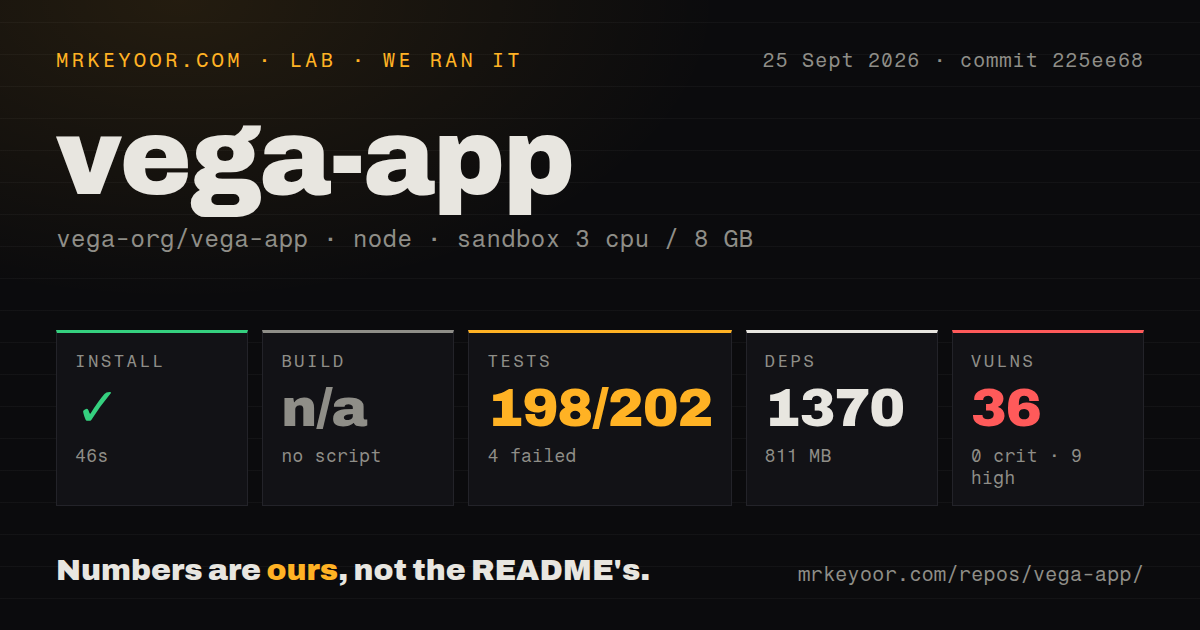
Our sandbox installed 1,370 npm packages in 46 seconds and used 811 MB on disk. We tested commit 225ee68 with Node 22 in an unprivileged Debian container with 3 CPUs and 8 GB of RAM. The checkout contained 378 files, roughly 53,359 lines of source, and occupied 26.9 MB before dependencies. Installation itself succeeded.
The package has no conventional build script or target, so our build stage was skipped. Its scripts instead expose Android development, Expo prebuild, a Play Store EAS build, and an iOS command. The README documents the Android route: set up React Native, run npm install, prebuild a clean Android project, then start it with the Android script. Producing a signed APK or app bundle follows separate React Native guidance.
Jest exited with code 1 after 18 seconds. It reported 198 passed and 4 failed out of 202 tests, with 29 passing and 6 failing suites. The failure list named imdbSuggestions, clearAppCache, providerErrorPropagation, App, IconButton, and Extensions. Four of those suites were marked as failing to run. The supplied tail has no exception details, so we cannot responsibly name a cause.
Thirty-six audit findings raise the cost of a fork
Npm audit reported 36 known vulnerabilities in the installed tree: 9 high, 26 moderate, 1 low, and 0 critical. That does not prove an exploitable flaw in the Android app, because the measurement does not identify package paths or reachable code. It does require follow-up before a team redistributes a custom build. The 1,370-package tree is too large to dismiss the report without tracing each advisory.
The repository uses React Native 0.86.2, React 19.2.3, and Expo 57 packages at the measured commit. Native modules cover video, filesystem access, notifications, casting, cookies, storage, permissions, and APK installation. This explains why a web-style npm install is only the first layer. Android SDK tooling, native configuration, signing, and device tests decide whether a release build is ready.
Android is the supported download story
The README calls Vega an Android app and points users to Google Play, GitHub APK releases, and its website. Package scripts contain an iOS command, but the user documentation does not give an iOS download or signing route. Open issue 10 asks whether an IPA can be sideloaded and contains no maintainer answer. If iPhone delivery is mandatory, treat it as development work rather than an advertised feature.
Active releases have not produced a clean lab run
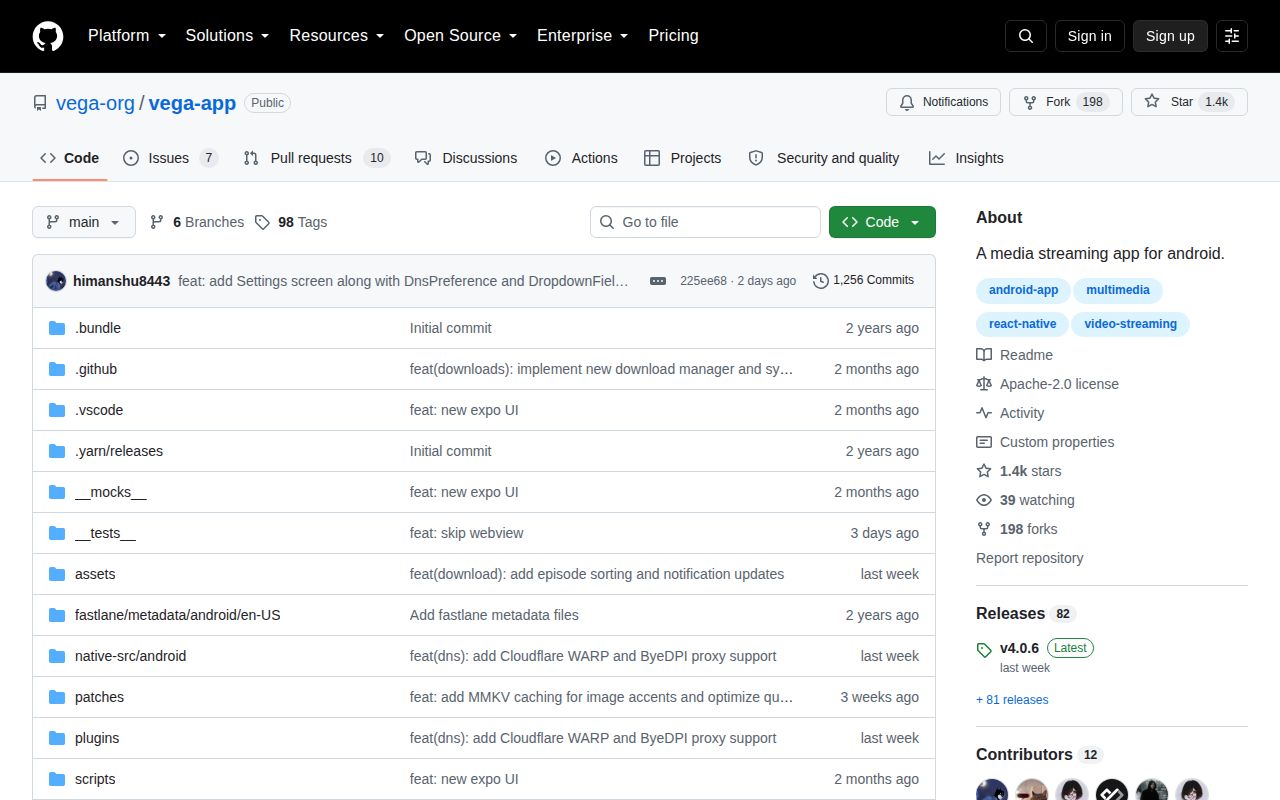
GitHub recorded the last push on September 23, 2026, and users or contributors were active in the issue queue through September 25. The repository had 1,414 stars and 17 combined open issues and pull requests when fetched. Version 4.0.6 had arrived 6 days before the measured main commit, so this is an active project rather than an abandoned APK dump.
Activity does not cancel the measured failures. The 198 passing tests cover a meaningful amount of code, while 6 broken suites leave gaps around the app shell, caching, provider errors, extensions, suggestions, and a button component. A user installing the official release may still have a good experience. A developer building on the source should first reproduce those failures with full logs and map the 36 advisories.
Pick Vega for its Android provider workflow
Aniyomi is the closer choice for an extension-centered anime and manga setup. Stremio Web suits people who want a browser client and its add-on system. Jellyfin is the cleaner answer when you run the server and control the library. Vega fits between them: a native Android client with user-added providers, downloads, external apps, and desktop sync.
That fit comes with responsibility. Choose the provider carefully, keep a way to reselect or restore it, and do not assume the app supplies rights to any catalog it displays. For users, version 4.0.6 is easy to sample from the Play Store or release page. For maintainers, our 811 MB dependency tree, 6 failed suites, and 36 audit findings make a fork a security and testing project before it becomes a product.