Should you use UpSnap?
Consider UpSnap when several people need Wake-on-LAN controls with separate permissions on a trusted network. The documented cron events and configurable port checks also suit administrators who want scheduled wake actions and device status in the same dashboard.
Its README advises against public internet exposure because custom shutdown commands can run through a shell, possibly as root. For access from outside the network, follow the project's VPN recommendation. A useful first trial is one compatible physical target: verify that it wakes through your deployed instance before relying on schedules or adding users.
What the backend record establishes
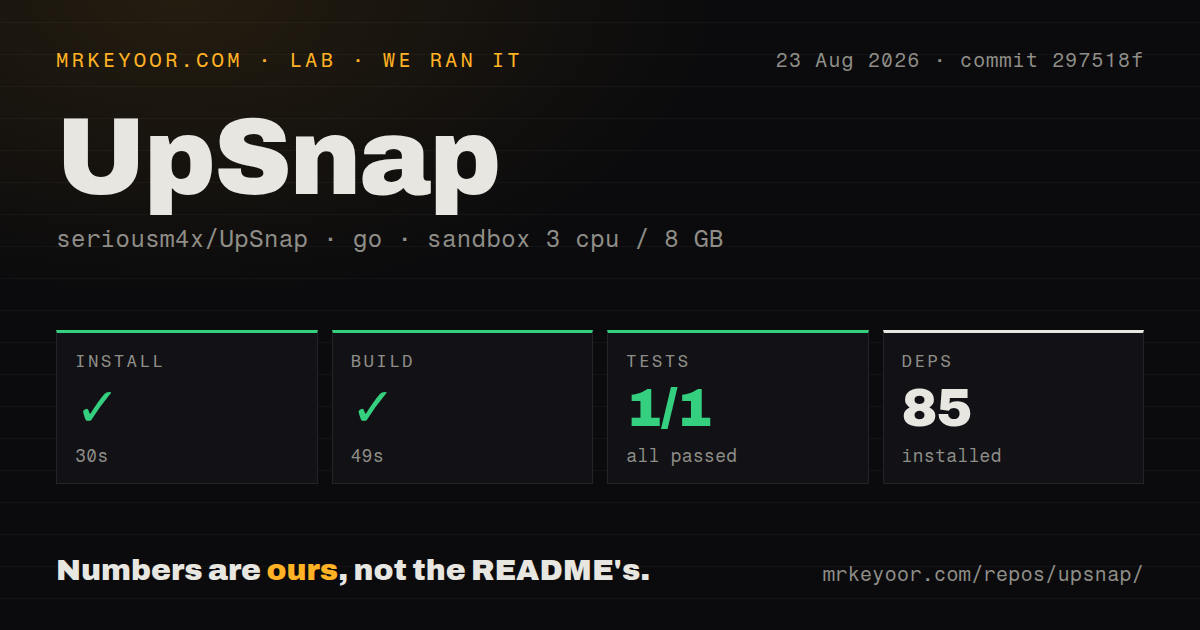
The stored harness reports a 30-second install step, a 49-second build step and a 27-second test step, each with exit code 0 and no timeout. The run was recorded on 2026-08-23 at commit 297518f008cadf3b460e13c029b20d1445425d5e, using the backend directory.
The sandbox record lists 3 CPUs, 8 GB of memory and the golang:1.24-bookworm image. However, the retained install output says go: downloading go1.26.5 (linux/amd64), so the image name does not establish that the commands used Go 1.24 throughout. The dependency count is 85; it does not establish that 85 individual installation operations were verified.
The build step is marked successful, but its retained output is only vet-exit:0. This supports reporting the harness outcome, without claiming that a runnable artifact was inspected or the application launched.
The parser reports 1 passed, 0 failed and total 1. Separately, the retained test footer shows a successful networking package and five packages marked [no test files]. Those five packages are not failed or skipped tests. These records do not establish an exhaustive count of individual test cases or the quality of their coverage.
The run did not test the frontend, authentication workflows, permissions, cron execution, discovery, container deployment, physical wake or shutdown. No dependency-security audit result is attached. The current MrKeyoor testing methodology explains the records' provenance and limits, but does not establish which methodology revision the August run used. No new execution was performed for this correction.
Check the deployment requirements
The supplied Compose example specifies host networking for Wake-on-LAN magic packets and persists data at /app/pb_data. It adds NET_RAW for privileged ping, scanning and IP tracking, while dropping other capabilities. Device discovery requires nmap. Its comments also document a time-zone setting for cron schedules and additional host configuration for unprivileged ping.
The repository detector recorded no Compose file, although the supplied primary source contains one. That is a detector limitation, not evidence that a Compose deployment is unavailable.
For your trial, check the target's Wake-on-LAN configuration and the broadcast path. After a successful physical wake, test the status check and one scheduled event. These deployment checks remain necessary after the recorded backend steps.
Review shutdown privileges separately
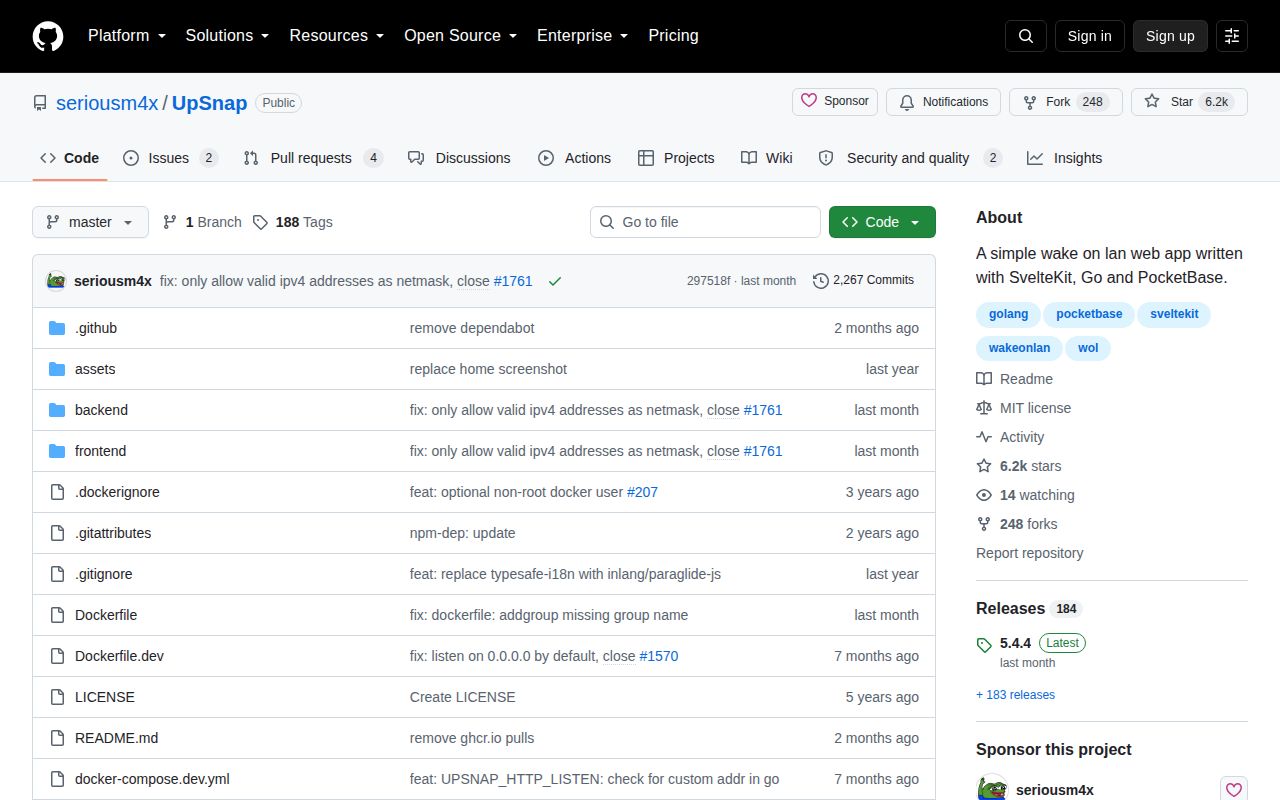
The README documents per-device rights to display, edit, delete and power devices. Those permissions do not replace its warning about public exposure.
If you only need wake controls, leave shutdown unconfigured. If you enable shutdown, review the exact command and its privileges before granting access. The stored run did not exercise that command path or assess its security.
Current hostname documentation differs from the dated record
The current UpSnap README lists support for a Fully Qualified Domain Name for a device. It also lists optional IP tracking through periodic ARP scans. These are current documentation claims, not features verified by the August sandbox run or established for its exact commit.
For .local names, the current Compose comments require avahi and dbus on the host and a mounted host dbus socket. They warn users to understand the security implications before enabling the mount. Check the documentation for your selected release before configuring hostname resolution.
Choose an alternative by the job
wolweb accepts wake requests through a web interface or an HTTP request. Its README says it has no built-in authentication. Consider it when a wake endpoint is sufficient and you can provide access controls separately. Its documented reverse-proxy and SSL setup does not establish that it is a safer public service.
MeshCentral provides web-based remote desktop, terminal and file management through agents installed on managed computers. Consider it when ongoing computer administration is the main requirement. The supplied evidence does not establish equivalent Wake-on-LAN behavior, so this is a comparison of intended jobs rather than verified feature parity.
What the ratings mean
The numerical ratings are editorial judgments about the supplied evidence, not benchmarks. On the five-point scale, 1 indicates substantial documented obstacles, 2 significant gaps, 3 useful support with material limitations, and 4 clear documentary support with deployment or verification limits. A 5 requires broader corroboration than these sources provide. Dimensions without enough evidence remain unassessed.
Setup ease receives 4 for documented binary and container routes and successful recorded backend steps. This rating does not establish that a network deployment is easy or that physical device control works. Documentation receives 4 for explicit networking, persistence, permissions and exposure guidance; the linked wiki procedures were not supplied for assessment. Maturity receives 4 for documented operational controls and the validation fixes listed in release 5.4.4, with production reliability still unverified.
Community is unassessed. The supplied release 5.4.4 page names seriousm4x and invario as contributors. That observation does not establish sustained participation, adoption, response times or support quality, and it does not support a numerical community rating.