Six proxy protocols sit behind one control panel
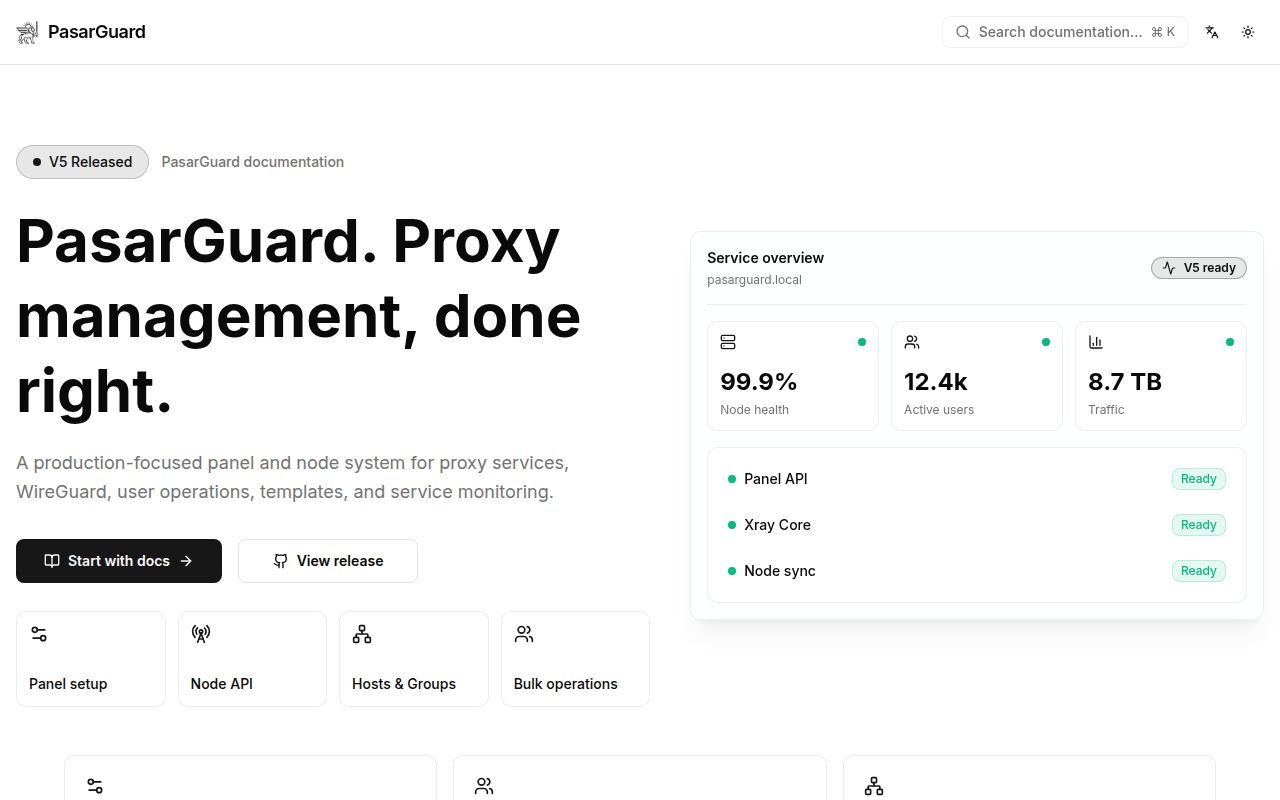
PasarGuard gives a proxy operator one place to manage Vmess, VLESS, Trojan, Shadowsocks, WireGuard, and Hysteria2 accounts. The dashboard covers users, multiple inbounds, traffic and expiry limits, subscription links, QR codes, node distribution, and traffic statistics. It can place several protocols on one user account and several inbounds on one port through fallbacks. That is a meaningful step up from editing Xray JSON on individual servers whenever a customer changes plan or reaches a limit.
The scope is substantial for a project whose checkout occupied 10.8 MB. We measured 925 files and about 194,837 lines of source at commit b56ffe3. PasarGuard combines a REST API, React web interface, command-line utility, Telegram bot, multi-admin roles, and support for more than one database. Buyers should treat it as an infrastructure control plane with several moving parts, rather than a thin page placed on top of one Xray process.
Five database choices make the installer easy to start, not easy to trust
The README presents 5 install variants: TimescaleDB is recommended, while SQLite, MySQL, MariaDB, and PostgreSQL are also accepted. Each quick-start command downloads pasarguard.sh and sends it directly to sudo bash. That is convenient on a new server, but it asks for root authority before the reader sees what the script changes. A cautious operator should fetch the script, read it, pin the revision, and test removal and upgrade behavior on a disposable host.
Our sandbox installed 34 packages in 33 seconds and used 37 MB on disk, so Python dependency setup itself was modest. Production work begins after that step. The README places files in /opt/pasarguard, persistent data in /var/lib/pasarguard, and configuration in an .env file. You must choose and back up a database, connect the proxy nodes, issue an SSL certificate, and generate a one-time key before creating the owner account.
What happened when we ran it
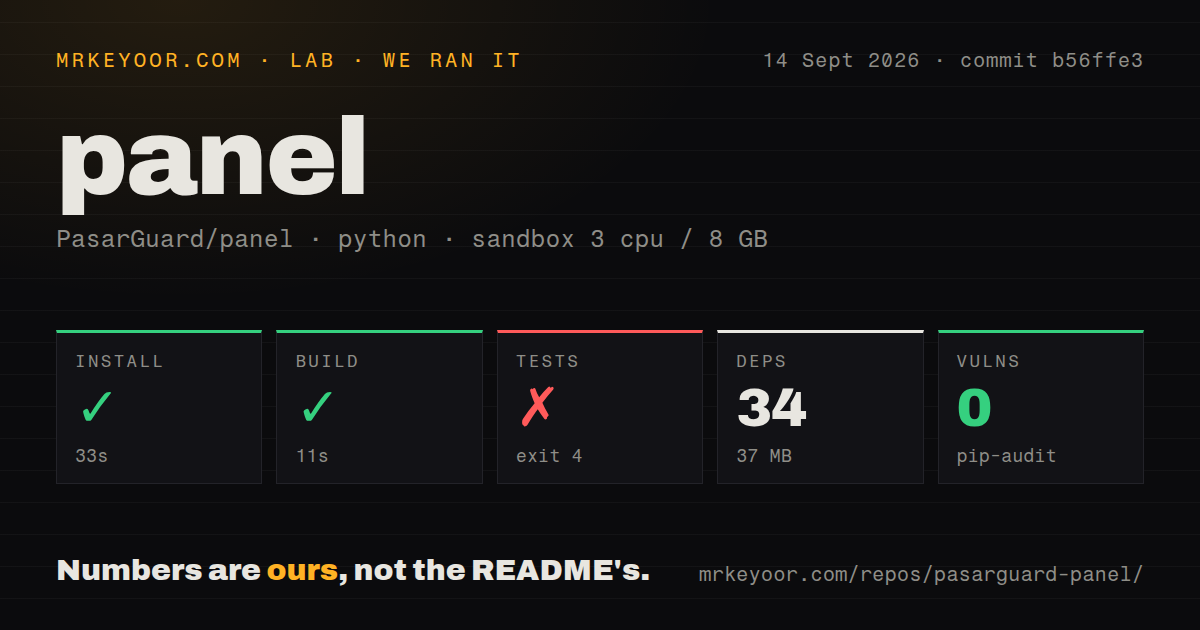
Our run used commit b56ffe3 in an unprivileged Debian container with 3 CPUs and 8 GB of RAM. Installation succeeded in 33 seconds, with 34 packages installed and 37 MB consumed. The build also succeeded, taking 11 seconds. Pip-audit reported 0 known vulnerabilities in the installed Python packages. Those results cover the stated checkout and environment, not every released image or host configuration.
The test command failed with exit code 4 after 4 seconds. Pytest stopped while loading tests/conftest.py, where an import of PydanticDeprecatedSince20 raised ModuleNotFoundError: No module named 'pydantic'. The log does not tell us why that module was absent, and no test total was produced. The defensible conclusion is limited: the suite did not start successfully in our fresh container even though installation and build had completed.
HTTPS is part of normal operation, and v5.3.0 showed why
The README says the dashboard requires an SSL certificate and gives https://YOUR_DOMAIN:8000/dashboard/ as the normal route. Without a domain, its testing workaround forwards port 8000 over SSH and disappears when that session closes. Open issue 890 reports that v5.3.0 displayed a successful copy notification on an insecure local deployment even though configuration links never reached the clipboard. Browsers restrict clipboard access outside secure contexts, so the documented TLS requirement affects daily panel work, not only the address bar.
This matters because the panel returns sensitive subscription material. Our 10.8 MB source checkout cannot answer whether a particular reverse proxy, certificate renewal job, or firewall is safe. Operators need to decide which interface is public, limit dashboard access, protect the generated owner setup key, and verify backups. The integrated Telegram bot also deserves separate credentials and an explicit access policy if enabled. PasarGuard collects control of many proxy users in one service, which increases the cost of a careless exposure.
Version 5.4.1 is active, while raw core control remains incomplete
GitHub recorded 2,574 stars, 78 combined issues and pull requests, and a push on September 14, 2026. Release v5.4.1 arrived on September 12 with node configuration and WireGuard DNS fixes. Current pull requests cover user synchronization, statistics query load, subscription routing, and security behavior. That recent push plus live issue and pull request traffic is stronger evidence of maintenance than the release number alone. The combined count should not be read as 78 confirmed bugs.
An advanced limitation is visible in issue 878, an open request for a headless core mode with full configuration support. The reporter says panel-managed inbounds can ignore core fields such as clients and asks for remote raw JSON editing. PasarGuard already allows customized Xray configuration, but that issue shows a gap between supporting a core and exposing everything the core can do. Teams with hand-tuned Xray files should reproduce their required settings before moving account management into the panel.
Seven CI workflows do not replace a deployment rehearsal
Our scan found 7 CI workflow files, a Dockerfile, a compose file, and a tests directory in the 925-file repository. Those are good signs for maintainers and packagers, but our 4-second test failure proves that visible automation does not guarantee the supplied checkout will pass in a fresh Python environment. A sensible evaluation should cover database migration, node reconnection, certificate renewal, owner recovery, subscription generation, and rollback with your chosen install method.
PasarGuard earns a trial when one team already operates several proxy nodes and wants policy, accounts, and usage in one dashboard. The 33-second install and 11-second build make that trial cheap, while the root-run script, mandatory TLS, and failed test startup keep it out of the install-and-forget category. Compare Marzban if the work is mostly Xray, and test 3x-ui or Hiddify Manager when their protocol and deployment choices fit your servers better.