It puts a policy layer between an agent and a database
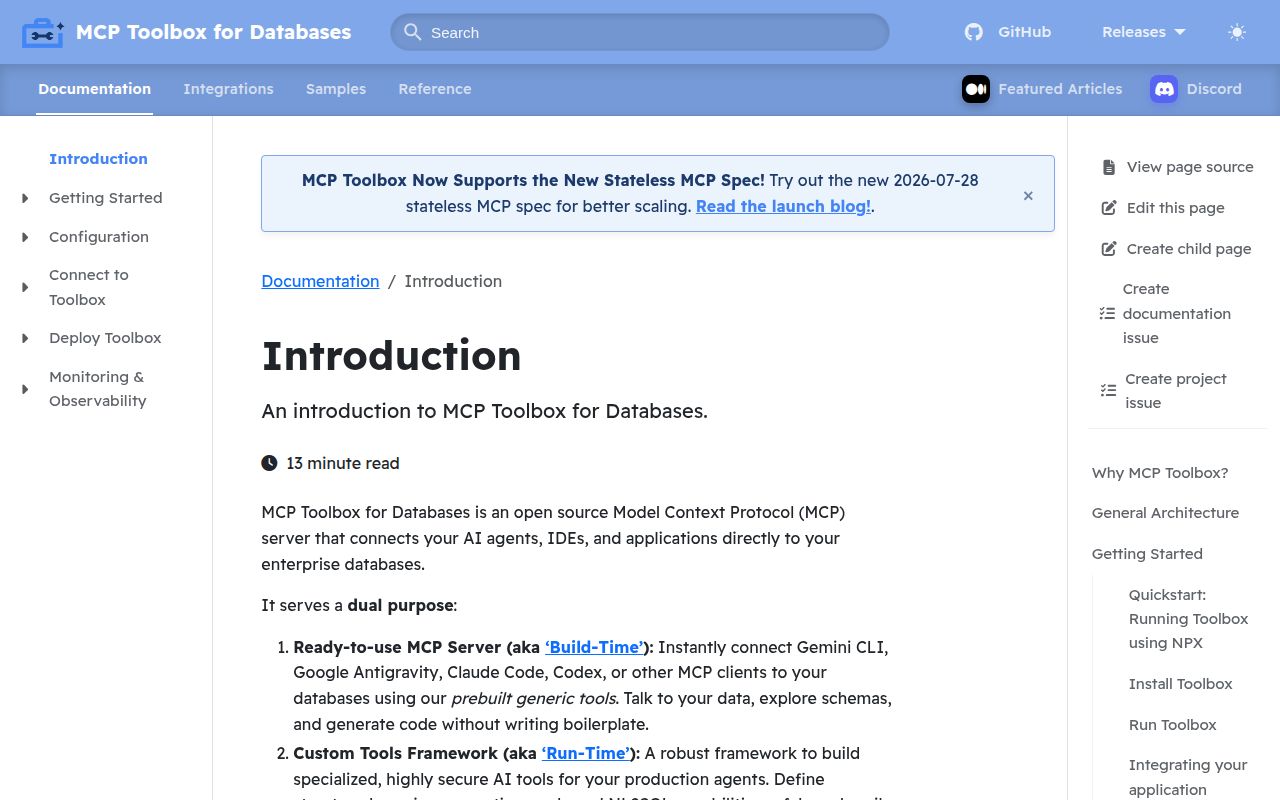
MCP Toolbox for Databases is a server for exposing database actions to MCP clients and application frameworks. Its useful idea is the tools.yaml file. A source describes the database connection, a tool defines a specific operation and its parameters, and a toolset groups only the actions a client should see. That is safer and easier to review than asking a model to invent unrestricted SQL, provided the database role beneath the server is restricted too.
The project also has prebuilt sets for quick exploration. The README names PostgreSQL, MySQL, SQL Server, Oracle, MongoDB, Redis, Elasticsearch, CockroachDB, ClickHouse, Couchbase, Neo4j, Snowflake, Trino, and Google Cloud databases. Those sets can list schema objects or execute queries from Claude Code, Codex, Gemini CLI, and other MCP clients. Breadth is the attraction, but every added connector brings its own authentication and integration behavior.
Custom SQL tools are safer than exposing every prebuilt action
A custom tool can hold a parameterized statement such as a hotel-name search, complete with a description the model can understand. The server also supports prompts and grouped toolsets. Production teams can expose a read-only reporting group to one agent and a narrower administrative group to another. Connection pooling, integrated authentication, OpenTelemetry metrics, and tracing keep those calls inside a service operators can observe.
Prebuilt tools deserve more caution. Schema discovery is convenient during development, and general SQL execution can answer questions that nobody encoded beforehand. The same freedom raises the cost of a mistaken call or prompt injection. Toolbox does not replace database permissions, approval rules, query limits, or an audit policy. Give its account the minimum rights needed and avoid exposing mutating tools merely because a ready-made set includes them.
What happened when we ran it
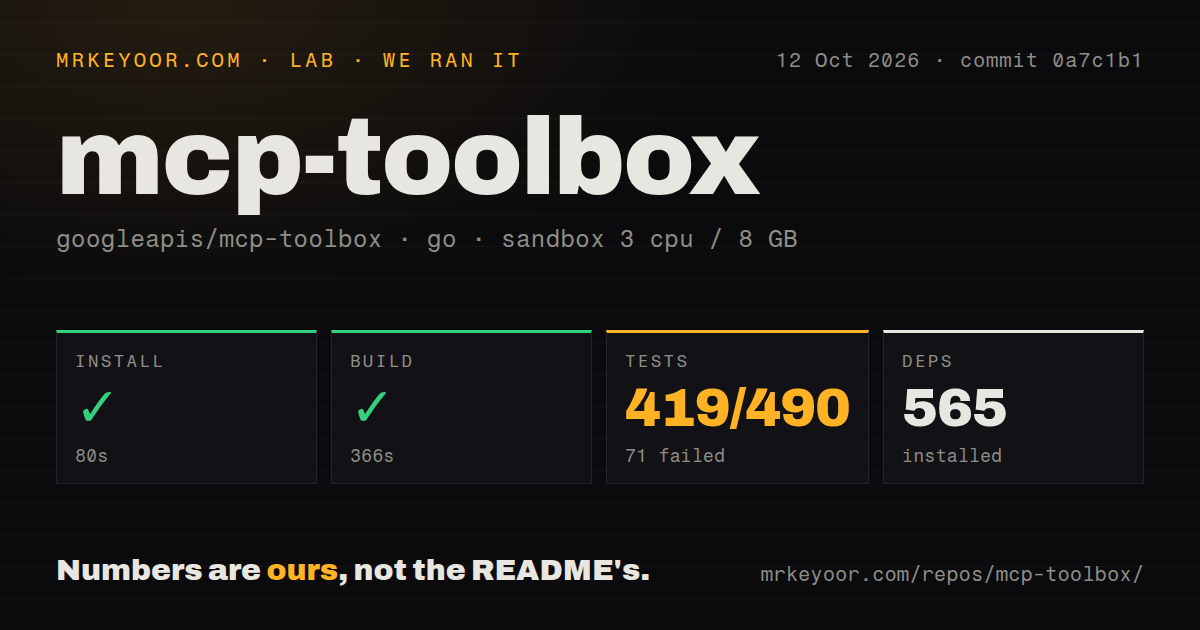
Our sandbox installed 554 Go packages in 84 seconds. The build succeeded in 261 seconds on 3 CPUs with 8 GB of RAM. The checked-out commit, 418f302, contained 1,949 files, about 237,036 lines of source, and occupied 30.2 MB before dependencies. It had 21 CI workflow files, a Dockerfile, and a tests directory.
The test command ended with exit code 1 after 470 seconds. Go reported 403 passing packages and 49 failing out of 452. The log tail was explicit about two failures: the Valkey endpoint suite said VALKEY_ADDRESS was not set, and the YugabyteDB suite said YUGABYTEDB_DATABASE was not set. A Trino package also failed in the shown tail, but that excerpt did not state its cause.
Those results do not show a compiler defect. They show that the repository's full test command expects configured integration services beyond a fresh no-secrets Debian container. We did not guess what each of the other 47 failures needed. If you plan to contribute across connectors, copy the project's test environment deliberately and budget more than the 470 seconds our incomplete run consumed.
Five installation paths still lead to the same configuration work
The README offers downloadable binaries, Homebrew, an official container image, npx @toolbox-sdk/server, and a Go source install. A prebuilt PostgreSQL server can start from an MCP client configuration plus environment variables. Custom use starts the binary with --config tools.yaml, and remote clients connect to http://127.0.0.1:5000/mcp or a named toolset route. Dynamic configuration reload is enabled unless the operator turns it off.
Installation choice does not settle access. A local database may need a host, port, database name, user, and password. Google Cloud connections can add IAM identity and project configuration. Remote HTTP deployment also needs network controls and whatever authentication design fits the client. The README links to deployment documentation, while the main page keeps these details short. Treat the quick start as a connectivity proof, not a production security recipe.
The SDKs help when MCP is only one consumer
Toolbox is not limited to interactive editor clients. Separate SDKs cover Python, JavaScript or TypeScript, Go, and Java, with adapters named for frameworks such as LangChain, LangGraph, LlamaIndex, and Google's Agent Development Kit. That makes the same curated tool definitions usable from a service and an MCP client. Teams can keep connection handling and tool metadata in one place instead of rebuilding both for each agent framework.
This layer is unnecessary when an application has one query and one caller. A normal repository function will be easier to step through, version, and secure. Toolbox earns its extra process when several agents need the same database actions, several engines need consistent exposure, or platform staff want one place for pooling and telemetry. Its 1,949-file source tree reflects that wider job.
August 2026 activity supports adoption, while docs still have gaps
GitHub recorded a push on August 26, 2026, and listed 16,262 stars plus 248 combined issues and pull requests. Release v1.9.0 arrived on August 14. It added configuration controls for group caching, more Bigtable and database-insights tools, a generic client extension registry, and fixes around MCP parameters and authentication URLs. This is current maintenance, not a repository coasting on an old tag.
The open queue also contains a documentation request for a complete field reference, required and default parameter semantics, an agentContextReference example, and stale links. That issue is specific enough to matter when writing custom resources beyond the quick start. Toolbox is a strong candidate for a multi-database agent platform, but trial it against your exact connectors, permissions, and integration test services before making it the route to production data.