More than 100 integrations make Homepage useful beyond bookmarks
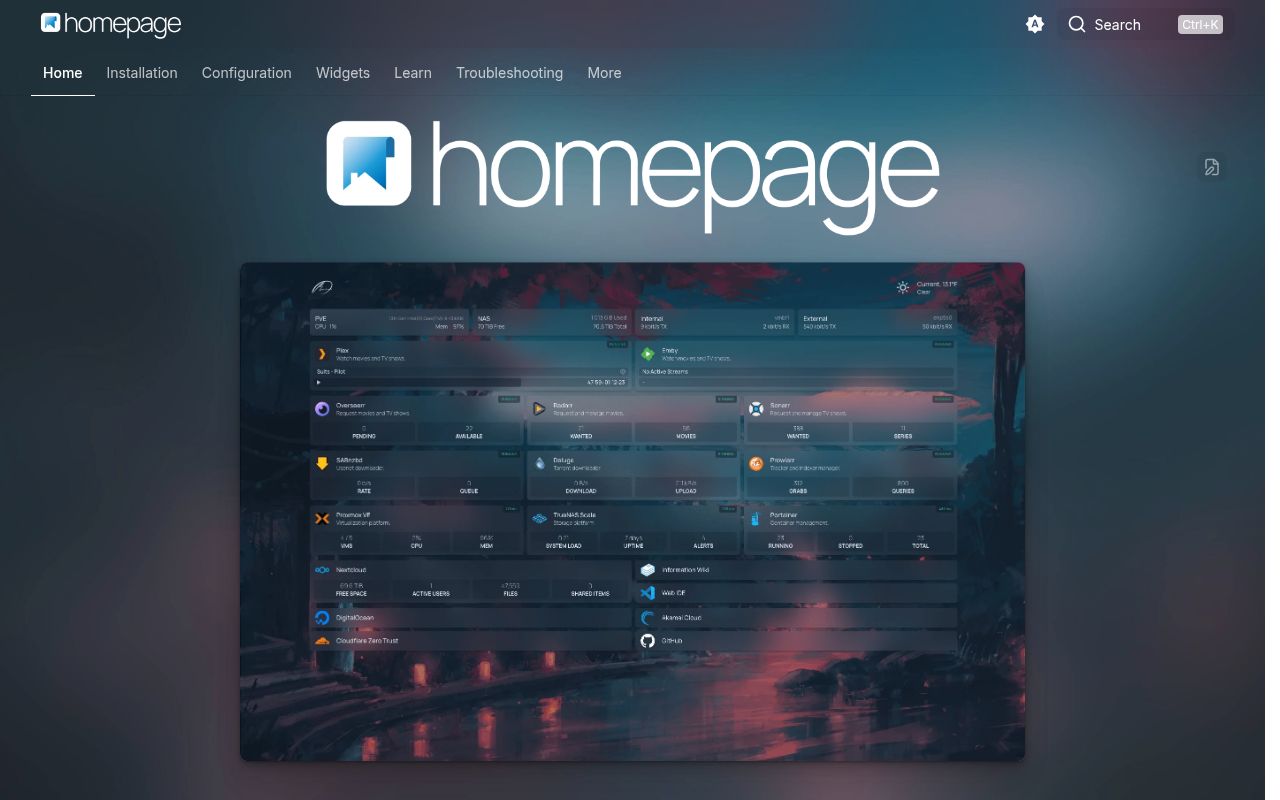
Homepage supports more than 100 service integrations, plus search, weather, bookmarks, container status, and system information. The useful difference from a plain link grid is that widgets can show data from services such as Sonarr, Jellyfin, Portainer, and Home Assistant. A home-lab operator can see a queue or health value before opening the underlying app. Homepage also publishes images for AMD64 and ARM64, which covers the usual server and single-board computer choices.
Widget requests pass through the Homepage server, so API keys are not sent to browser code. Secrets can live in environment variables or files whose names start with HOMEPAGE_VAR_ or HOMEPAGE_FILE_, then be substituted into configuration. That design is sensible for a page reading private services. It also means the Homepage process can reach those services and their data, so its config, logs, network path, and credentials deserve the same care as any other internal control panel.
Version 2.2.0 still expects YAML or Docker labels
Version 2.2.0 keeps configuration in files such as services.yaml, settings.yaml, and docker.yaml, or in Docker labels. Services can be grouped and nested, and a service can carry several widgets. The model suits people already storing Compose files in Git because changes are readable and portable. The official path does not describe a full browser editor, and changes to settings.yaml require regenerating the static HTML with the refresh control.
Configuration mistakes have a real support cost. The troubleshooting guide says most widget failures are configuration problems, then asks users to check container networking, logs, browser errors, and the upstream API from inside the container. Service names and their group paths must be unique. The site monitor uses an HTTP HEAD request with a GET fallback, so authenticated targets often need an internal URL. ICMP ping, introduced in v0.8.0, currently supports IPv4 only.
What happened when we ran it
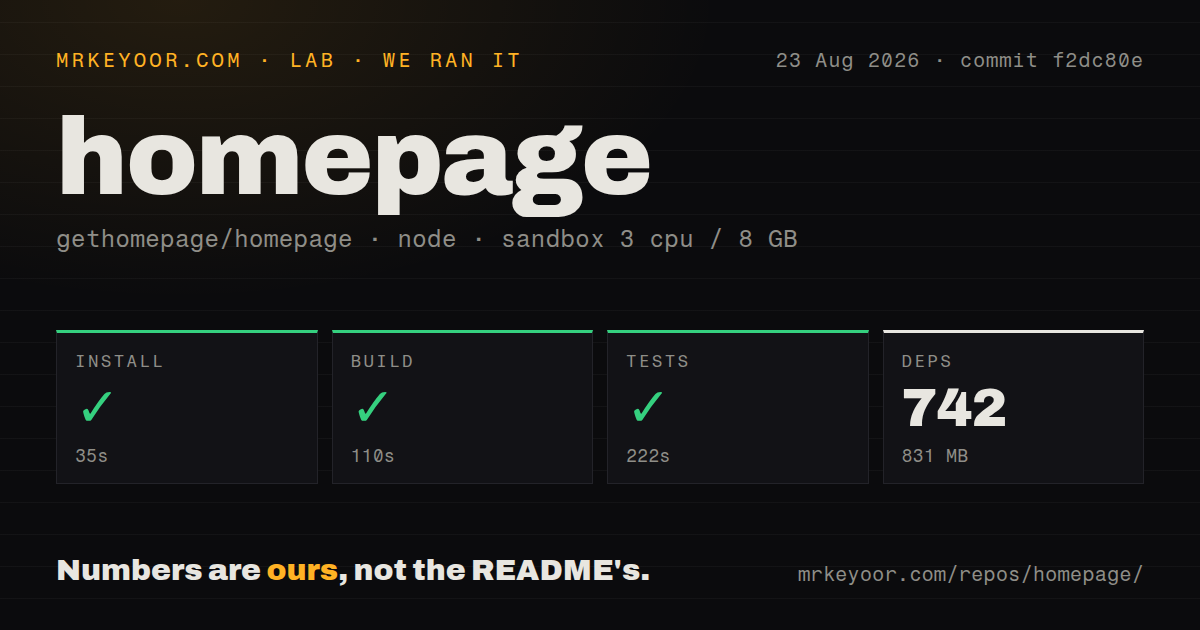
Our sandbox cloned commit f2dc80e, then installed 742 packages in 35 seconds and used 831 MB on disk. The production build succeeded in 110 seconds. Tests also succeeded, taking 222 seconds. The clean Debian container had 3 CPUs, 8 GB of RAM, Node 22 on Bookworm, no secrets, and no elevated privileges. Before installation, the checkout was 10.7 MB with 1,478 files and about 70,143 lines of source.
The repository is a pnpm workspace with a Dockerfile and 11 CI workflow files. Our scan found no tests directory, although the detected test command completed successfully. The supplied result does not include a test count, so the defensible finding is that the command passed in 222 seconds. The 831 MB install, 110-second build, and 222-second test step make source contribution a larger job than pulling the published image.
Password login in v2.0 still needs edge rate limiting
Version 2.0 added a simple password or OIDC gate, but the installation guide still recommends a reverse proxy, VPN, or similar layer for public deployments. Password mode has no application-level rate limit. The docs tell internet-facing operators to rate-limit POST requests to the credentials callback at the proxy or ingress, and failed attempts are logged for tools such as fail2ban or CrowdSec. This is workable if that edge already exists; it is poor protection for a casually forwarded port.
Authentication also needs HOMEPAGE_AUTH_SECRET with at least 32 characters and an external URL. Public or TLS-terminated deployments should use an HTTPS URL so cookies receive the Secure flag. OIDC moves login to an identity provider, yet Homepage does not apply its own claim-based authorization. Every identity the provider permits for that client gets access, so assignments and group policy must be enforced there. HOMEPAGE_ALLOWED_HOSTS remains a separate required control for non-localhost access.
Docker discovery requires root access or a socket proxy
The Docker example exposes port 3000, mounts /app/config, and optionally mounts the Docker socket. Direct socket use requires the Homepage container to run as root or join the Docker group. The documentation recommends a Docker socket proxy because mounting the socket directly carries security concerns. Its sample binds the proxy to 127.0.0.1:2375, permits container reads, and sets POST=0 to reject write operations. That is the route we would choose for automatic discovery.
Running Homepage as a non-root user is supported through PUID and PGID, provided the mounted config files have matching ownership. Kubernetes users get a long manifest example and a link to an unofficial Helm chart. There is one more Kubernetes-specific limit: multiple widgets per service are not yet supported through ingress annotations. None of these details blocks a home Docker deployment, but they turn a supposedly small dashboard into access-control and configuration work on a shared cluster.
A September 2026 release and one open PR show active upkeep
GitHub recorded 32,488 stars and a last push on September 9, 2026. The only open item was pull request 7090, a translation update touched that same day, so the count must not be read as one open bug. Release v2.2.0 arrived on September 2, 2026 with a security advisory fix, better screen-reader labeling for search, CrowdSec widget changes, and NextAuth logging work. The push date and live pull request activity point in the same direction: maintenance is current.
Homepage is the strongest of these choices for an operator who wants many service-specific widgets and treats YAML as an asset. Its 742-package source install is costly for a dashboard, and remote access requires serious proxy and Docker permissions work. Homarr is easier to hand to people who want drag-and-drop editing. Glance better suits a feed-heavy start page. For Homepage, use the published image, pin a release instead of latest, and keep the service behind the access layer described in its security guide.