Dust keeps the largest files inside their parent tree
By default, Dust limits its report to slightly fewer lines than the terminal height and selects the largest entries. A plain du command gives you totals, then leaves you to sort, trim, and mentally reconnect each path to its parent. Dust performs that editorial work itself. It prints files and directories in a tree, sizes them in human-readable units, and uses bars and color shades to show which children belong to a large parent. You can see whether one archive or a dependency folder caused the problem.
The default report stays short enough that a first run does not bury the answer in scrollback. -n 50 expands the list, while -d 3 limits depth. You can show only files with -F, only directories with -D, group by file type, filter names with regular expressions, exclude a minimum size, or stay on one filesystem. Dust also avoids counting hard links more than once unless apparent-size mode is requested.
Dust prints once and exits; it does not browse or delete
Dust does not open a full-screen browser. It walks the requested paths, selects the entries worth showing, prints them, and exits. That makes it comfortable in SSH sessions, shell history, and incident notes. It also means you cannot move around the tree or delete a directory from inside the result. Open issue 506 asks for a bridge to an interactive file manager, which confirms that this remains outside the current workflow.
Four output controls make automation better served than the colorful demo suggests. The -j flag emits JSON for tools such as jq, -c removes color, -b removes percentage bars, and --skip-total drops the final row. Screen-reader mode, enabled with -R, removes bars and symbols and adds a numeric depth column. One binary can therefore serve a human terminal check and a script that needs structured paths and sizes.
What happened when we ran it
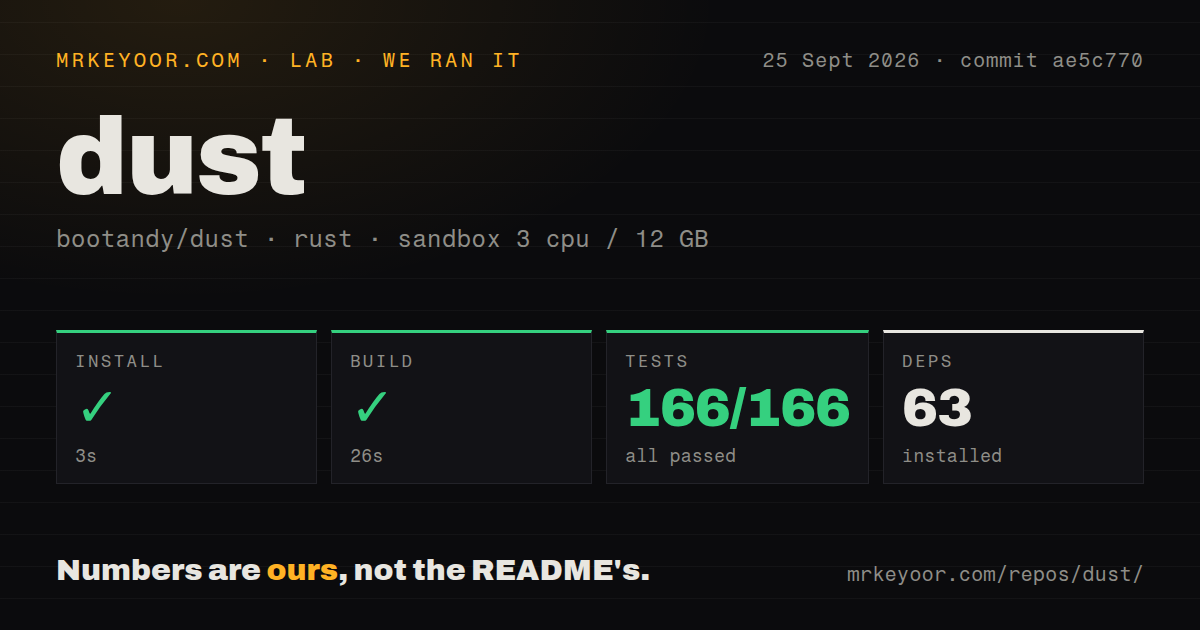
We cloned commit ae5c770 into our sandbox and measured a 3-second install of 63 packages. The Rust build completed in 26 seconds, and cargo test finished in 15 seconds with 166 passed and 0 failed. This was a clean, unprivileged Debian container with 3 CPUs and 12 GB of RAM, so the result supports a straightforward source install without implying anything about scan speed on a real disk.
The checkout was small: 54 files, roughly 5,099 lines of source, and 0.6 MB before dependencies. We found one CI workflow and a tests directory, but no Dockerfile. A container recipe would add little for most users because the product is a single local command and needs access to the host filesystem it is measuring. The passing suite matters more here than a bundled service image.
Snap is confined to /home, while native installs reach farther
The README offers a shell installer plus Cargo, Homebrew, DNF, Snap, mise, Pacstall, conda-forge, deb-get, Scoop, and downloadable archives. Dust needs no account or background daemon. A TOML file under $XDG_CONFIG_HOME/dust, ~/.config/dust, or ~/.dust.toml can hold defaults such as reverse ordering and same-filesystem limits. This is enough configuration for a utility you may call several times a day.
The package manager still matters. The Snap build can read only files under /home, which makes it a poor choice for inspecting system directories. Windows GNU builds are documented as working, while the MSVC build needs VCRUNTIME140.dll. Pull request 628 also notes that 4 configuration names differ from their long command-line flags. Until that documentation fix lands, verify that a saved option changes the output you expect.
Filesystem totals can disagree with space you can reclaim
Dust's tree is only as truthful as the filesystem metadata available to it. Open issue 590 demonstrates the sharpest example: APFS clones, and comparable reflinks on filesystems such as btrfs or XFS, can each report their full allocated size even when they share physical extents. Dust then repeats that reported size. Deleting one clone may free far less space than its row suggests, so clone-heavy package caches deserve a filesystem-specific check before cleanup.
Deleted files held open by a process are another blind spot. They no longer have a directory entry for dust to walk, even though df can show that the filesystem remains full. Issue 517 requests a way to expose that gap. On macOS, issue 546 reports a different operational problem: scanning / can trigger a privacy dialog and stall unattended CI, even with /Users in the ignore list. Both cases call for a second tool, not a prettier tree.
September activity supports using it as a daily utility
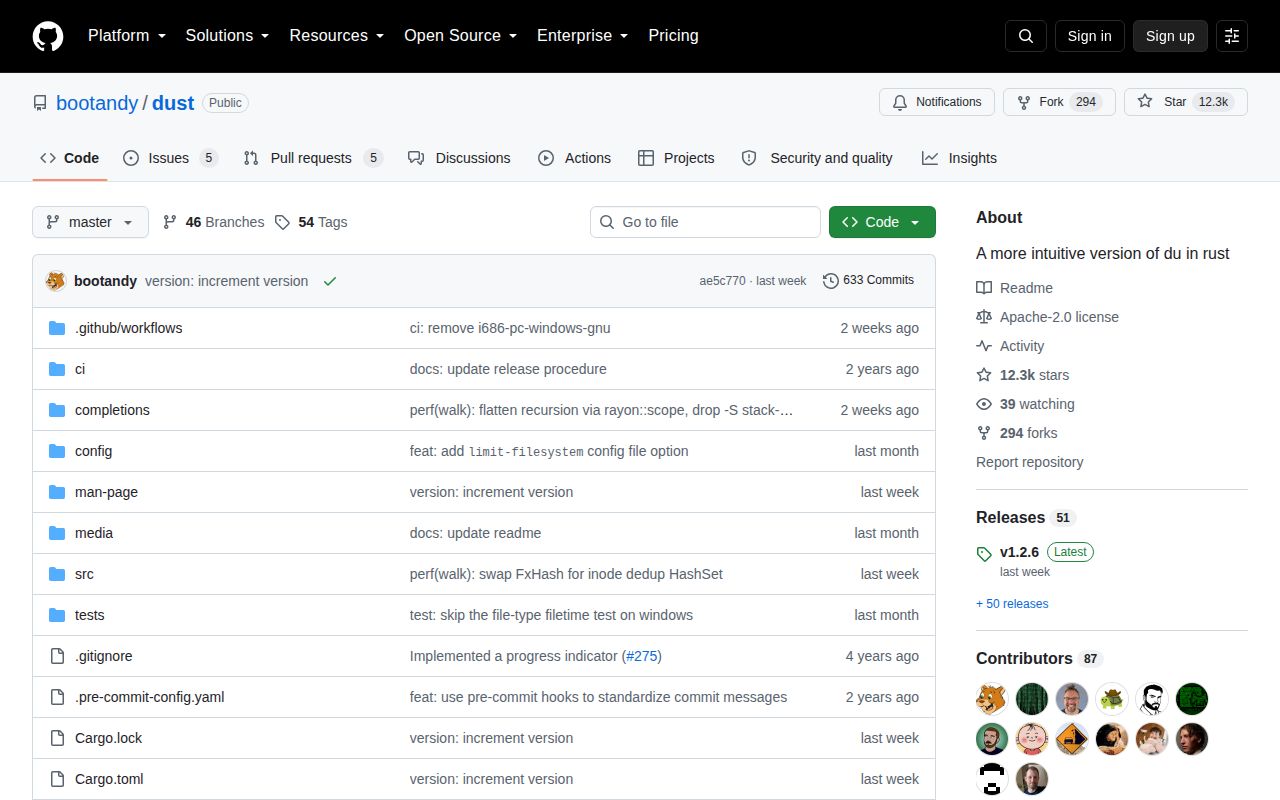
GitHub showed 12,346 stars and 10 open issues and pull requests when we fetched the repository. The last push was September 16, 2026, and v1.2.6 was released the same day. New pull requests arrived on September 22 and 23, including a parser fix and the configuration documentation correction. That combination shows current maintenance and outside participation; the combined open count should not be read as 10 unresolved bugs.
Dust earns a place next to du, not necessarily in place of every disk tool. Its best trick is selection: a 50-line tree can preserve enough hierarchy to explain a full directory without turning the terminal into a file manager. Keep ncdu or dua-cli nearby for an interactive cleanup, and use filesystem-specific commands when clones or deleted-open files are part of the mystery.