Five URL families share one download workflow
Douyin Downloader accepts at least 5 kinds of target: a video, an image note, a collection, a music page, or a user profile. Profile mode can traverse posts, likes, mixes, and music. The same run can save covers, avatars, audio, JSON metadata, and comments beside the primary media. Watermark-free video sources are preferred, and the downloader selects the highest bitrate it finds in Douyin's returned ladder.
That makes it useful for a personal archive rather than a one-off clip. SQLite records download metadata, a manifest logs work, and files are arranged by author and content mode. Comments can include bounded reply threads. Live rooms produce FLV data plus a metadata snapshot, while interrupted streams keep bytes already received. Optional notifications can report success or failure through Bark, Telegram, or a webhook.
Two requests per second still do not prevent pagination blocks
The default rate is 2 requests per second with 5 concurrent download workers. Retries use 1, 2, and 5-second backoff intervals. Those conservative defaults reduce pressure, but the FAQ still describes a common result where only about 20 posts appear because of Douyin pagination controls. The recovery path enables browser fallback, opens Chromium visibly, and asks the user to complete verification.
Browser fallback is fully validated for post only. Likes, mixes, and music continue through API pagination, so a profile archive can be complete in one mode and truncated in another. Logged-in favorites are narrower again: collect and collectmix operate only for the account represented by the cookies, must run separately from ordinary profile modes, and do not support incremental stop. Plan separate jobs and verify item counts against the account view.
What happened when we ran it
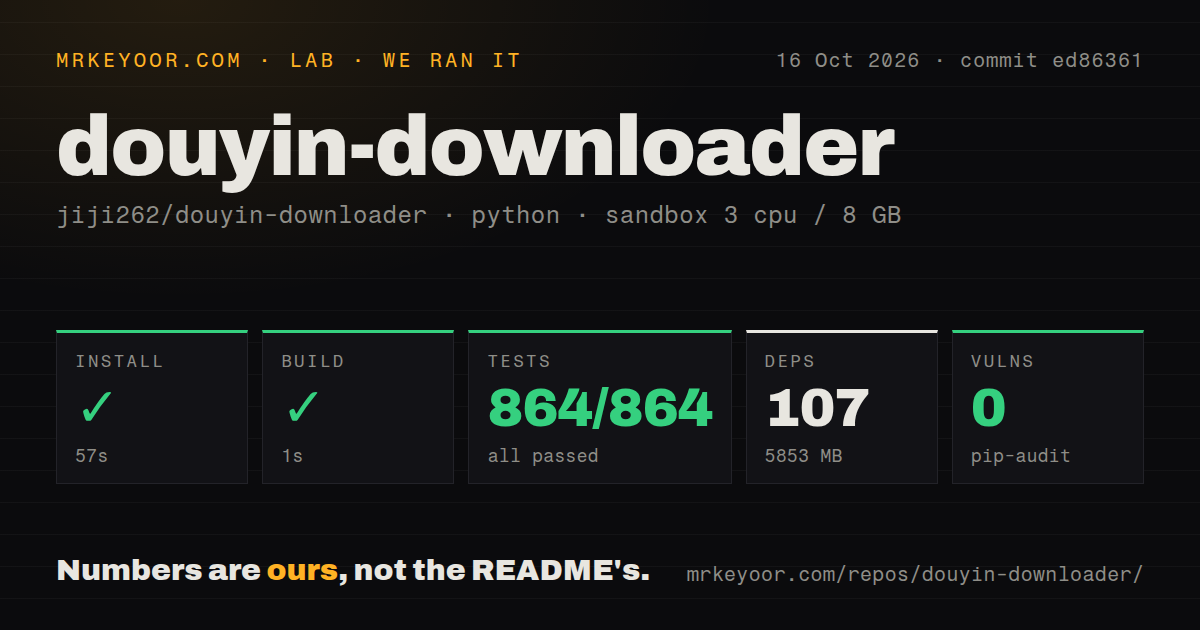
Our sandbox installed commit 1f54031 in 69 seconds, adding 106 packages and using 5,847 MB on disk. The build succeeded in 6 seconds. Pytest completed after 134 seconds with 649 passed, 0 failed, and 1 skipped; the supplied run total was 649. Pip-audit found 0 known vulnerabilities in the installed Python environment.
The checkout itself was 3 MB, with 168 files and about 31,660 source lines. It contained a Dockerfile and a tests directory. Our scan found 0 CI workflow files, despite the current README feature table listing GitHub Actions for tests and linting. The local test result is strong for the measured commit, while the missing workflow signal means a buyer should confirm which checks run on later contributions.
We used a fresh unprivileged Debian container with 3 CPUs, 8 GB of RAM, and no secrets. The run did not log in to Douyin, solve a CAPTCHA, download an account, record a live room, or call OpenAI transcription. Passing 649 tests establishes the repository's automated behavior in that sandbox; it does not measure media quality, endpoint longevity, or completeness of a real profile crawl.
Disk files, not SQLite history, decide incremental skips
The local REST server keeps finished jobs for 24 hours by default and caps its list at 500 jobs, but those queue records are separate from archive correctness. For ordinary incremental downloads, the README says the presence of a non-empty primary media file decides whether an item is skipped. SQLite keeps history, yet it does not independently block a missing file from being downloaded again.
This rule is easy to reason about once known. Delete a media file and the next incremental run can fetch it again even if its database row remains. Delete only the database and keep the files, and filename scanning can still skip them. A deliberate full reset removes both the download tree and database. Back up the two together if the archive needs traceable history rather than a folder of files.
Server mode adds four endpoints for submission, job lookup, job listing, and health. It listens on 127.0.0.1:8000 by default, which is the safer starting point because the README does not describe user authentication for this API. If another service exposes it, that service should own authentication, request limits, and authorization over the mounted download directory.
Desktop 0.11.5 remains unsigned and partly gated
Desktop 0.11.5 was released on September 10, 2026 for Windows x64 and both Intel and Apple Silicon Macs. The release publishes SHA-256 values, but the binaries are unsigned. macOS users are told to clear quarantine or use the context-menu open action, while Windows users must pass the SmartScreen prompt. Those steps are a material deployment issue in managed workplaces.
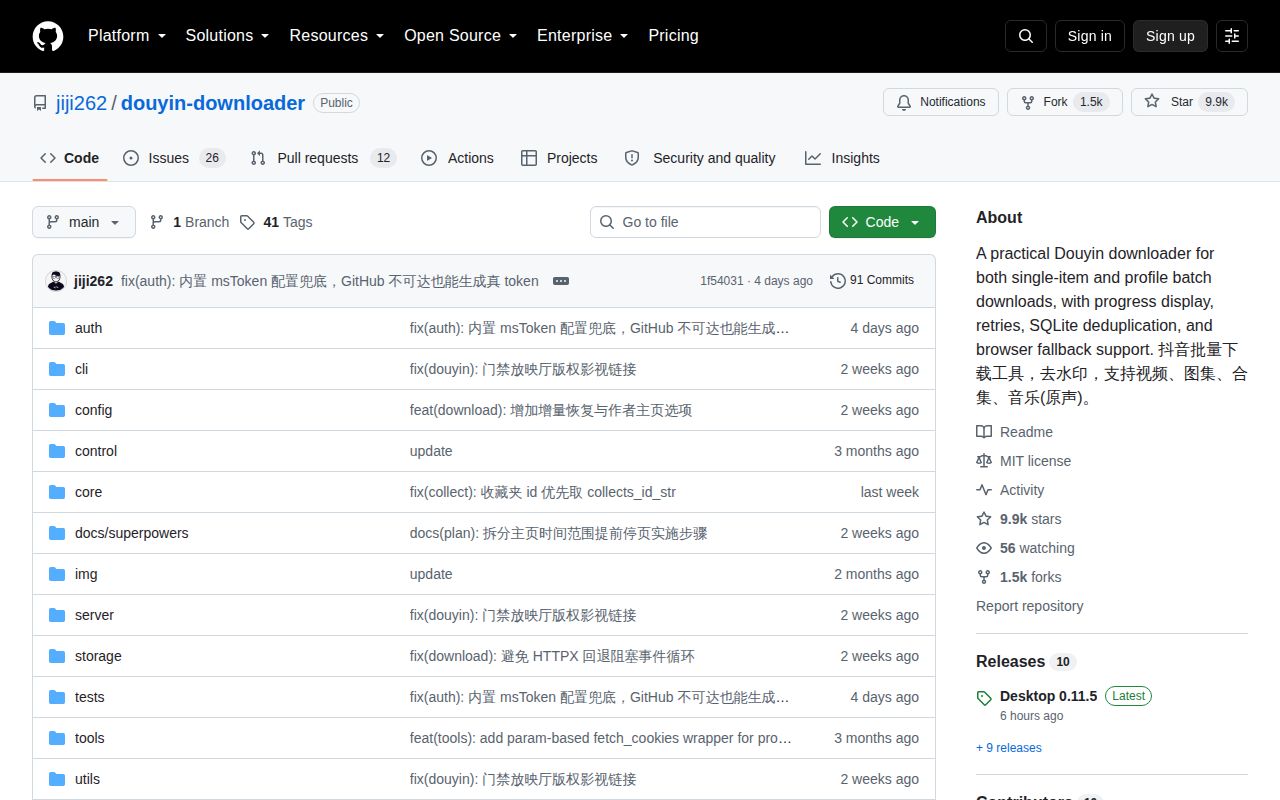
The desktop app also has a different product boundary from the MIT-licensed CLI. Its README calls the app a closed beta, and the latest release says single-link jobs no longer need an invitation while batch queues and advanced interface flows still do. Open issues mention failed sidecar verification, Intel Mac startup trouble, and users unable to locate beta access. Evaluate the Python CLI on its own merits unless the gated desktop experience is specifically required.
Same-day activity cannot stabilize private Douyin interfaces
GitHub recorded the last push on September 10, 2026, the same day as desktop 0.11.5. The repository had 9,885 stars and 38 combined open issues and pull requests when fetched. Current reports include keyword search failing, pinned profile videos being omitted, favorite folders not appearing, and download trouble around changed media behavior. These are product-specific failures rather than signs that the repository is idle.
Douyin Downloader documents this risk plainly: platform policies and interfaces can change and break features. Keep cookies outside Git, preserve a small known profile for regression checks, and compare saved IDs before trusting a bulk run. The 134-second passing test suite makes the code worth trying, but only a live sample can tell you whether today's Douyin responses still match the extractor and whether you have permission to retain the result.