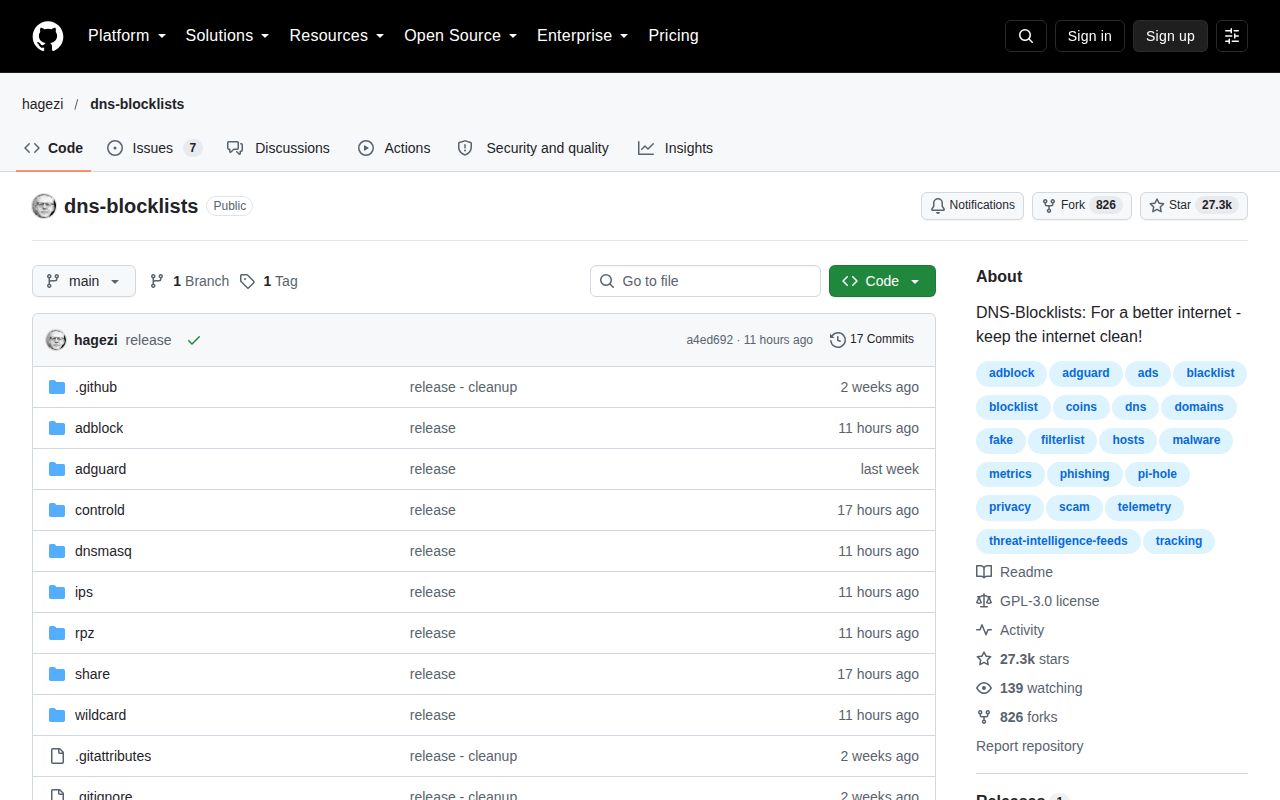
It is a distribution system for policy, not a DNS server
HaGeZi DNS Blocklists packages decisions about unwanted domains into files that existing DNS blockers can consume. Its scope is wider than ad blocking: the README names trackers, metrics, telemetry, fake sites, phishing, malware, scams, cryptojacking, and other unwanted traffic. With 25,987 GitHub stars in the supplied repository snapshot, it is plainly not an obscure personal list, but popularity should not be confused with proof that every rule suits every network.
The useful idea is its tiered Multi family. Light has 37,702 entries, Normal 192,739, Pro 225,116, Pro++ 249,282, and Ultimate 274,848 in the provided README snapshot. Each tier builds on the one below it, so users choose exactly one rather than stacking all 5. That simple rule prevents a common configuration mistake and makes the tradeoff unusually legible: broader blocking raises the chance of breaking something a user wanted.
Our run found data to consume, not software to execute
On our 3-CPU, 8 GB Debian box, we cloned commit af781e1 and did not run installation, build, or tests. The measured reason is straightforward: GitHub classifies the repository language as Text, our runner found no supported ecosystem, and the repository has no Dockerfile. There is no failed application log to interpret and no benchmark to report. Claiming test coverage or runtime performance from this exercise would be misleading.
That result does not make the project unusable. It means the product is the published blocklist output, while a DNS resolver or content blocker is the runtime. Setup therefore moves outside a normal package workflow: select 1 Multi tier, select the exact syntax your tool accepts, subscribe to the correct URL, and decide how you will investigate and allowlist a domain if something breaks. The README points newcomers to a format guide and quick setup guide, which is the right place to reduce that risk.
The tier design is the standout strength
The documentation does a good job of turning aggressiveness into an explicit choice. Light is marked minimal-risk, Normal low-risk, Pro low-to-moderate, Pro++ moderate, and Ultimate high-risk. Calling Pro the recommended balanced option is more useful than pretending maximum coverage is automatically best. Mini alternatives are also clearly labeled as replacements for full editions, not add-ons, with the Pro Mini shown at 50,550 entries versus 225,116 for full Pro.
Security-focused lists are separated from general cleanup. The Threat Intelligence Feed, or TIF, contains 2,194,442 entries in the snapshot and is presented as an add-on for malware, phishing, and live threats. Medium and Mini TIF variants offer 344,204 and 180,251 entries for constrained systems. The repository also lists focused options for newly registered domains, dynamic DNS abuse, malicious hosting, abused top-level domains, DNS rebinding, and bypass services. That breadth lets an administrator express policy without automatically accepting Ultimate's higher breakage risk.
DNS blocking still has hard limits
A DNS list can refuse resolution for a domain, but it cannot understand page layout, remove cosmetic gaps, or reliably separate wanted and unwanted content served from the same hostname. It also is not a substitute for endpoint detection, browser controls, email filtering, backups, or incident response. TIF's 2.19 million entries sound substantial, yet an entry count alone says nothing about detection latency, false-positive rate, or protection against a specific attack. The supplied evidence contains no such benchmarks, so buyers should not infer them.
Aggressive tiers create operational cost. Ultimate explicitly carries high breakage risk, while Pro++ is moderate. Blocking dynamic DNS, URL shorteners, social networks, VPN or Tor access, piracy, gambling, or adult content may be appropriate policy in one environment and unacceptable overreach in another. Administrators need ownership of exceptions, a way to inspect DNS queries, and a rollback path. A household can often tolerate manual fixes; a business with 100 users should stage changes and record why exceptions exist.
Current activity looks healthy, with one evidence limit
The latest release, 37522026.248.58012, was published on September 5, 2026, and the last push occurred later that same day, one day before this review. There are only 6 open issues. Taken together with 25,987 stars, those signals support a strong community and maturity score: development is current and the visible issue queue is small relative to adoption. They do not reveal response times, maintainer count, or how many reports were closed correctly.
A single latest-release timestamp cannot establish a long-term cadence, so we will not invent one. What the supplied snapshot does show is a release and source activity within roughly 24 hours of our September 6 review. That is better evidence of present maintenance than an old tag viewed alone. The GPL-3.0 license is explicit, and published sources improve auditability, but organizations should still review redistribution obligations and evaluate false positives using their own traffic.
It belongs behind an existing resolver and beside other controls
In a real stack, HaGeZi supplies policy to Pi-hole, AdGuard Home, a compatible resolver, or another filtering client; it does not replace that component. Start with the README's recommended Multi Pro plus TIF combination only if your resolver can handle the relevant sizes and your users have a clear support path. For smaller devices, the 50,550-entry Pro Mini or 180,251-entry TIF Mini may be the more responsible choice.
Roll out first to a test network or a small group, retain query logs appropriate to your privacy policy, and keep a fast disable or allowlist procedure. Measure breakage against services your users actually need, not against star counts. HaGeZi's central advantage is not that it promises perfect filtering; it is that it exposes 5 graduated Multi choices, focused feeds, formats, and documentation clearly enough for an operator to make an informed DNS-layer tradeoff.