CloudflareSpeedTest ranks IPs from one local connection
CloudflareSpeedTest takes a list of IPv4 or IPv6 ranges, probes sampled addresses, filters them by latency and loss, then performs download checks on promising candidates. The default output shows the fastest results and writes the complete set to result.csv. It is meant to answer a local operational question: which reachable CDN address behaves best from this network now? It does not establish a universally fastest Cloudflare address.
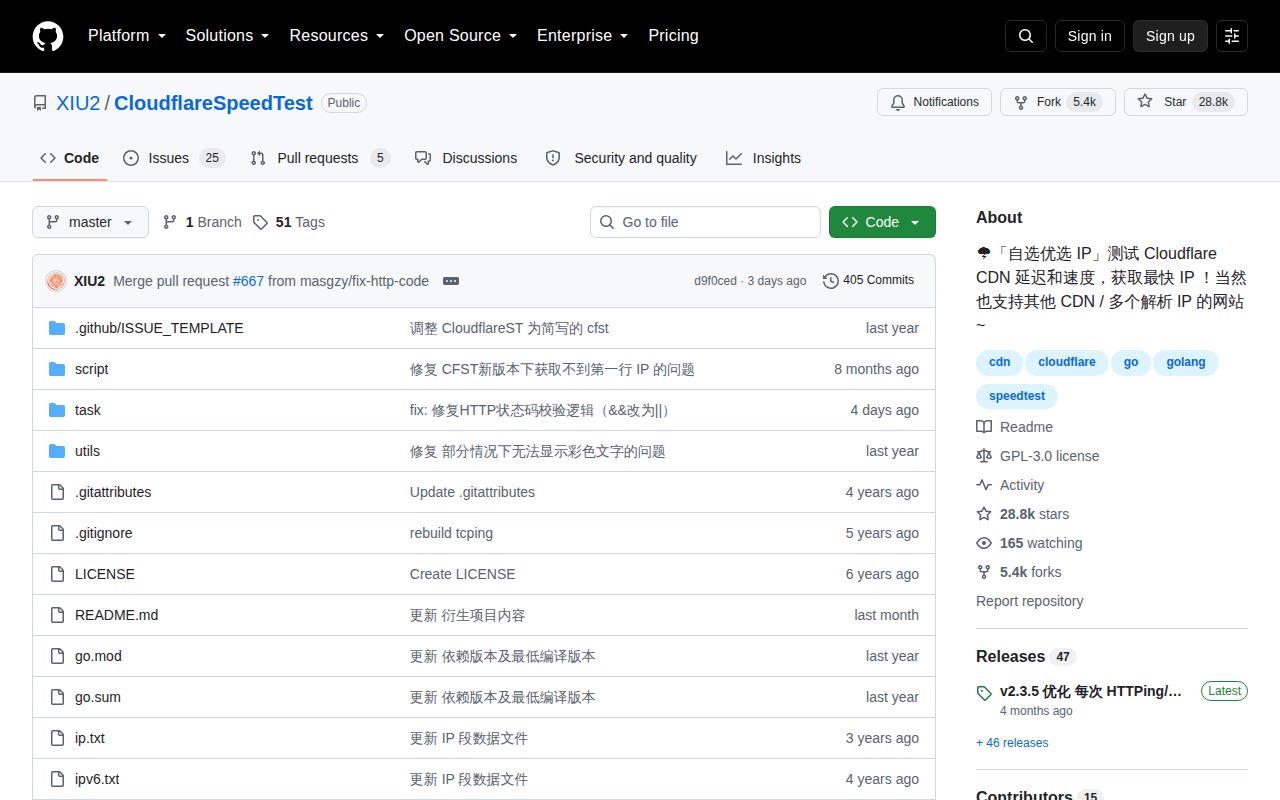
The repository at commit d9f0ced was small: 28 files, about 1,553 lines of source, and 0.2 MB checked out. GitHub identifies Go as the primary language. Our scan found no CI workflow files, Dockerfile, or tests directory. That compact footprint makes the code approachable, but the missing automated test surface matters because address sampling, filtering, CSV output, and platform behavior can change without a test suite visible in the checkout.
The Chinese README has no first-party English twin
The primary documentation, command help, warnings, and v2.3.5 release notes are written in Chinese. The repository root contains only README.md, with no English README beside it. Near the end, the author links an unofficial English-language fork maintained in another repository. English-only users can follow command flags and translated material, but they should know that fixes and release guidance originate in the Chinese project.
Documentation depth is otherwise a strength. The README explains the default 200 latency workers, 4 probes per address, 10 download candidates, and a 10-second per-download limit. It covers TCPing and HTTPing, custom ports, result limits, IP lists, region filters, debug output, and speed thresholds. Those are project defaults, not measurements from our lab, and operators should change them based on their network and provider policies.
What happened when we ran it
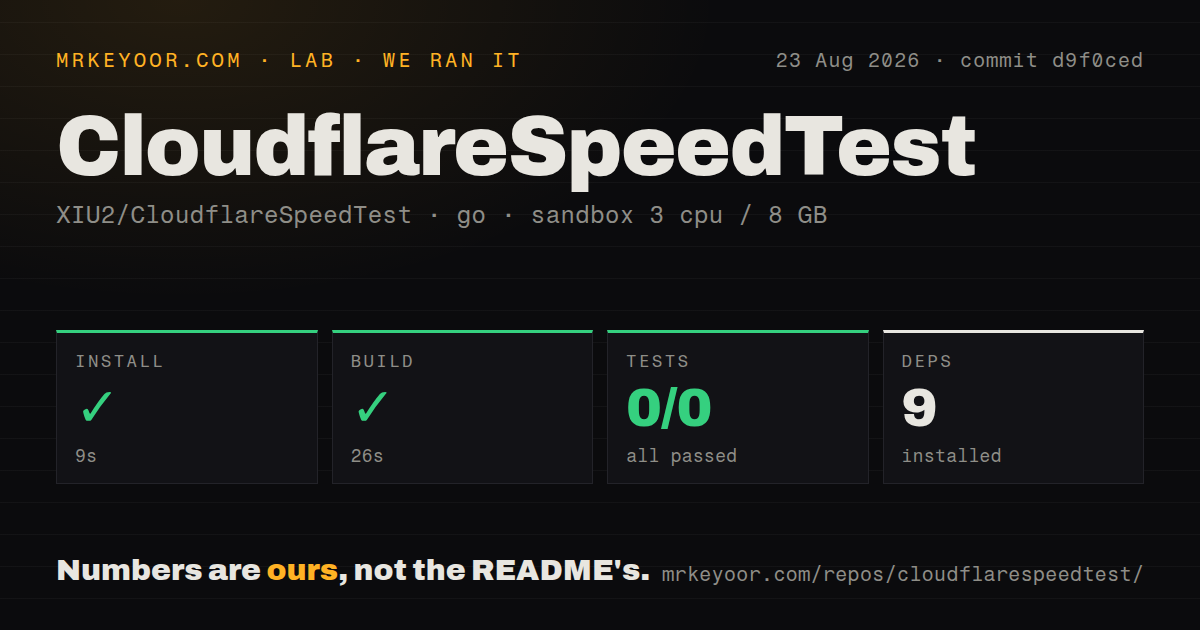
Our sandbox installed 9 Go packages in 9 seconds and built commit d9f0ced in 26 seconds. The checkout compiled cleanly in an unprivileged Debian container with 3 CPUs and 8 GB of RAM. That result supports the project's simple source-build story. It does not test whether a particular ISP, region, or Cloudflare route will produce useful candidates.
go test exited successfully after 4 seconds, but it ran 0 tests: 0 passed and 0 failed. This is a command-success result rather than evidence that filtering or network behavior was verified. The absence matches the repository signals: no tests directory and no CI workflows were found. A team embedding the CSV into DNS automation should add its own parser, fixture, and failure-mode checks before making network changes from the output.
Proxy traffic can make the numbers wrong
The README warns that average latency around 0.xx can mean the test went through a proxy. It tells users to disable proxy software or exclude the tool, including when it runs on a router. That caveat is central. The tool measures the path its traffic actually takes, so a transparent proxy, VPN, tunnel, or policy route can turn a clean-looking result into the wrong answer for direct client traffic.
HTTPing brings another constraint. The documented maximum is 1,000 latency workers, but the README advises lowering concurrency on servers because HTTP probes can look like network scanning. It says an operator or CDN may apply a temporary restriction, and a strict hosting vendor may suspend service. The default of 200 workers is therefore a software setting, not permission to use that load from every VPS or corporate network.
Custom CDNs need an IP list and test URL
Cloudflare ranges are the obvious use case, yet the tool can measure other CDNs or a hostname with multiple resolved addresses. For another CDN, the operator supplies ranges through a file or -ip and chooses a download URL. Region extraction supports several providers when their HTTP response exposes a recognized code. A bad, blocked, or unrepresentative URL can yield 0.00 download results even when the address itself is reachable.
The tool stops after enough candidates meet the requested download threshold or after the queue is exhausted. With -sl set too high, it may keep testing every queued address while the visible qualifying count barely moves. Debug mode returns error details and, in some failure cases, shows results that did not meet the filter. That behavior helps diagnosis, but it also means an automation should distinguish a completed search from a search that found the requested 10 qualifying results.
v2.3.5 widened binaries while module packaging remains awkward
Release v2.3.5 was published April 29, 2026. Its notes say connections are released faster after HTTPing and download checks, and Linux archives switched to a more compatible tar format for reduced systems such as OpenWrt. Assets cover current and older macOS or Windows paths plus several Linux CPU architectures. The notes also warn that old-system builds use Go 1.20 and will not receive separate fixes for every compatibility problem.
GitHub showed 28,757 stars, 30 combined open issues and pull requests, and a last push on August 23, 2026. Pull request 648 about IPv6 sampling was updated August 25, while issue 666 reported a go install module-version mismatch. That dated activity shows maintenance after v2.3.5. It also supports using release archives or a normal source checkout instead of assuming Go's versioned install command is the smoothest path.
Use the CSV as input, not as a permanent verdict
CloudflareSpeedTest does one job with a small binary and a large Chinese manual. Our 35-second install-and-build result makes it cheap to trial, while the 0-test run argues for restraint around automation. Network conditions, sampling, proxy routes, chosen URLs, and concurrency all influence the list. The top row is evidence from that run, not a durable routing guarantee.
Use it to compare candidates, repeat checks from the client network, and feed a reviewed DNS process. Do not use it for Cloudflare WARP, which the README explicitly excludes. Avoid aggressive HTTPing from infrastructure where scan-like traffic breaches policy. Teams that cannot read Chinese should either use the linked English fork carefully or choose a measurement platform whose primary documentation and support channel match their working language.