Six providers share one spot in the Windows taskbar
Claude Code Usage Monitor puts 6 provider readings beside the taskbar instead of making you visit separate account pages. Claude Code, Codex, Google Antigravity, OpenCode Go, Cursor, and Grok Build are supported in the current README. The widget shows consumption and reset time, and you can reverse the display to show allowance remaining. It also starts with Windows, works across multiple monitors, and exposes quick controls through the system tray.
Claude Code and Codex can each track multiple accounts. Different providers do not always expose the same windows: Claude and Codex commonly have short and weekly limits, while Grok reports one pool per billing period. The monitor leaves Grok's short-window row empty rather than inventing a 5-hour value. That restraint matters because the whole point is deciding whether to start another coding session, switch accounts, or wait for a reset.
Convenience requires access to local provider sessions
There is no monitor account or hosted relay. The app reads sign-in credentials already stored by enabled provider tools, then sends usage requests directly to those providers' services. Its README says it collects no analytics or telemetry and does not upload credentials or project files. Claude credentials can come from the CLI, desktop app, or WSL, while Cursor and Grok use local sessions created by their own applications.
OpenCode Go has the sharpest setup edge. It needs a workspace ID plus a browser session cookie supplied through 2 environment variables or a JSON file under %APPDATA%. The README explicitly calls that cookie plain text and says to protect it like a browser session. Optional diagnostics can also record polling errors to %TEMP%; the project tells users to redact credentials, account identifiers, and personal data before sharing the log. Those are fair warnings for an app living beside several developer identities.
What happened when we ran it
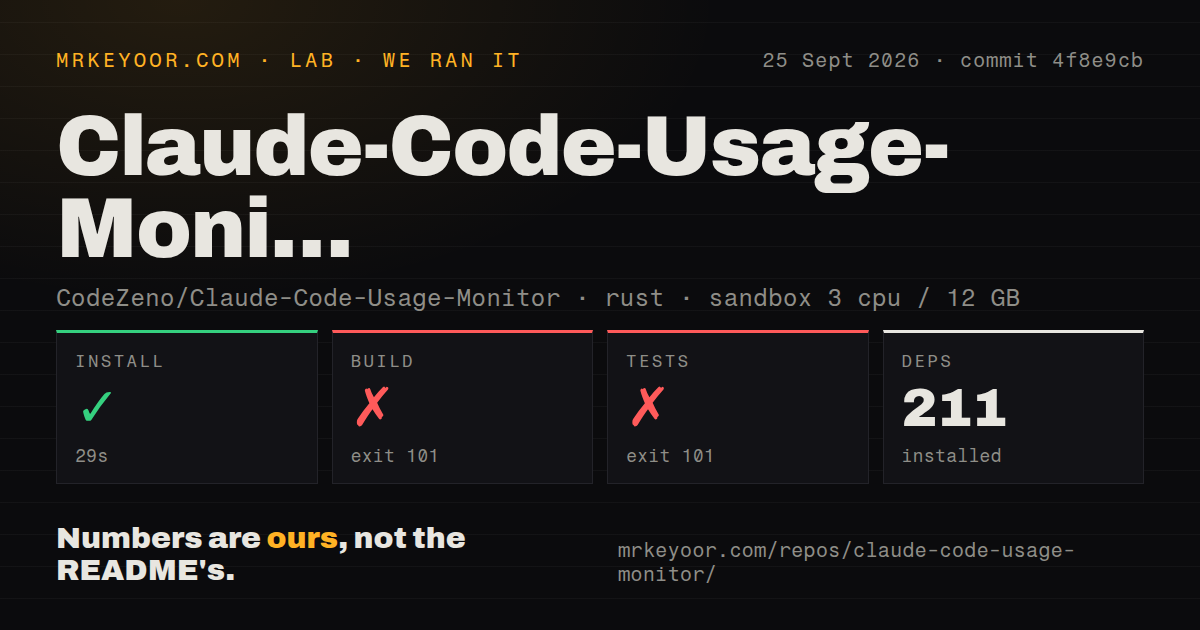
We cloned commit 4f8e9cb into an unprivileged Linux sandbox with 3 CPUs and 12 GB of RAM. Installation succeeded in 29 seconds and pulled 211 Rust packages. The release build then failed with exit code 101 after 81 seconds. The log reached winit 0.30.13 before that crate emitted a compile error saying the platform was unsupported. It did not produce an application binary in this environment.
The test step failed with exit code 101 after 13 seconds at the same winit platform check; the supplied summary contained no passing-test count. The checkout itself contained 167 files, about 52,202 source lines, and 2.8 MB of source. We found 2 CI workflows, a tests directory, and no Dockerfile. The result agrees with the README's Windows-only requirement, but it cannot tell us whether commit 4f8e9cb builds or runs correctly on Windows.
WinGet is the easy path; source builds require Windows
The recommended install is winget install CodeZeno.ClaudeCodeUsageMonitor. A portable executable is also attached to GitHub releases, and the release build statically links the Microsoft C runtime. Developers compiling locally need the Rust 1.95.0 toolchain pinned by the repository. The project goes further than unit tests with a documented Hyper-V harness for Windows 10 and 11, including portable launch, taskbar placement, update-helper, WinGet install, and WinGet upgrade scenarios.
Updates have a carefully stated boundary. The portable updater checks an asset's SHA-256 digest, actual size, and HTTPS source, and rejects files larger than 100 MiB. It does not verify an Authenticode signature or a detached publisher signature. WinGet has a separate timing problem: issue 144 reports that version 2.15.14 could offer an update as soon as GitHub published it, then crash because the matching WinGet manifest had not landed. Pull request 145 was open when we checked.
Theme Studio exposes quotas without pretending they are stable
The dashboard covers provider selection, refresh intervals, startup, display choice, and used-versus-remaining direction. Theme Studio can duplicate a built-in theme, edit its layers, preview changes, and save a custom copy. Text and expression bindings expose provider percentages, reset times, labels, and optional account-specific quotas. That is more control than most taskbar meters provide, especially if several accounts must fit into a small strip.
The user guide says optional Claude quotas can change or disappear by account. Custom layouts are expected to check available = 1 before rendering a bar; missing quotas return available = 0 rather than a guessed allowance. Release v2.15.17 also fixed whole-pixel bar segments at fractional display scales, and v2.15.16 added a Direct3D 11 software fallback when OpenGL setup fails. These details suggest that the visual layer receives real engineering attention, not only new provider badges.
Same-day releases show energy and raise upgrade risk
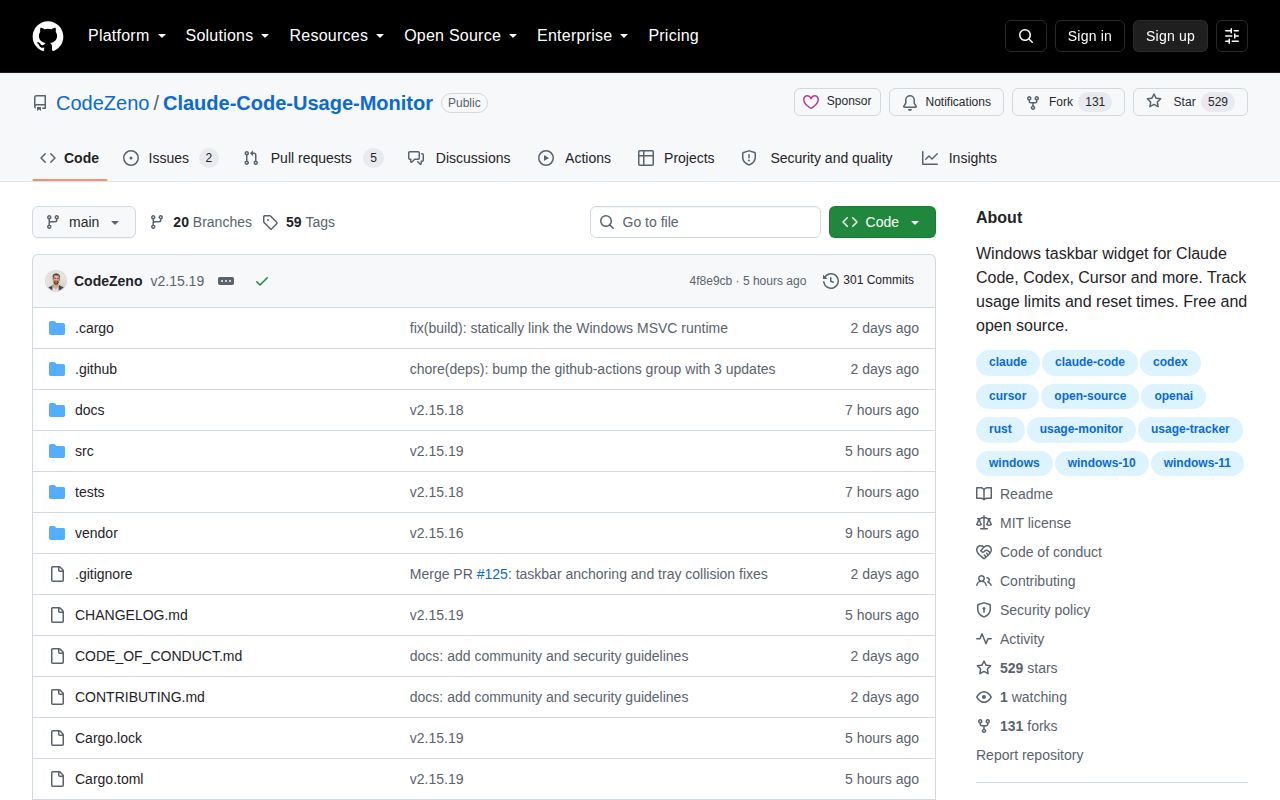
GitHub showed 529 stars and 7 open issues and pull requests when fetched, split into 2 issues and 5 pull requests. The repository was pushed on September 25, 2026, and v2.15.19 was released that day. Version 2.15.18 had appeared less than 2 hours earlier. Recent changes covered Claude session refresh behavior, dependency policy, display scaling, render fallback, and update verification. This is active maintenance, though the release cadence asks users to pay attention to upgrade behavior.
The Windows focus is the reason to choose this project and the reason many readers should pass. A native taskbar widget is calmer than a terminal dashboard if usage limits matter throughout the day, and the no-backend design keeps provider traffic direct. The 211-package source install and Linux compile stop also make the boundary unmistakable. Try the WinGet or portable release on a Windows account you can inspect; use a cross-platform alternative anywhere else.