pyotp review
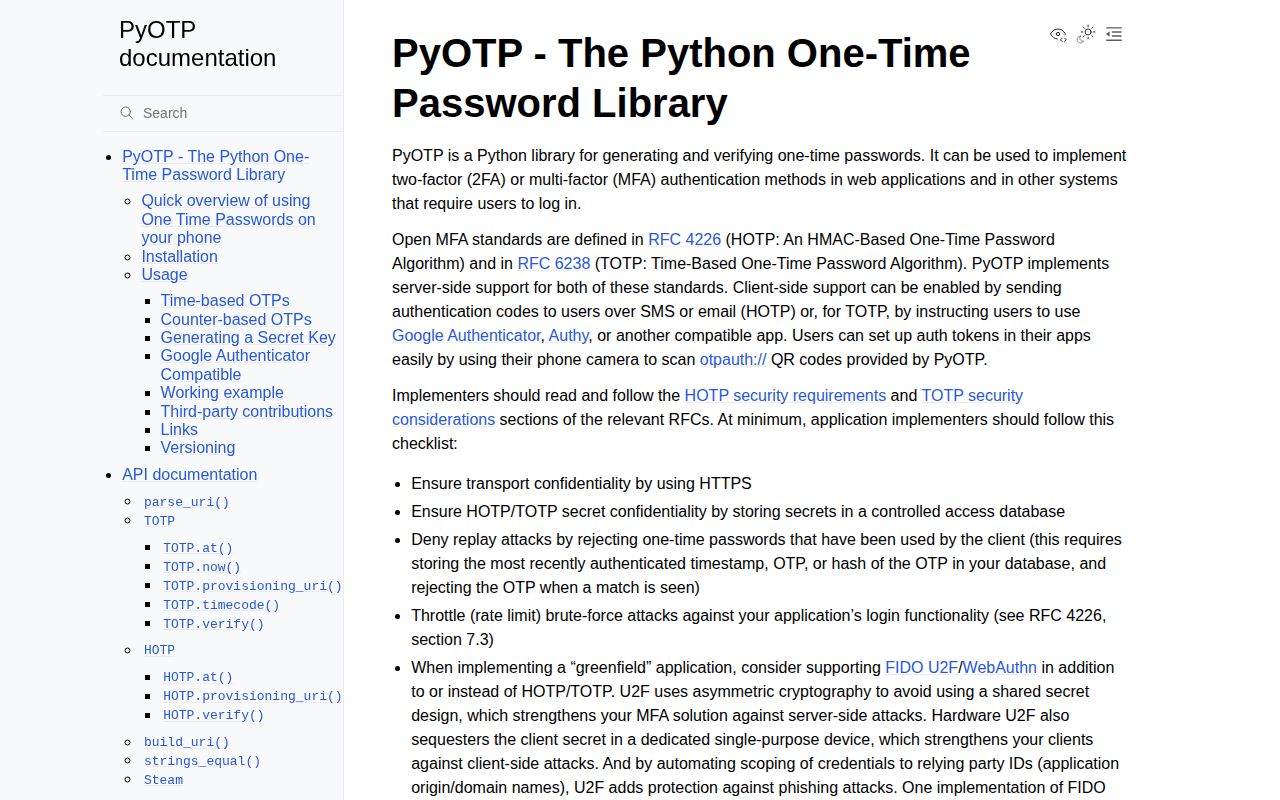
PyOTP 2.10.0 implements the shared-secret one-time password algorithms from RFC 4226 (HOTP) and RFC 6238 (TOTP). Python code can generate a secret, calculate or check numeric codes, produce `otpauth://` enrollment URIs for authenticator apps, parse those URIs, and use the Steam variant. It is an algorithm library, not an MFA service: persistence, encryption, replay records, throttling, enrollment state, recovery codes, and QR rendering remain with the application. Version 2.10.0 fixes percent-encoded colons in issuer/account labels, validates digest functions earlier, ignores nonstandard URI parameters, uses immutable string defaults, and improves Steam code generation.
PyOTP 2.10.0 installed as 1 MB and 1 package in 0.2 seconds on our sandbox, but it supplies none of the stateful controls that make OTP login safe. Use it only inside an MFA design that encrypts secrets, rejects replay, and throttles attempts; prefer WebAuthn for new flows that can support phishing-resistant credentials.
We installed it
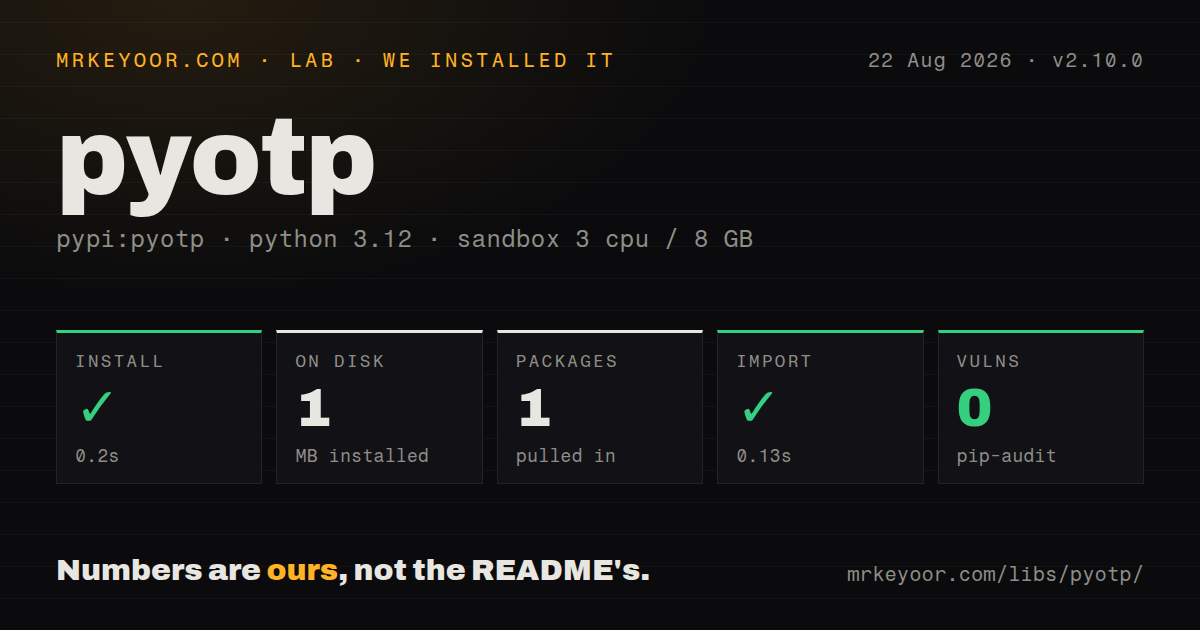
| Install | ✓ · 0.2s | 1 package on disk · 1 MB |
| Import | ✓ | import pyotp in 0.13s · pure Python · py.typed · requires Python >=3.8 |
| Known vulns | 0 | (pip-audit) |
Answers from our run
Does pyotp install cleanly?
Yes. In a fresh container with an empty cache, pip install pyotp finished in 0.2s, leaving 1 package and 1 MB on disk. pip-audit reported no known vulnerabilities.
What does pyotp need to run?
Python >=3.8, and nothing compiled: it is pure Python. In our run import pyotp succeeded in 0.13s, and the package ships py.typed for type checkers.
pyotp or webauthn: which should you use?
webauthn: Use it for passkeys or security keys when phishing-resistant authentication is required. PyOTP 2.10.0 installed as 1 MB and 1 package in 0.2 seconds on our sandbox, but it supplies none of the stateful controls that make OTP login safe.
When should you not use pyotp?
You need a complete MFA feature. PyOTP provides no user device table, encrypted secret store, attempt limiter, recovery-code workflow, or enrollment screen.
Use it if
- A Python server needs standard HOTP or TOTP calculation and verification against authenticator apps.
- Enrollment must emit compatible `otpauth://` URIs without hand-building label and query encoding.
- Tests need repeatable OTP values at a chosen UTC time or counter.
- The surrounding application already owns secret storage, replay state, rate limiting, and factor recovery.
- You need a complete MFA feature. PyOTP provides no user device table, encrypted secret store, attempt limiter, recovery-code workflow, or enrollment screen.
- A new login flow can require phishing resistance. The project's own security guidance points to WebAuthn because TOTP codes can be captured and relayed.
- A Django project wants device models, middleware, and admin integration. `django-otp` supplies those framework-level parts.
- Compliance requires a recognized license field in the installed distribution. Our measured package metadata reported the license as unknown.
- You plan to accept drift with `valid_window` but cannot persist which time counter matched. Boolean verification alone does not prevent a nearby-step code from being replayed.
Setup reality
We installed PyOTP 2.10.0 in a clean Python 3.12 Bookworm container in 0.2 seconds. The environment gained 1 package using 1 MB, and pip-audit found 0 known vulnerabilities. The measured distribution declares 4 direct dependencies, requires Python 3.8 or newer, is pure Python, and includes py.typed. Its installed metadata did not expose a recognized license. import pyotp completed in 0.13 seconds.
The per-user secret is the credential. Generate it on the server, encrypt it at rest or isolate access behind a narrow service, and keep provisioning URIs out of logs because the secret is inside the URI. PyOTP does not create QR images; render the URI with another package inside an authenticated setup flow. Mark a factor active only after the user returns one valid code, and create recovery codes through separate application logic.
TOTP.verify() stores no history. In the same transaction that issues the authenticated session, record the matched time counter and reject that counter on another attempt. Apply account and network rate limits because numeric codes have a small input space. valid_window=1 checks 3 time steps, helping clock drift while enlarging the accepted set and the replay state. Keep server clocks synchronized and use timezone-aware UTC datetimes in code and tests.
HOTP replaces clock state with a counter. Increment it atomically after successful verification and set a small, explicit resynchronization range. Release 2.10.0 now parses encoded colons in labels correctly and ignores unknown otpauth parameters. If your product imports arbitrary enrollment URIs, parse first and then enforce an allowlist for OTP type, digest, digit length, period, and starting counter; silently ignored extensions must not weaken local policy.
Patterns
Generate one secret for a user create-secret
import pyotp

secret = pyotp.random_base32()
The secret can generate every future code. Encrypt or isolate it and never write it to application logs.
Calculate the current TOTP value generate-current-code
import pyotp

totp = pyotp.TOTP(user.otp_secret)
code = totp.now()
Calling `now()` does not consume a code. Server-side generation is mainly useful for tests and controlled integrations.
Check a code for the current step verify-totp
import pyotp

totp = pyotp.TOTP(user.otp_secret)
if not totp.verify(submitted_code):
    raise InvalidSecondFactor()
A true result has no memory. Store the accepted time counter before creating the authenticated session.
Allow one neighboring time step accept-clock-drift
totp = pyotp.TOTP(secret)
accepted = totp.verify(submitted_code, valid_window=1)
This accepts the previous, current, or next counter. Replay tracking and throttling must cover all 3 candidates.
Reject reuse of a current-step code record-totp-counter
from datetime import datetime, timezone
import pyotp

totp = pyotp.TOTP(user.otp_secret)
now = datetime.now(timezone.utc)
counter = totp.timecode(now)
with database.transaction():
    user = lock_user(user.id)
    if counter <= user.last_totp_counter or not totp.verify(code, for_time=now):
        raise InvalidSecondFactor()
    user.last_totp_counter = counter
    create_session(user)
This example uses `valid_window=0`. With drift enabled, locate and persist the exact candidate counter that matched.
Build an authenticator enrollment URI create-provisioning-uri
import pyotp

uri = pyotp.TOTP(secret).provisioning_uri(
    name="alice@example.com",
    issuer_name="Acme",
)
The URI contains the shared secret. Serve it only during authenticated enrollment and keep it out of access logs.
Render the enrollment URI as PNG render-qr-code
import io
import pyotp
import qrcode

uri = pyotp.TOTP(secret).provisioning_uri(name=email, issuer_name="Acme")
buffer = io.BytesIO()
qrcode.make(uri).save(buffer, format="PNG")
`qrcode` is another dependency. Require one successful OTP before marking the new factor active.
Calculate HOTP at the stored counter generate-hotp
import pyotp

hotp = pyotp.HOTP(user.otp_secret)
code = hotp.at(user.hotp_counter)
Client and server must agree on when the counter advances; generating a value does not update your database.
Verify and increment HOTP atomically advance-hotp
with database.transaction():
    user = lock_user(user_id)
    hotp = pyotp.HOTP(user.otp_secret)
    if not hotp.verify(submitted_code, user.hotp_counter):
        raise InvalidSecondFactor()
    user.hotp_counter += 1
    create_session(user)
Locking and incrementing in the same transaction prevents two requests from accepting the same counter.
Read an otpauth URI parse-provisioning-uri
import pyotp

otp = pyotp.parse_uri(uri)
print(type(otp).__name__, otp.name, otp.issuer)
Version 2.10.0 ignores unknown URI parameters. Enforce your own digest, digits, interval, counter, and OTP-type policy after parsing.
Generate a deterministic test code test-at-utc-time
from datetime import datetime, timezone
import pyotp

when = datetime(2026, 8, 22, tzinfo=timezone.utc)
code = pyotp.TOTP(secret).at(when)
A timezone-aware UTC fixture produces the same time counter regardless of the test host's local timezone.
Choose nondefault TOTP parameters configure-totp
import hashlib
import pyotp

totp = pyotp.TOTP(
    secret,
    digits=8,
    interval=60,
    digest=hashlib.sha256,
)
uri = totp.provisioning_uri(name=email, issuer_name="Acme")
Authenticator clients differ in support for 8 digits, 60-second periods, and SHA-256. Test every client allowed by your policy.
Alternatives
| Package | Registry | Pick it when |
|---|---|---|
| webauthn | PyPI | Use it for passkeys or security keys when phishing-resistant authentication is required. |
| django-otp | PyPI | Use it when Django should manage OTP devices, verification state, middleware, and admin flows. |
| otpauth | PyPI | Use it when another focused HOTP/TOTP implementation better matches your API or dependency policy. |
More security guides
cryptography · jose · pyjwt · dompurify · jsonwebtoken · requests-oauthlib · the whole shelf →
How this guide is made: grounded in the library's documentation, release notes, changelog, and issue history, on a fixed rubric — not a hands-on install of every release. The 50 most-downloaded entries are additionally install-verified in clean containers. Corrections: contact the desk.