basic-ftp review
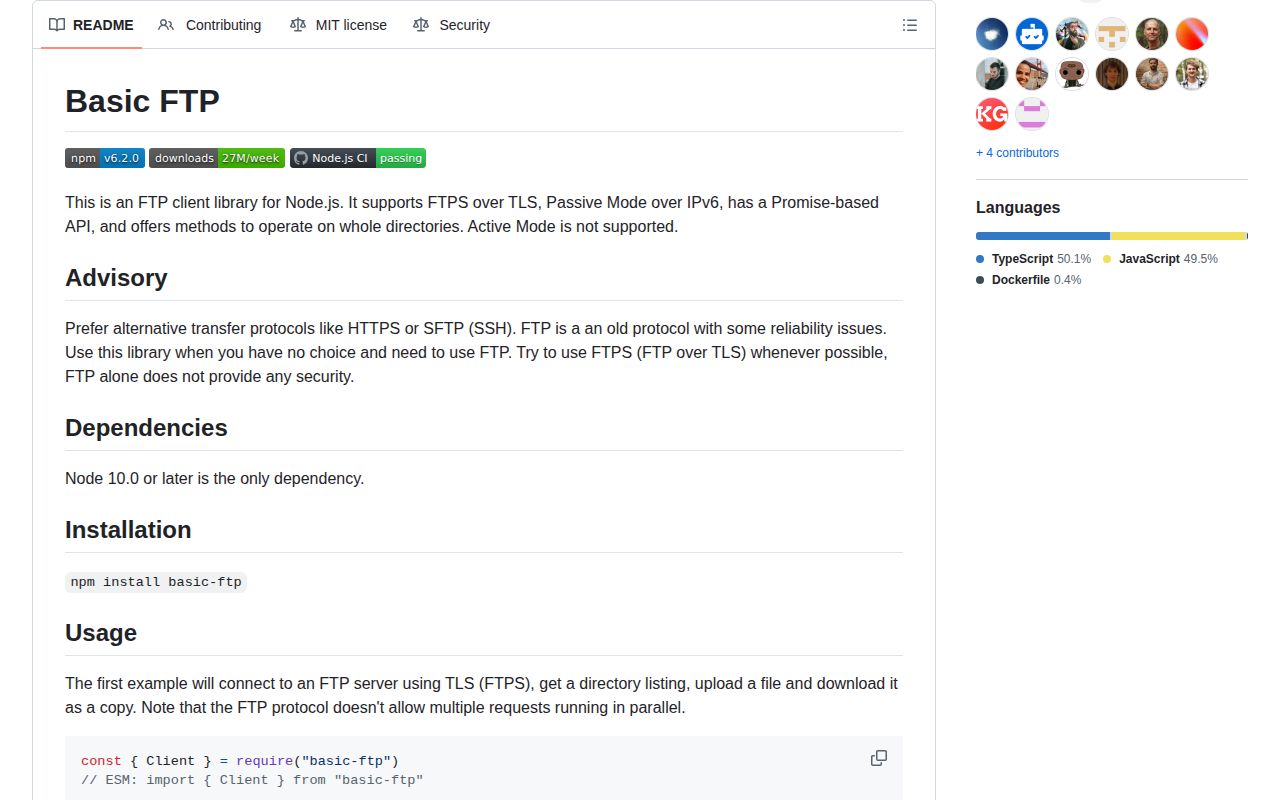
basic-ftp 6.2.0 gives Node programs a promise API for FTP and TLS-protected FTPS. It logs in, lists directories, moves individual files or directory trees, resumes partial transfers, and reports byte progress. Only passive mode is implemented, so servers that insist on active FTP are out. The package remains CommonJS without an exports map, although both require() and ESM import worked in our test. Version 6.2.0 changes transfer timeouts so a slow local stream does not look like a stalled server, and fixes a failed transfer that could cancel the next command.
basic-ftp 6.2.0 installed in 0.6 seconds and used 1 MB in our sandbox, with bundled types, 0 dependencies, and 0 audit findings. Install it for an FTP endpoint you cannot replace; choose SFTP or HTTPS when you control the protocol.
We installed it
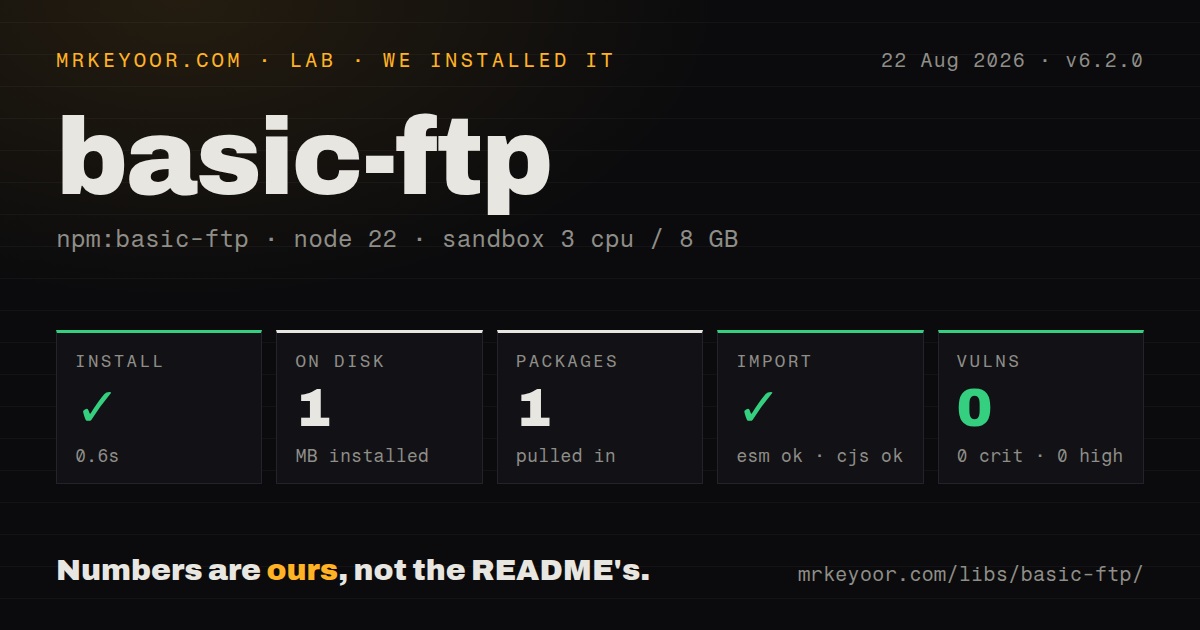
| Install | ✓ · 0.6s | 1 package on disk · 1 MB |
| Import | ✓ | ESM import works · require() works · CommonJS package |
| Browser | n/a | could not be bundled for the browser (Node-only code, most likely) |
| Types | ✓ | TypeScript types bundled |
| Known vulns | 0 | 0 critical · 0 high · 0 moderate · 0 low (npm audit) |
Answers from our run
Does basic-ftp install cleanly?
Yes. In a fresh container with an empty cache, npm install basic-ftp finished in 0.6s, leaving 1 package and 1 MB on disk. npm audit reported no known vulnerabilities.
Can basic-ftp run in a browser?
Not directly: esbuild could not bundle it for the browser in our run, which normally means it depends on Node built-ins. Use it on the server, or find a browser-targeted alternative.
Does basic-ftp work with both ESM and CommonJS?
Yes. Both import 'basic-ftp' and require('basic-ftp') worked in Node 22 in our run. The package is published as CommonJS.
Does basic-ftp include TypeScript types?
Yes, type declarations ship inside the package, so no @types install is needed.
basic-ftp or ssh2-sftp-client: which should you use?
ssh2-sftp-client: Use it when the server supports SFTP and you want familiar high-level file methods over SSH. basic-ftp 6.2.0 installed in 0.6 seconds and used 1 MB in our sandbox, with bundled types, 0 dependencies, and 0 audit findings.
When should you not use basic-ftp?
You can choose the protocol; the maintainer recommends HTTPS or SFTP because plain FTP sends credentials and content without protection
Use it if
- A supplier, mainframe, NAS, or appliance exposes FTP or FTPS and you cannot change its protocol
- A Node job must upload or download complete directory trees while preserving unrelated files at the destination
- You need explicit or implicit FTPS and want to pass standard Node TLS connection options
- You want promise-based transfers with bundled TypeScript declarations and no runtime package dependencies
- You can choose the protocol; the maintainer recommends HTTPS or SFTP because plain FTP sends credentials and content without protection
- Your server requires active FTP; basic-ftp implements passive connections only, including passive mode over IPv6
- You need simultaneous commands through one login; the FTP control connection processes operations serially, so parallel transfers require separate clients
- Your host returns a listing format other than MLSD, Unix, or DOS; you must supply and maintain a custom parseList function
- You expect retries or resumable checkpoints to happen automatically; connection failures close the session, and your code must reconnect and calculate offsets
Setup reality
Our fresh Node 22 install of basic-ftp 6.2.0 completed in 0.6 seconds, leaving one package and 1 MB on disk. npm audit found 0 known vulnerabilities. The package has 0 direct and 0 peer dependencies, occupies 240 KB unpacked, includes TypeScript declarations, and accepts Node 10 or later. require() and ESM import both ran. An esbuild browser bundle failed because this client uses Node-only facilities.
There is no project config file. access() takes the host, port, username, password, and security mode at runtime. The default is unencrypted FTP on port 21. Use secure: true for explicit FTPS or secure: "implicit" for the older implicit form, commonly served on port 990. Pass certificate settings through secureOptions. Protocol logging is useful during setup, but remote paths and server replies can end up in those logs.
Version 6 rejects a server that redirects the data connection to a different host. The option allowSeparateTransferHost restores that behavior for known servers, but it also removes the package's FTP bounce protection. A normal FTPError leaves the control session available. A socket error or the 30-second default inactivity timeout closes it, after which access() must establish a fresh connection.
One Client can perform only one FTP operation at a time. A Promise.all() over uploads on the same instance will break that assumption; use a limited number of separately authenticated clients if the server permits it. Resume logic is also yours: read the remote byte count before appendFrom(), or the local byte count before downloadTo(). Version 6.2 measures whether the server stops moving data, so a slow local source or destination no longer trips that timeout.
Patterns
Open an explicit FTPS session connect-explicit-ftps
import { Client } from "basic-ftp";

const client = new Client(30_000);
try {
  await client.access({
    host: "ftp.example.com",
    user: "batch-user",
    password: process.env.FTP_PASSWORD,
    secure: true,
  });
  console.log(await client.pwd());
} finally {
  client.close();
}
secure: true upgrades a regular port 21 connection with TLS. Use secure: "implicit" only when the server requires legacy implicit FTPS, usually on port 990.
Read advertised FTP features inspect-server-features
const features = await client.features();
for (const [command, detail] of features) {
  console.log(command, detail);
}
features() returns an empty Map when the server does not implement FEAT. An empty result does not prove that every optional command is unavailable.
List files and folders list-remote-directory
const entries = await client.list("/incoming");
for (const entry of entries) {
  console.log({
    name: entry.name,
    bytes: entry.size,
    directory: entry.isDirectory,
  });
}
The built-in parser accepts MLSD, Unix, and DOS layouts. Assign client.parseList when the server emits a proprietary listing.
Create a directory and upload a file upload-single-file
await client.ensureDir("/incoming/reports");
await client.uploadFrom("./out/daily.csv", "daily.csv");
ensureDir() changes the current remote directory. The relative destination in uploadFrom() is resolved inside /incoming/reports.
Download into a Node stream download-to-stream
import { createWriteStream } from "node:fs";

const output = createWriteStream("./downloads/export.csv");
await client.downloadTo(output, "/outgoing/export.csv");
A stream destination lets application code choose buffering and storage. Handle the surrounding stream lifecycle and local filesystem errors in the job.
Copy a local directory to the server upload-directory-tree
await client.uploadFromDir("./dist", "/sites/current");Matching remote files are overwritten, while unrelated files remain. Call clearWorkingDir() first only when deleting every existing entry is intended.
Collect transfer byte counts track-transfer-progress
client.trackProgress((info) => {
  console.log(info.type, info.name, info.bytes, info.bytesOverall);
});

await client.uploadFrom("./archive.tar", "archive.tar");
client.trackProgress();
Registering a progress callback resets bytesOverall. Calling trackProgress() without a callback stops later reports.
Continue an interrupted upload resume-partial-upload
const offset = await client.size("archive.tar").catch(() => 0);
if (offset === 0) {
  await client.uploadFrom("./archive.tar", "archive.tar");
} else {
  await client.appendFrom("./archive.tar", "archive.tar", {
    localStart: offset,
  });
}
The library does not verify that the existing remote prefix matches the local file. Store your own checksum or transfer identity before trusting the byte offset.
Continue a local download resume-partial-download
import { existsSync, statSync } from "node:fs";

const target = "./downloads/archive.tar";
const offset = existsSync(target) ? statSync(target).size : 0;
await client.downloadTo(target, "/outgoing/archive.tar", offset);
downloadTo() applies startAt to both the remote read position and a file destination. Validate that the partial local file belongs to this remote object.
Reconnect after the socket closes recover-after-connection-error
import { FTPError } from "basic-ftp";

try {
  await client.remove("/outgoing/old.csv");
} catch (error) {
  if (error instanceof FTPError) {
    console.warn(error.code, error.message);
  } else {
    await client.access(connectionOptions);
  }
}
FTPError reports a server rejection and normally leaves the session usable. A timeout or connection error closes it, so another access() call is required.
Route protocol messages to a logger enable-protocol-logging
client.ftp.log = (message) => {
  logger.debug({ message }, "ftp protocol");
};
The custom log function receives protocol traffic even when ftp.verbose is false. Apply your normal redaction and retention rules to this output.
Use a separate client for each worker bound-parallel-transfers
const workers = await Promise.all(
  Array.from({ length: 3 }, async () => {
    const worker = new Client(30_000);
    await worker.access(connectionOptions);
    return worker;
  }),
);

try {
  await Promise.all(workers.map(async (worker, workerIndex) => {
    for (let i = workerIndex; i < files.length; i += workers.length) {
      await worker.uploadFrom(files[i].local, files[i].remote);
    }
  }));
} finally {
  workers.forEach((worker) => worker.close());
}
Each Client handles its assigned files in sequence. Three workers create 3 authenticated FTP sessions, so lower the count when the server limits concurrent logins.
Alternatives
| Package | Registry | Pick it when |
|---|---|---|
| ssh2-sftp-client | npm | Use it when the server supports SFTP and you want familiar high-level file methods over SSH. |
| ssh2 | npm | Use it when the same SSH session must cover SFTP, remote commands, and tunnels. |
| webdav | npm | Use it for WebDAV storage such as Nextcloud, where HTTP-based file operations are already available. |
More security guides
cryptography · jose · pyjwt · dompurify · jsonwebtoken · requests-oauthlib · the whole shelf →
How this guide is made: grounded in the library's documentation, release notes, changelog, and issue history, on a fixed rubric — not a hands-on install of every release. The 50 most-downloaded entries are additionally install-verified in clean containers. Corrections: contact the desk.