The free path hands work back to an external model
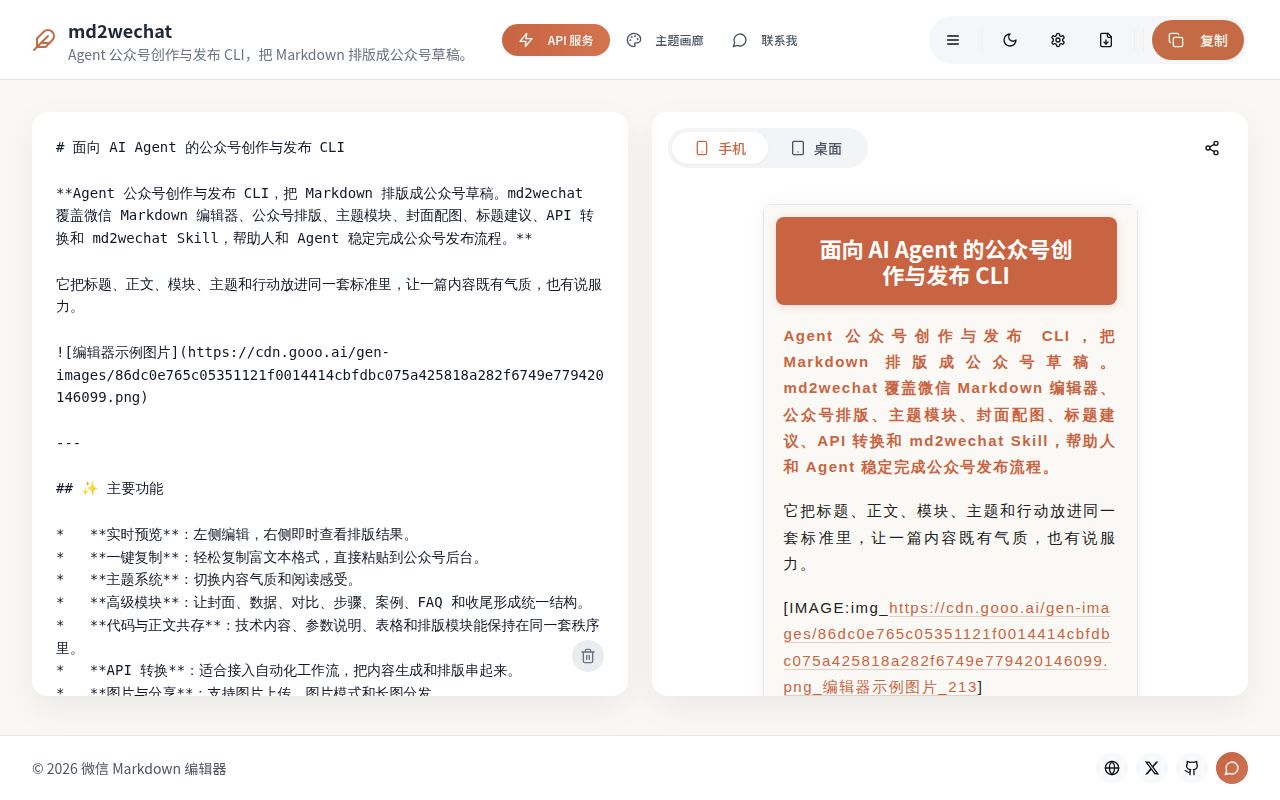
md2wechat breaks WeChat publishing into commands an agent can inspect before it changes anything. inspect reports metadata, readiness targets, and blockers. preview writes successful API-rendered HTML to a file, while convert can upload assets or create a draft only when those effects are requested. Discovery commands expose themes, layout modules, providers, prompts, and embedded skills as JSON. The README names Claude Code, Codex, WorkBuddy, Kimi Work, Hermes Agent, and OpenClaw as intended callers.
The important split is commercial, not cosmetic. Free AI mode supplies 3 basic themes and produces a prompt for an outside language model to finish. The paid API is advertised at ¥199 for permanent access, returns finished HTML, lists 48 themes, and parses 53 recommended ::: layout names. Those counts describe different catalog dimensions, as the README carefully explains. A user wanting deterministic output inside the CLI is therefore choosing a hosted service as well as downloaded source.
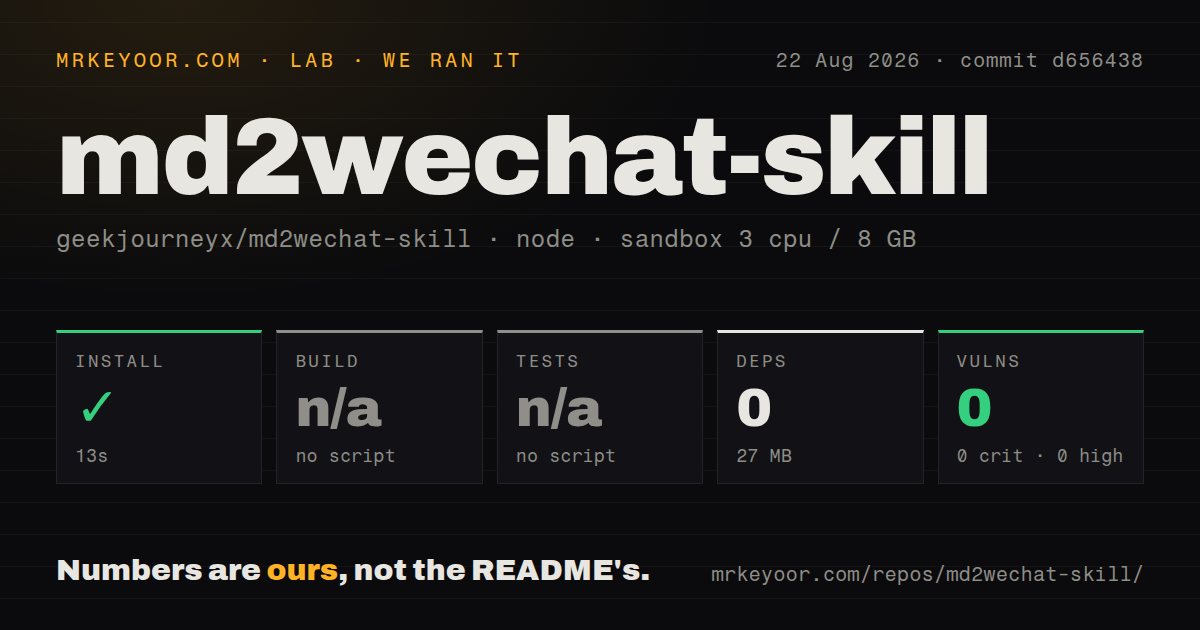
A 13-second install does not verify the Go program
Our sandbox installed commit d656438 through npm in 13 seconds. It added 0 packages and occupied 27 MB on disk. The checkout itself contained 329 files and about 44,688 lines of source. GitHub identifies Go as the primary language, and the README requires Go 1.26.1 or newer for source builds. The npm route appears light because it distributes a wrapper around the compiled CLI rather than assembling a large JavaScript dependency tree.
No build script or target was available to our harness, so the build step was skipped. The checkout also exposed no test script or target, leaving no suite for our sandbox to run. Npm audit found 0 known vulnerabilities across all listed severities. That result covers the npm dependency view, not the behavior of the remote renderer, an image provider, or WeChat's APIs. The repository had 3 CI workflow files, no Dockerfile, and no tests directory in our scan.
What happened when we ran it
Our 3-CPU, 8 GB Debian sandbox completed the npm install in 13 seconds and measured a 27 MB footprint. Since 0 packages were added, the main practical finding is that obtaining the wrapper is cheap. The absence of build and test targets meant we could not use this run to check Markdown rendering, credential discovery, draft readiness, image generation, or publishing. We did not substitute hand-made commands because the measurement rules follow what the project exposes.
A skipped test step is weaker evidence than a passing one. The 329-file checkout has 3 CI workflows, which shows automation exists, but our local result cannot say those workflows cover the published binary or its service boundary. A buyer should run version --json, config validate --json, and doctor --json against the installed release, then preview a representative article before granting draft access. The repository's own command design makes that staged check possible.
WeChat credentials and a stable IP are operational requirements
Uploading an image, creating a draft, or creating an image post needs a WeChat AppID and AppSecret. The credential guide stores them in ~/.config/md2wechat/config.yaml or environment variables. Named accounts can hold several pairs, but using one for upload or draft effects also requires a valid md2wechat API key. The CLI can list account names locally without printing their secrets, a good fit for agents that need to discover targets without receiving raw credentials.
WeChat checks the caller's public IP as well as its credentials. The guide says allowlist changes may take 1 to 5 minutes and warns that home connections, office networks, and dynamic CI runners can change addresses. That is not a small deployment detail. A job can pass configuration validation and still fail when the network exit differs from the allowlisted machine. The paid service offers a fixed egress option, which further ties dependable automation to the hosted offering.
The license excludes common business uses until 2030
The repository is source available, not presently Apache-2.0 software. Its license permits personal non-commercial creation, learning, evaluation, registered nonprofit work, and contributions. It requires separate written authorization for for-profit internal workflows, paid client delivery, SaaS, paid templates or courses, white-label distribution, and commercial model-training use. The stated change date is January 1, 2030, after which versions move to Apache License 2.0 under the license terms.
That restriction is decisive for agencies and company content teams. The code being readable does not grant the usual commercial rights associated with an OSI-style license. GitHub reports NOASSERTION rather than a standard SPDX identifier, which matches the custom terms. Personal creators can still use it within the additional grant, including specified passive platform revenue, but anyone billing clients or embedding the themes in a product should resolve licensing before building a workflow around it.
August 2026 activity is active, while input formats remain narrow
GitHub showed 3,594 stars, 7 open issues and pull requests combined, and a last push on August 24, 2026. Release v3.2.0 was published July 24. The most recently updated work included draft updates and new image providers, which indicates that maintainers and contributors are still extending the command set. Open issue 20 asks for Word import with embedded images and an Obsidian connection, so Markdown remains the documented starting point.
md2wechat is best judged as a paid WeChat publishing workflow with a source-visible client, not as a free converter that happens to have premium extras. The 13-second installation removes friction at the front door, but the meaningful path crosses Chinese documentation, an API key, provider configuration, WeChat secrets, IP allowlisting, and license review. For a personal Chinese-language account already living in Markdown, those tradeoffs may be fair. For a business or manual publisher, a browser formatter is simpler.