GeoLibre 3.0 puts more than 1,000 GIS tools in a browser
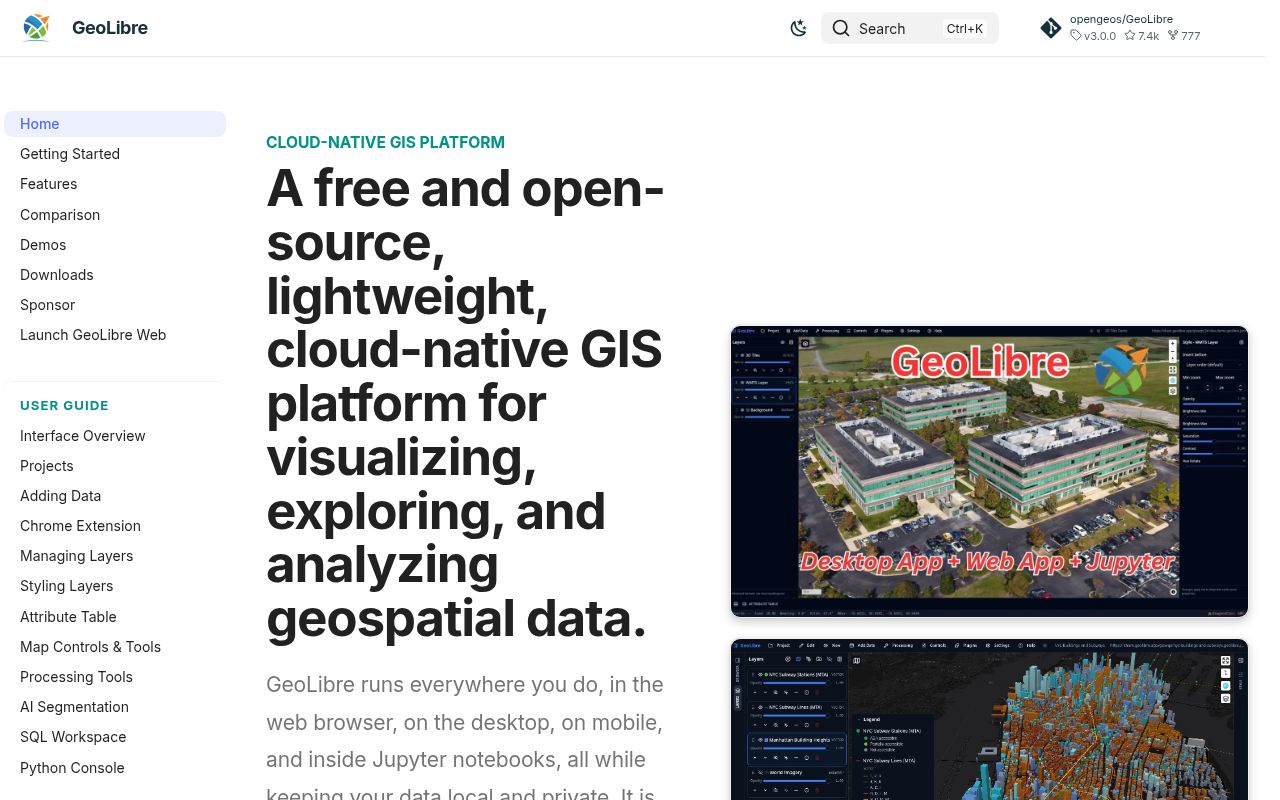
GeoLibre 3.0 reaches beyond map viewing. It opens local vector and raster data, styles layers, runs spatial SQL, builds processing models, and renders 3D data. The Whitebox toolbox supplies more than 1,000 vector, raster, terrain, hydrology, remote-sensing, and LiDAR tools through WebAssembly. For those tools, selected files and results stay on the user's machine instead of traveling to a processing server.
The same interface appears on the web, desktop, Android, iOS, and inside Jupyter. That reach comes from a large codebase: our checkout contained 1,993 files, about 568,823 source lines, and 39.7 MB before dependencies. React and TypeScript drive the interface, MapLibre and deck.gl draw maps, DuckDB-WASM handles local analytical work, and Tauri wraps the desktop and mobile builds.
What happened when we ran it
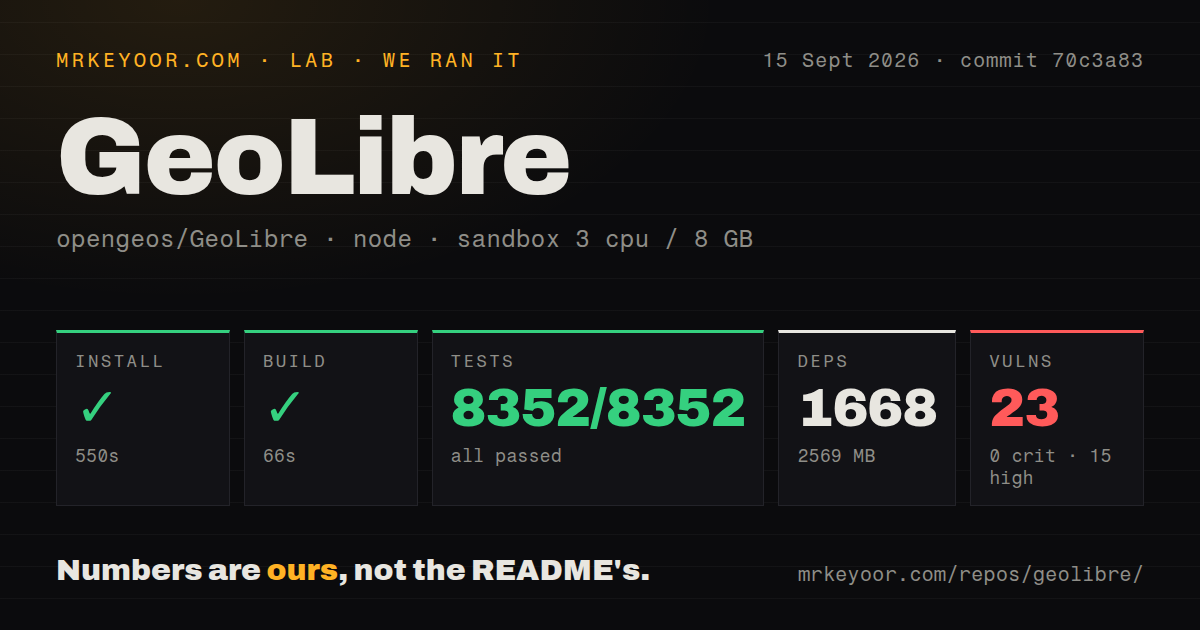
Our sandbox installed commit 70c3a83 in 550 seconds. Npm added 1,668 packages and consumed 2,569 MB on disk. The build then succeeded in 66 seconds. Node's test runner completed in 205 seconds with 8,352 tests passed and 0 failed. We ran the checkout in an unprivileged Node 22 container with 3 CPUs, 8 GB of RAM, and no secrets.
The dependency audit is the uncomfortable part. Npm reported 23 known vulnerabilities: 15 high and 8 moderate, with 0 critical and 0 low findings. The audit result does not tell us whether each vulnerable path is reachable in a production browser bundle, desktop shell, test tool, or build step. It does require triage before a sensitive deployment. A perfect 8,352-test result measures behavior; it does not cancel dependency advisories.
The 2,569 MB source install is optional for most users
The web edition avoids our 2,569 MB setup entirely: open the hosted app and load a supported local file. Desktop installers add filesystem dialogs, local MBTiles, project save and open, and other Tauri-only features. Developers need Node.js 22 or newer, while desktop builds also require Rust and the operating system packages listed by Tauri. The 550-second install makes a cached development image worthwhile.
Self-hosting ranges from one container to a small service stack. The root Docker image serves the browser app through nginx and bundles an optional Python sidecar. Docker Compose adds the projects server, a collaboration relay, and Postgres; it refuses to start without a Postgres password. The docs explain public TLS origins, CORS, shared Basic Auth, provider tokens, and data volumes. That operational work starts after the 66-second web build we measured.
Version 3.0 changes shape across web, desktop, store, and mobile builds
GeoLibre 3.0 does not promise feature parity across every package. Browser code cannot use desktop file dialogs or arbitrary local paths. The Mac App Store build drops the Python sidecar engines, local Jupyter server, Earth Engine sign-in, external plugin installation, and a PostGIS path because of sandboxing. Container users get the browser interface and sidecar, while native file workflows still need the desktop app. Choose the distribution after listing the data sources you actually use.
Our 2,569 MB install does not mean every engine is ready offline. DuckDB-WASM is bundled by default, while some heavier browser engines and assets can arrive from CDNs and become cached afterward. A no-external-CDN build flag disables or changes affected features, and some third-party packages still contain their own data-fetch URLs. If an air-gapped installation is the goal, test every needed engine with the network physically unavailable.
GeoLibre 3.0 desktop credentials remain in localStorage
GeoLibre 3.0 keeps local processing private by default, but optional sharing and provider integrations introduce secrets. Open issue 1667 says the desktop app stores its share token, Cesium token, Google key, custom headers, and other credential values together in localStorage. The proposed OS-keychain abstraction is still an issue, with no merged fix cited there. That storage choice is acceptable for some personal setups and a blocker under stricter desktop credential policies.
Despite 8,352 passing tests, shared projects have another boundary. Among the repository's 20 open issues and pull requests, issue 1527 asks for enforced view, comment, and edit roles plus link expiry, password protection, and revocation. It says current sharing mainly controls discoverability and that a shared link is permanent and unauthenticated once created. Do not use a hidden panel or map-only URL as an authorization control.
GeoLibre 3.0 still works around a DuckDB-WASM GeoParquet failure
GeoLibre 3.0 reads GeoParquet through DuckDB-WASM in both web and desktop views. Issue 961 tracks a pinned upstream regression where read_parquet can throw stoi: no conversion after the Spatial extension loads. The project warms up the connection with an earlier read, but the issue says this can still fail for genuinely large or remote files. Test representative GeoParquet sources rather than assuming a small local file proves the path.
7,373 stars and v3.0.0 show a fast-moving project
GitHub recorded 7,373 stars, 20 combined issues and pull requests, and a September 15, 2026 push. Version 3.0.0 shipped one day earlier. Our 205-second test run covered commit 70c3a83 from the next day's activity. New pull requests were already open after that commit. The repository was created only in May 2026 and is changing quickly.
The 8,352 passing tests make GeoLibre credible for a serious trial. They also make the 23 audit findings harder to wave away, because this team clearly knows how to build gates. End users can start with the hosted app and keep local files local. Contributors should cache the 1,668-package environment. Self-hosters handling credentials or private projects should finish the audit, put authentication in front, and verify the exact sharing rules before inviting anyone else.