Fastpotify is a full Spotify client without a browser engine
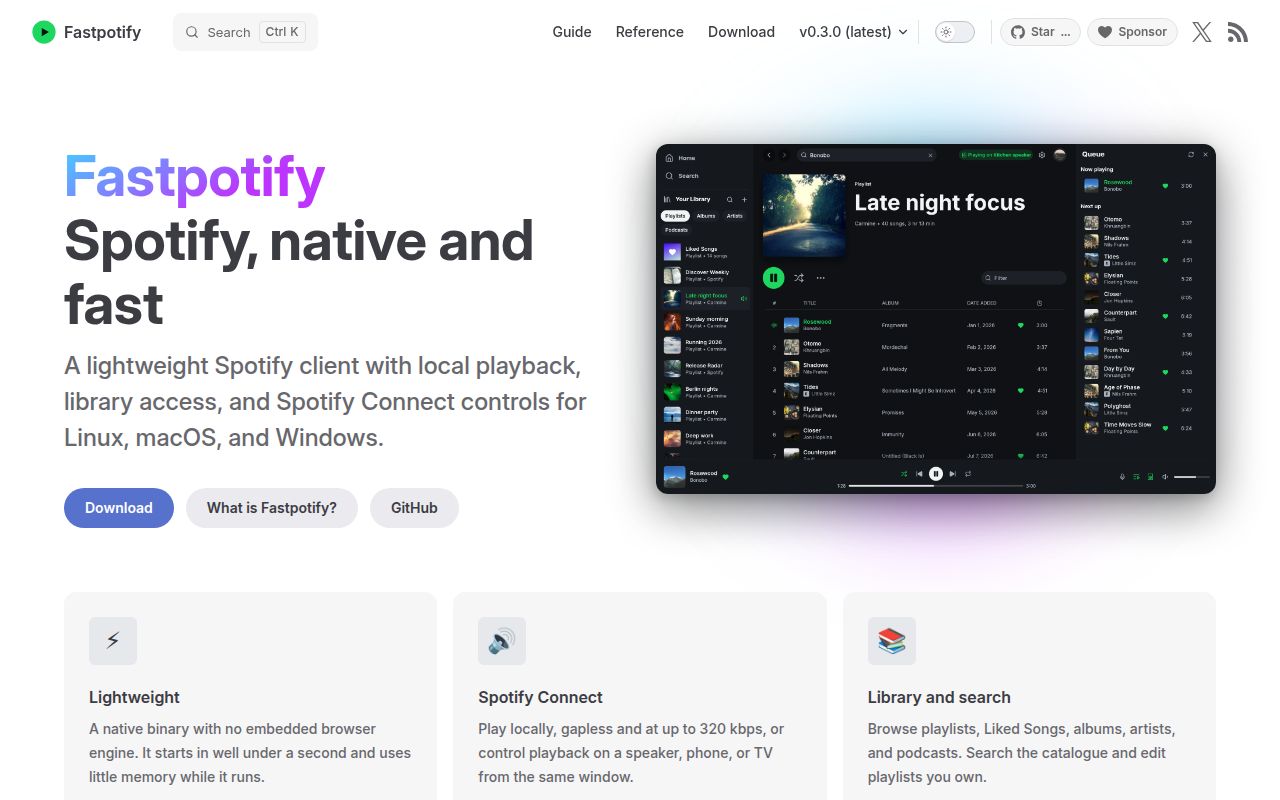
Fastpotify looks and behaves like a desktop music application. It has library pages, search, playlists, a queue, artist and album views, podcasts, lyrics, light and dark themes, and Spotify Connect device control. Playback uses librespot, while the interface uses Rust's egui toolkit. That makes it a much broader proposition than the terminal clients that inspired it. You can manage a playlist with drag and drop, keep music playing after closing the window, or shrink the app into a Winamp-style player.
The scope stays tied to Spotify. A Premium account is required to play anything, although a Free account can browse after sign-in. Local files are absent, and the contributor guide says Spotify audio must come from Spotify rather than a substitute catalog. Our 7.4 MB checkout contained 219 files and about 36,234 lines of source, a compact repository for this much interface and playback behavior. The installed Rust dependency graph was much larger at 579 packages.
Premium playback needs two approvals, while browsing needs one
The first browser flow uses Spotify's authorization page and PKCE. Once it returns to Fastpotify, library access, search, and remote device control are available. Local playback needs another one-time approval because librespot uses a separate client identity. That second grant produces a reusable credential. Fastpotify also stores a refresh token in the platform state directory, so anyone evaluating it on a shared workstation should understand where those credentials live.
A personal Spotify Development Mode client ID is optional. Supported requests can use its quota, while the shared app continues to cover requests such as full playlist views. This split is useful, though it also means behavior depends on Spotify's APIs and account policy. Our sandbox could compile and test the code without secrets, but it could not establish whether a reader's account, catalog, or Connect devices will behave correctly. That requires a real Premium account and an audio session.
What happened when we ran it
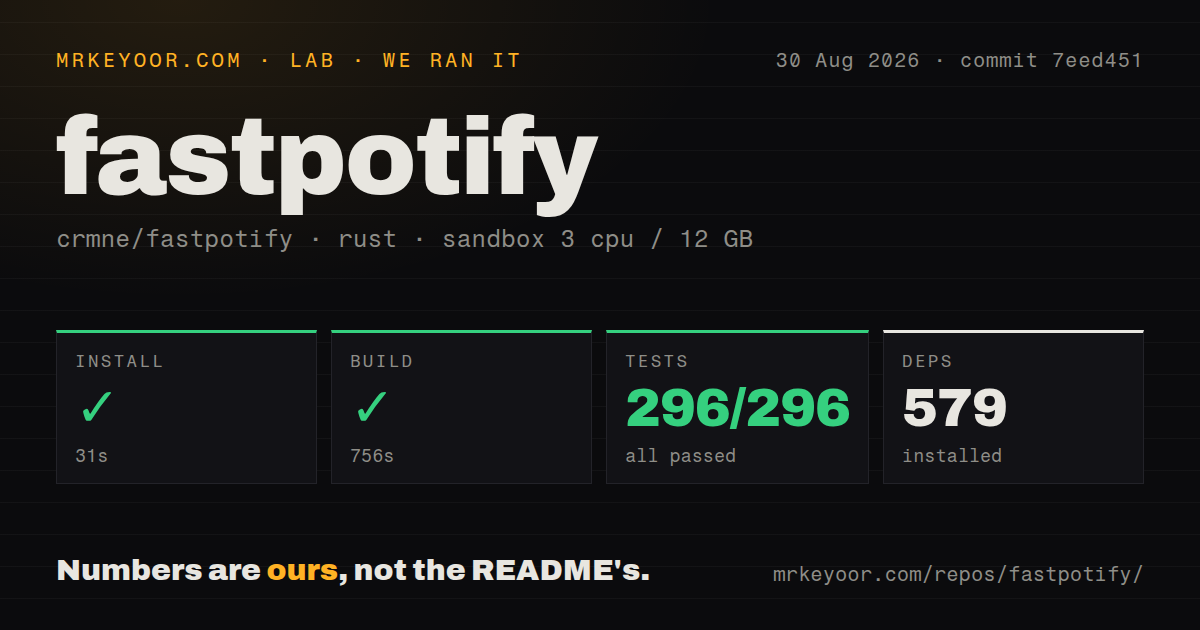
Our sandbox installed 579 Rust packages in 31 seconds. The build succeeded but took 756 seconds on 3 CPUs with 12 GB of RAM. Cargo test then completed in 47 seconds, reporting 296 passed and 0 failed out of 296. Those numbers cover commit 7eed451 in an unprivileged container with no secrets. They do not measure startup, playback quality, memory use, or Spotify API latency.
The repository itself had 3 CI workflow files. It had no Dockerfile and no separate tests directory, while Rust tests still ran through Cargo and all 296 passed. A desktop application that talks to the host audio stack would gain little from a generic server container. More relevant is the source-build cost: 756 seconds is long enough that most listeners should prefer the AUR binary, Homebrew cask, or a release asset when their platform package works.
Linux builds require native audio packages and system fonts
The README asks for Rust 1.95 or newer. Debian and Ubuntu builders also need development packages for ALSA, PulseAudio, libxkbcommon, and Wayland. Nix users get a pinned toolchain and dependencies through the provided development shell. These requirements are documented, which removes much of the usual guessing, but they make cargo install --path . only one part of the Linux setup. Audio output can use PulseAudio or ALSA, with PipeWire covered through PulseAudio support.
Font coverage is another host concern. Fastpotify borrows system fonts for Chinese, Japanese, Korean, Arabic, Hebrew, Thai, Indic scripts, and others rather than bundling every glyph. Missing fonts produce empty boxes. That choice keeps the application smaller, but a multilingual Linux music library may need Noto packages after the 579 Rust packages are already installed. The settings file and caches are plain local files, and deleting a cache does not sign the user out.
Current platform reports make packaged builds worth testing first
Issue 73 reports a Fedora KDE Flatpak crash when playback starts. Its log ends with PulseAudio connection errors and an invalid player state. The report does not prove a general Fedora defect or identify a fix, so the fair conclusion is narrow: that reporter's packaged v0.3.0 setup could sign in but could not begin playback. Issue 88 separately reports brief audio interruptions on Windows 10, with logs showing a local playback session reconnecting.
The macOS report is more specific. Issue 68 says the v0.3.0 Homebrew cask and DMG stayed in dyld_start on macOS 26.6.1. The reporter found quarantine attributes inside the app bundle and opened it after copying without extended attributes, clearing them, and locally signing the result. That is too much repair work for an ordinary music app. The 296 passing tests are reassuring for code paths, but they do not replace install and playback checks on each desktop target.
Fast release activity comes with a young issue queue
GitHub recorded 533 stars, 10 open issues and pull requests, and a push on August 30, 2026. Release v0.3.0 landed one day earlier with drag and drop, playlist caching, Spotify lyrics, persistent sorting, more remote commands, and several fixes. That is active maintenance by any reasonable reading. It also means packaging and playback reports are arriving against code that is changing quickly.
Fastpotify is easy to recommend for a technically comfortable Premium subscriber who dislikes Spotify's web-heavy desktop client. The native interface has a coherent purpose, the documentation states awkward account and Linux details, and our 47-second test run passed every one of 296 cases. Keep the official client installed until Fastpotify has played through your normal devices, sleep cycle, audio switching, and package updates without surprises.